How to Set Up Agent Worktrees Without Port or Database Collisions
File isolation is only useful when every checkout can boot, test, and clean up without borrowing another agent's state.
Contents
- The environment contract
- Start with an idempotent setup script
- A practical Node.js example
- Handle environment files deliberately
- Choose a database strategy
- Prevent package and build-cache surprises
- Make setup observable
- Keep setup fast
- Cleanup is part of the design
- A good setup script is product infrastructure
- Related guides
- Frequently asked questions
A new Git worktree isolates repository files, not the environment around them. To run several coding agents reliably, each checkout needs repeatable dependencies, the right ignored configuration, a unique port, and an explicit policy for databases and other mutable services.
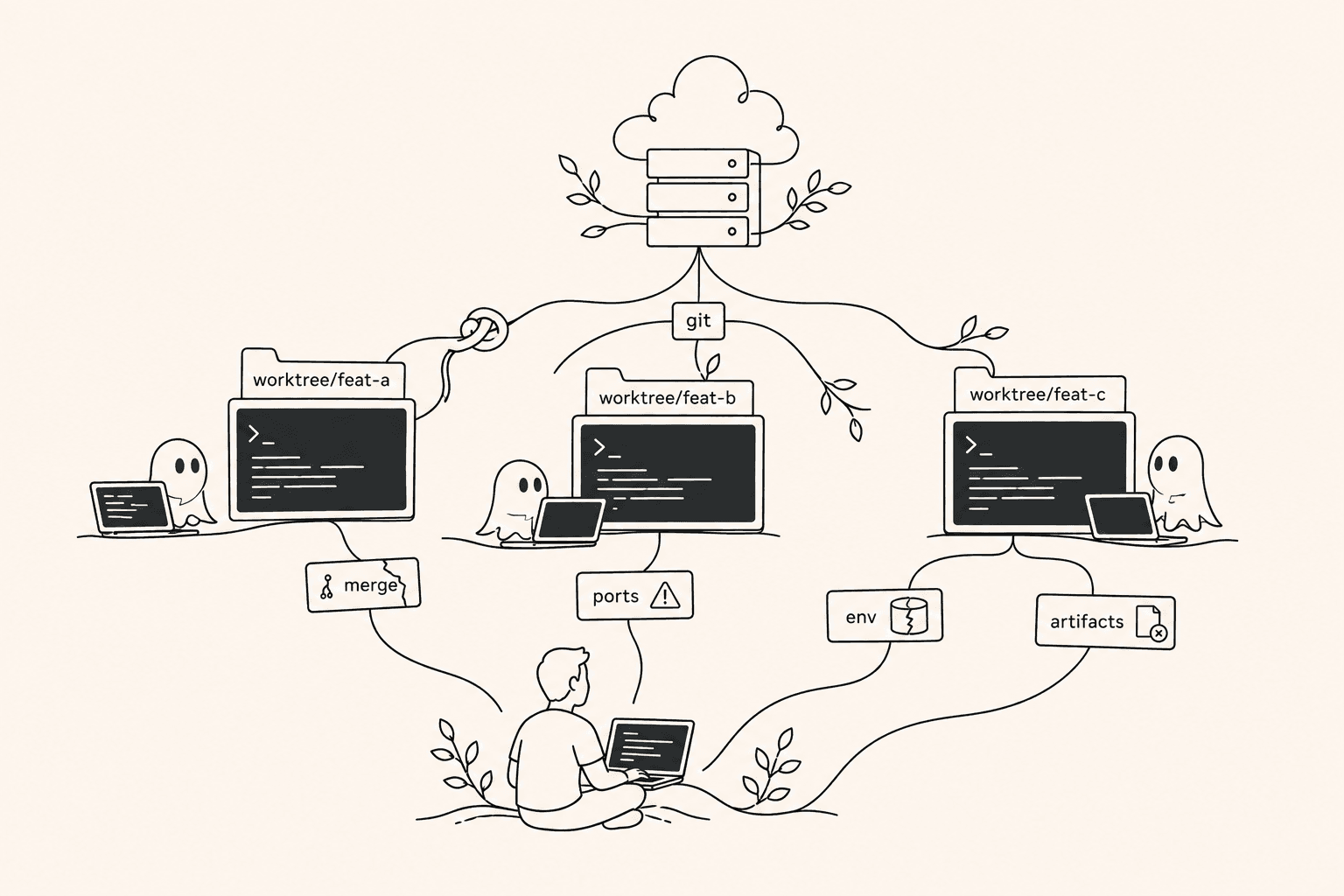
Agentastic runs .agentastic/setup.sh whenever it creates a worktree. This guide builds a safe baseline you can adapt to your stack. If you use Claude Code's or Codex's own worktrees, a .worktreeinclude file handles the simplest part, copying ignored files, and the rest of this guide still applies. For the underlying Git commands, keep the git worktree cheat sheet nearby.
The environment contract#
For every new workspace, answer these questions before the agent starts:
- How are dependencies installed?
- Which ignored files are copied, generated, or fetched?
- Which ports belong to this worktree?
- Does it get a database, schema, container, or serialized test lane?
- Which generated artifacts must be refreshed?
- How can a human rerun and debug setup?
If the answer exists only in a developer's memory, agents will improvise.
Start with an idempotent setup script#
Create .agentastic/setup.sh in the repository and make it executable:
mkdir -p .agentastic
touch .agentastic/setup.sh
chmod +x .agentastic/setup.sh
Agentastic supplies these useful values:
| Variable | Meaning |
|---|---|
AGENTASTIC_BRANCH | New worktree branch |
AGENTASTIC_BASE_BRANCH | Selected base branch |
AGENTASTIC_WORKTREE_PATH | Absolute path to the new checkout |
AGENTASTIC_MAIN_REPO_PATH | Absolute path to the original repository |
AGENTASTIC_COMMIT | Starting commit |
AGENTASTIC_REPO_NAME | Repository folder name |
The script runs from the new worktree. Agentastic shows its output in the Worktree Setup task and lets you rerun it. Setup is non-blocking: the worktree is created even if the script fails, so make failures loud rather than relying on the agent to notice.
A practical Node.js example#
#!/usr/bin/env bash
set -euo pipefail

echo "Preparing $AGENTASTIC_REPO_NAME on $AGENTASTIC_BRANCH"

# 1. Copy only the ignored local files this project actually needs.
for file in .env .env.local; do
  source_file="$AGENTASTIC_MAIN_REPO_PATH/$file"
  if [ -f "$source_file" ] && [ ! -f "$file" ]; then
    cp "$source_file" "$file"
    echo "Copied $file"
  fi
done

# 2. Install from the committed lockfile.
if [ -f pnpm-lock.yaml ]; then
  pnpm install --frozen-lockfile
elif [ -f package-lock.json ]; then
  npm ci
elif [ -f yarn.lock ]; then
  yarn install --frozen-lockfile
fi

# 3. Allocate a stable local port from a dedicated range.
branch_checksum=$(printf '%s' "$AGENTASTIC_BRANCH" | cksum | awk '{print $1}')
app_port=$((4100 + branch_checksum % 700))

cat > .env.agentastic.local <<EOF
AGENTASTIC_WORKTREE=1
APP_PORT=$app_port
EOF

echo "APP_PORT=$app_port"

# 4. Generate code only after dependencies and environment exist.
if npm run | grep -q 'generate'; then
  npm run generate
fi

echo "Setup complete"
The port range is an example, not a universal standard. Reserve a range that does not overlap with normal local services, CI, or other repositories. Your run script must actually read the generated value.
Handle environment files deliberately#
Do not recursively copy every .env* file from the main repository. That can pull production credentials, stale overrides, or files belonging to another package into the worktree.
Prefer one of these patterns:
- Copy an explicit allowlist of development-only files.
- Generate
.envfrom a committed.env.exampleand fetch secrets from your normal secret manager. - Write worktree-specific values to a separate ignored file such as
.env.agentastic.local. - Use container environment configuration for sensitive or highly isolated tasks.
Never commit the copied result. Add generated local files to .gitignore.
Choose a database strategy#
Relative SQLite databases#
If the database file lives inside the repository directory and is ignored, each worktree naturally gets a separate path. Confirm the application does not resolve it back to one global directory.
One Postgres database per worktree#
Create a safe database identifier from the branch name:
safe_branch=$(printf '%s' "$AGENTASTIC_BRANCH" \
  | tr '[:upper:]' '[:lower:]' \
  | tr -c 'a-z0-9_' '_' \
  | cut -c1-40)

database_name="${AGENTASTIC_REPO_NAME}_${safe_branch}"
echo "DATABASE_NAME=$database_name" >> .env.agentastic.local
Database creation needs credentials and permissions. Keep those operations in a trusted local script or development service rather than granting every agent unrestricted administrative access.
One schema per worktree#
A schema is lighter than a full database, but only if the application and migrations consistently respect the search path. Test cleanup and cross-schema extensions before adopting it.
One container stack per worktree#
For stateful applications, a container-backed Agentastic workspace is often simpler. Give the task its own application process and database service, then remove the runtime when the workspace is discarded.
Serialize shared-state tasks#
Some systems cannot cheaply duplicate their dependencies. In that case, run only one migration or integration-test task at a time. Honest serialization is safer than pretending shared mutable state is isolated.
Prevent package and build-cache surprises#
Each worktree should have its own repository-local dependency directory unless your package manager provides a concurrency-safe global store. Avoid symlinking one live node_modules directory between checkouts.
Use committed lockfiles and deterministic install commands:
npm cipnpm install --frozen-lockfileyarn install --frozen-lockfileuv sync --frozen- a new Python virtual environment per worktree
Shared download caches are usually fine. Shared mutable build output is not.
Make setup observable#
Setup failures should be obvious before the coding agent begins reasoning about application code.
Use:
set -euo pipefail
echo "Step 1/4: copying local config"
echo "Step 2/4: installing dependencies"
echo "Step 3/4: generating clients"
echo "Step 4/4: preparing services"
Validate syntax locally:
bash -n .agentastic/setup.shTest with explicit values in a disposable checkout. Do not use /tmp/test if the script can delete or migrate resources without a unique namespace.
Keep setup fast#
A perfect ten-minute bootstrap encourages people to bypass it. Improve the feedback loop:
- Use package-manager stores and lockfile installs.
- Build base container images with slow system dependencies already present.
- Generate only what the task needs.
- Keep databases as small development fixtures.
- Move optional checks out of workspace creation and into a validation task.
Cleanup is part of the design#
Before removing a worktree:
- Stop its local processes.
- Remove its database, schema, or container if the data is disposable.
- Preserve logs or fixtures only when they matter to the pull request.
- Remove or archive the Agentastic workspace.
- Run
git worktree pruneonly for stale Git metadata, not as a substitute for intentional cleanup.
Agentastic automatically stops and removes the container for container-backed workspaces. It does not run teardown scripts for local worktrees yet, so services started by project scripts still need a project-specific shutdown path. A small scripts/agent-teardown.sh that you run before removing a worktree is enough.
A good setup script is product infrastructure#
Every agent benefits from the same reproducible environment: Claude Code, Codex, Gemini, Cursor, review agents, and your own terminal. Treat setup as part of the repository, test it, and improve it whenever a workspace fails for an environmental reason.
Download Agentastic for macOS or read the complete Setup & Teardown Scripts documentation.
Related guides#
- Git Worktrees — Agentastic Docs
- Containers — Agentastic Docs
- Run multiple Claude Code agents
- Parallel Claude Code problems
Frequently asked questions#
Does git worktree copy .env files?#
No. A new worktree contains only tracked files, so ignored files such as .env and .env.local are missing. Copy an explicit allowlist of development-only files in a setup script, or list them in .worktreeinclude if you use Claude Code's or Codex's own worktrees, rather than copying every .env* file.
Should git worktrees share node_modules?#
Usually not. Each worktree should install its own dependencies from the committed lockfile, for example with npm ci or pnpm install --frozen-lockfile, so one agent's install can't break another agent's build. Shared download caches and package-manager stores are fine; a shared, mutable node_modules is not.
How do I avoid port conflicts between git worktrees?#
Give each worktree a stable port from a reserved range. The setup script in this guide derives one from a checksum of the branch name and writes it to an ignored .env.agentastic.local file, and your run script must read that value.
How do I give each git worktree its own database?#
Keep a SQLite file inside the ignored worktree directory, create one Postgres database or schema per worktree named after the branch, or run a container stack per worktree. If a service can't be duplicated cheaply, run the tasks that touch it one at a time.
What environment variables does Agentastic pass to .agentastic/setup.sh?#
AGENTASTIC_BRANCH, AGENTASTIC_BASE_BRANCH, AGENTASTIC_WORKTREE_PATH, AGENTASTIC_MAIN_REPO_PATH, AGENTASTIC_COMMIT, and AGENTASTIC_REPO_NAME. The script runs from the new worktree, and its output appears in the Worktree Setup task, where you can rerun it.
Does Agentastic run a teardown script when a worktree is removed?#
Not yet. Container-backed workspaces have their container stopped and removed automatically, but processes, databases, and services started by your own scripts need a project-specific cleanup step before you remove the worktree.