Agentastic.dev Release Notes
Download the latest macOS build and see what changed in Agentastic.dev: multi-agent launches, worktree isolation, terminal fixes, and code-review workflow improvements.
Latest: v0.13.3
Released October 7, 2026 · macOS 14+
Agentastic.dev v0.13.3#
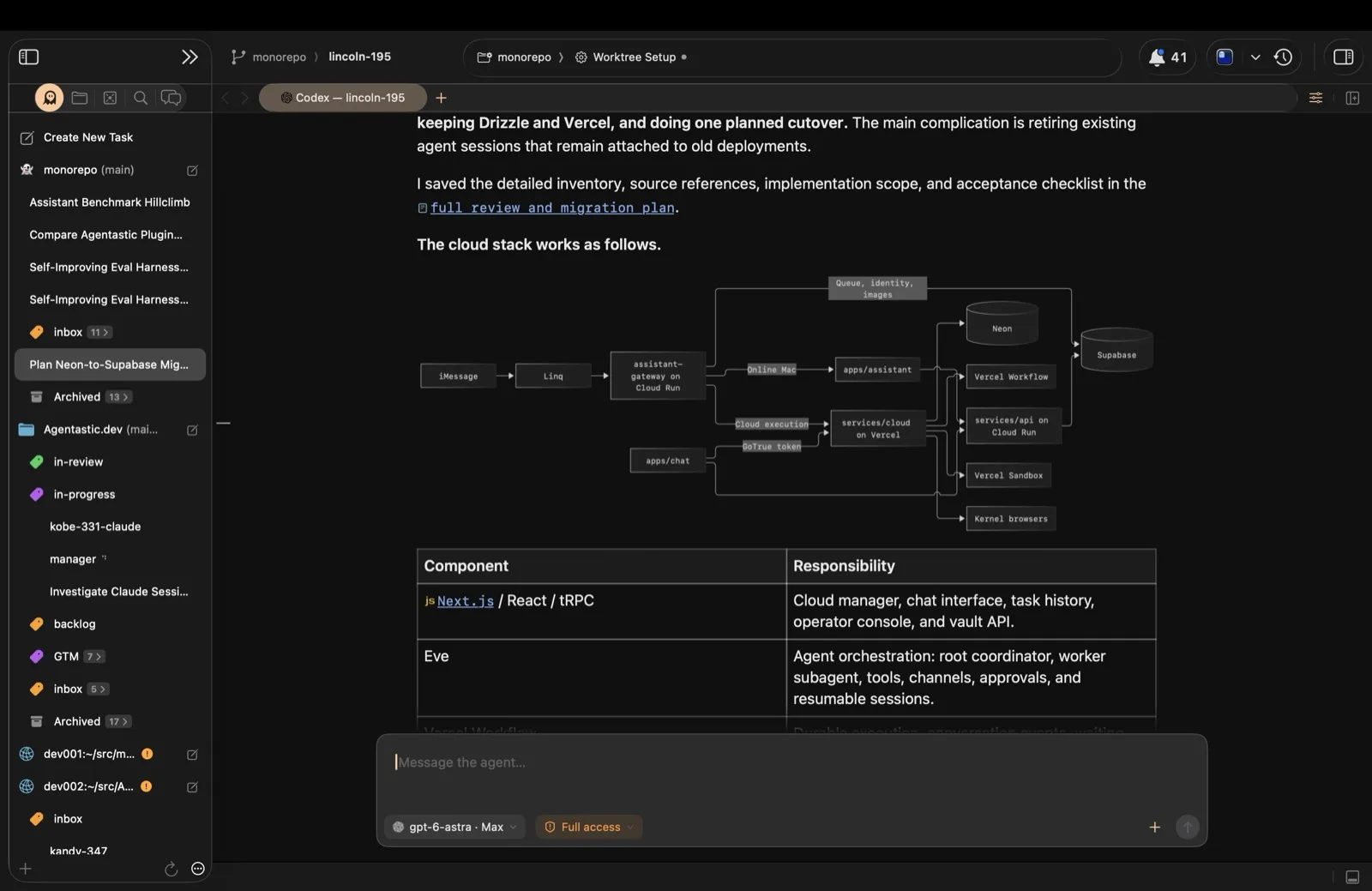
Dev gets a new look: the Modern pane style draws every editor pane as its own card, and it's now the default. v0.13.3 also adds sidebar filters, labels you can create and fill by dragging, and a search button for jumping between workspaces. The Companion opens terminal agents on their terminal and lets you archive agents with a swipe. Fixes include a CPU leak that could pin every core after long uptime and an editor freeze on very long lines.
Dev#
Highlights#
- Modern panes — Each editor pane is now a rounded card on the window, with its tabs as the card's header and its split, focus, and close controls at the header's right. The utility area, Agent Home, and Scheduled Tasks are cards too. Modern is the default. If you prefer the old look, pick Classic in Settings → General → Pane Style; switching keeps every split and running terminal. Editor tabs now share the pane's width evenly.
- Filter the sidebar — The ⋯ menu at the bottom of the agents sidebar has a new Show section: All Agents, Working, and With Pull Requests. Working includes agents waiting on you, so rows don't flicker in and out each time an agent asks a question. While a filter is on, a chip beside + shows it; click it to go back to All. The agent you're viewing always stays in the list.
- Labels, right in the sidebar — A New Label button sits next to +: give the label a name and color, and pick a repository. Label → New Label… on an agent's context menu asks for a name and moves the agent in. Drag agents onto a label header, or onto an empty label's Drag agents here row. Right-click a label to edit or delete it; deleting keeps its agents.
Improvements#
- Search for a workspace — A magnifying glass at the end of the Create New Task row opens the workspace switcher. Opened this way, or from the Navigate menu, the switcher stays open until you press Return or Escape or click a row. Holding Control and pressing Tab works as before.
- Model and thinking for scheduled tasks — The scheduled task editor shows the same model and thinking-effort picker as Agent Home for each agent that offers them, and each run uses what you picked, on this Mac or a remote host.
- Fable 5.1 — Claude Code's model picker shows Fable 5.1. Your saved Fable choice carries over, and usage estimates use Fable 5.1's cache-read price.
- A steadier launch popover — With Default thinking selected, the popover shows Default: High in the section header instead of adding a line that made it grow.
Bug Fixes#
- Every CPU core pinned — Fixed agent chat processes that had exited leaving their output pipes being watched forever. After a day or two of uptime this could hold every core near 100% and make the Mac unusable.
- Long lines — Fixed pasting or opening a file with a multi-megabyte line freezing the editor for seconds, and scrolling staying slow afterward. Wrapping a 3.3-million-character line is about five times faster.
- Gigabytes of temporary files — Fixed looking up a worktree's chats writing gigabytes to temporary files on every lookup.
- Terminal crash — Fixed a crash when a terminal's theme, font, or glass setting changed. Shells, agents, and tools started from Dev no longer inherit a stray
RUST_LOGsetting. - Spinners that never stopped — Fixed a worktree's sidebar spinner running until restart after its agent finished, when you'd switched to another repository or closed the agent's tab mid-turn. Input Needed and Done badges now reach worktrees in every repository.
- Chat tabs out of order — Fixed a Chat tab that sat before a Terminal tab coming back after it, and every other tab, when you relaunched or reopened the worktree.
Agent#
The changes below are in the Agentastic agent's next release, after 0.17.0. The copy included with Dev updates itself when it ships. If you installed the CLI yourself, run agentastic update or brew upgrade agentastic.
Improvements#
- Review a suggestion before it runs — Choosing one of the Next: suggestions after a turn now puts it in the composer, so you can read or edit it and press Enter to send. Built-in review suggestions still start the review directly.
- More room as a guest — Guest coding allows 100 messages a day, and each message can make up to 24 model calls, so long tool loops are no longer cut off at 16.
- More provider logos — Cloudflare, OpenRouter, Vercel, and other providers now show their logos, and provider menus are sorted alphabetically.
- A faster model list in Dev — The model catalog Dev reads from the agent is about 30 times smaller, so the picker loads faster.
Bug Fixes#
- Unreadable Light Agent messages — With Dynamic Models, fixed a Claude Primary Agent seeing "This content was encrypted for another model provider" instead of messages from an OpenAI Light Agent. Only the final report used to get through.
- Background server startup — Fixed a status check that could stop the agent's background server from starting.
Companion App#
Update both the Mac and the Companion from TestFlight to get everything below.
Highlights#
- Terminal agents open on their terminal — Tapping an agent that runs in a terminal opens its terminal instead of its transcript. A button switches between terminal and transcript in place, and Back returns to the agents list.
- The whole screen, not just the newest lines — Opening a running terminal, such as an Agentastic agent, shows everything already on screen, plus recent scrollback, instead of only what was drawn after the phone connected.
- Swipe to archive or delete — Swipe an agent left to archive or delete it. A full swipe archives. If the Mac refuses, the agent comes back with the Mac's reason.
Improvements#
- New Task remembers you — The sheet opens on what you last started a task with: repository, agent, model, thinking level, run mode, placement, and, per repository, base branch and label. A repository you've never launched in starts from your last choices on that Mac. These choices now survive iOS clearing the app's cache.
- Pick a thinking level — New Task has a Thinking picker under Model, listing only the levels that model supports, plus Mac Default.
- Smaller touches — On iOS 26, agent rows blur as they scroll under the task composer, which now uses Liquid Glass. The merge method sits below Slide to merge. A long New Task prompt no longer jumps over the Name row as you type past 12 lines.
Bug Fixes#
- Follow-ups out of place — Fixed a prompt sent from the phone into a Chat session appearing above the end of the previous turn, with that turn stored twice.
- Empty thinking steps — Fixed thinking the provider didn't return as readable text showing as "The provider did not return readable thinking text." It's now left out, as on the Mac.
Requirements#
- macOS 14.0 (Sonoma) or later
- Apple Silicon or Intel processor
- Companion: iOS 18 or later, through TestFlight
Agentastic.dev v0.13.2#
Companion can now merge a pull request with a slide, and the Agentastic agent suggests what to do next. v0.13.2 also brings Claude's questions and approvals into Chat, stops chat transcripts from jumping while they render, and fixes worktrees that came back empty after a relaunch, freezes on remote hosts, and a long list of smaller bugs.
Dev#
Improvements#
- Answer Claude in Chat — Claude Code chats now stop and ask. Questions arrive as cards: answer each one, and Claude carries on in the same turn. Tool calls Claude used to deny without asking, such as reading a file outside the worktree, now show an approval card, and several at once queue up in order. If Claude is waiting on a question in Terminal, answer it there before switching to Chat.
- Chat holds still — Text stays where it first appears. Each turn ends with one Edited N files card below the final answer, instead of cards popping in above what you're reading, and rows keep their place when saved history replaces the live stream. Switching workspaces brings each chat back exactly as you left it, scroll position and open steps included, and a chat you open appears at its final position instead of starting at the top and jumping down.
- Glass you can see through — With Settings → Themes → Enable glass effect on, the desktop now shows through the toolbar, sidebars, editor, chat, and terminals, and Glass amount sets how much theme tint sits on top. Text and colored terminal cells stay solid, dark text on a light theme stays dark, and full screen and Reduce Transparency stay opaque.
- Agentastic moves between Chat and Terminal — Like Claude Code and Codex, an Agentastic conversation can switch to Terminal and back without leaving its session. Chat picks up what happened in Terminal, and the session keeps its launch settings, permissions, and attachments, on this Mac or a remote host.
- Sessions reopen the way you left them — An agent you switched to Chat comes back in Chat after a restart or a worktree switch. Restored worktrees show their agent's icon before you click them, instead of the Agentastic logo, and a workspace with no agent shows a slashed circle.
- A safety net for workspace state — Dev keeps compressed backups of each window's saved state, and holds on to any worktree state a save drops for 30 days. When that worktree shows up again without its state — at launch, when a remote host reconnects, or when you re-add the repository — its terminals and chats come back on their own.
- Thinking stays inside the work — A model's thinking appears as a Thinking step inside Worked through N steps, with a one-line preview. Click it for the full text. Thinking the provider didn't return as readable text is left out instead of showing a placeholder.
- Your messages, as you typed them — What Dev adds to a prompt, such as skill and plugin guidance, linked issue and PR details, mentioned files, and mode instructions, no longer shows up as part of your message or as App context cards beside it. The agent still gets all of it. Messages sent with earlier versions are unchanged.
- Zoom per surface — ⌘+ and ⌘- now zoom only what you're looking at. Agent Home and Quick Task share one level, Chat and the Manager feed another, and the Kanban board a third. All three start at your current zoom.
- Pick a tile style by sight — Settings → Workspaces → Workspace Tile Style shows a small sidebar preview of Compact and Detailed instead of a pop-up menu.
- A quieter toolbar — Run and Stop are no longer in the toolbar by default. The Tasks menu still has them (⇧⌘R and ⌘.), and on macOS 15 or later View → Customize Toolbar… adds them back. A toolbar you've customized keeps them.
- Remote chats outlive the window — Closing a project or window now leaves remote Chat agents running on their host, as quitting already did, and reopening rejoins them. The close and quit prompts say that remote agents keep running.
- Design feedback reaches Chat — Design mode in the built-in browser now sends its prompt to an agent running in Chat, queued behind its current turn, instead of saying no agent is running.
- Pull request badges keep up — Opening a pull request's panel updates its sidebar badge right away instead of at the next two-minute check. Open pull requests whose checks are still running are refreshed every two minutes, wherever their worktree is, so a badge no longer stays on "running" after its agent goes idle.
- Ghostty, up to date — Terminals run on Ghostty's current engine, the 1.4 development line. Relative paths such as
src/app.tsare clickable again, and a program that asks to read your clipboard is refused. Pasting works as before.
Bug Fixes#
- Worktrees that came back empty — Fixed a relaunch restoring every local worktree with empty terminals and chats, and dropping a second local repository from the window. A window that had already closed could still save over the workspace state. Closed windows no longer save, and a window that is still restoring waits until it has finished.
- Remote hosts — Fixed connecting to a host freezing every repository, terminal, and agent on it once SSH's diagnostic output filled up. Fixed remote chats failing after a restart with "already active in another Agentastic process", even on Retry. Fixed restored Agentastic chats refusing to reconnect after a restart or an app update. Fixed remote terminals running Agentastic, or any agent other than Claude Code and Codex, being treated as idle, which kept PR, diff, and Markdown comments from reaching them. Fixed Agentastic missing from the agent picker on hosts where Dev had installed it. Hosts pick up remote server 0.9.25 the next time you connect.
- Numbers in the sidebar — Fixed new agents in large repositories showing line counts like +10,713,765 −19,034,262 until you opened them; stats now wait for the checkout to finish, on this Mac and on remote hosts. Fixed pull request badges staying orange after every check passed.
- Crashes and hangs — Fixed the editor hanging, with memory growing by gigabytes a second, on a very long line with wrapping on. Fixed a crash when an agent or tool returned deeply nested JSON. Fixed an editor crash with the glass effect on.
- Manager Agents — Fixed the same approval question appearing twice when two manager runs overlapped. Fixed managers losing track of workers that run in Chat, especially while you were in another worktree. A worker that moves to a second worktree is now reachable from both, and manager mail reaches workers whose chat isn't open.
- Agents — Fixed Quick Task opening an agent in Terminal when its Launch Interface is Chat. Fixed switching an idle agent from Terminal to Chat failing now and then while a shell prompt hook ran. Fixed resuming an Agentastic terminal with no saved session attaching to another worktree's conversation. Fixed an agent's browser session losing its page ("Browser tab not found") after you looked at its worktree.
- Model and agent pickers — Fixed the Agentastic model list staying stale after you upgraded the CLI, and refresh failures being hidden whenever cached models were on screen; the picker now says why a refresh failed. Fixed the agent picker leaving blank space or cutting off rows when its list changed while open.
- Editor and windows — Fixed the hover ✕ on file and Markdown tabs sometimes doing nothing. Fixed ⌘Z and ⇧⌘Z staying disabled after you typed. Fixed launch reopening a stack of empty Untitled windows. Fixed the file tree going stale after macOS dropped file events. Fixed the tab bar's + menu losing its icons on macOS 27.
Companion App#
Update both the Mac and the Companion from TestFlight to get everything below.
Highlights#
- Slide to merge — Merge a GitHub pull request from your phone, with any merge method the repository allows. The slider takes the color of CI: green when every check passed, orange while checks run, red when some failed, and blue when none are reported. When GitHub or the Mac wouldn't merge — conflicts, an out-of-date branch, branch rules, a draft, or requested changes — the slider locks and says why. Before merging, the Mac checks everything again and refuses if CI got worse, or new commits landed, since you looked.
- Chats open instantly and stay live — An agent you've opened before opens at once with what the phone already has, at the newest message, and catches up from the Mac in the background. A follow-up you send appears right away, marked Sending… and then Sent, and the reply streams in without leaving the screen.
Improvements#
- A pull request page that stays current — While it's on screen, the PR page refreshes itself: every 15 seconds while checks run, every few seconds while GitHub works out mergeability after a push, and once a minute after that. Updated just now shows when it last reached GitHub, and each refresh also updates the fleet row and the Mac's sidebar badge. Tapping a failing GitHub Actions check opens its logs.
- New Task opens ready — The sheet opens on the options the Mac last sent for that repository, so the agent list is there at once, and refreshes in the background. It starts on the agent already working in that worktree, or else the agent, model, and mode you last started from the phone in that repository. Start doesn't wait for the refresh.
- Claude's questions, on the phone — Questions and approval requests from Claude Code chats on the Mac reach the phone as they happen, and you can answer them there. An approval that arrives while its session is closed is waiting when you open it.
Bug Fixes#
- Replies that didn't show — Fixed a follow-up to a Chat session showing nothing, neither your message nor the reply, until you left the transcript and opened it again. Large turns the Mac used to drop now trigger a reload.
- Sends that only looked sent — Fixed a message the Mac refused looking as if it went through. The phone now shows the Mac's reason and puts your text back in the composer, and a send that times out says Not confirmed instead of inviting a duplicate.
- Disconnects on long sessions — Fixed opening a session with a very large transcript disconnecting the phone, again on every retry. A single very large tool result is shortened on the phone; the full output stays on the Mac.
- Screens that froze after reconnecting — Fixed an open terminal freezing, and a chat opened mid-reconnect showing "not connected", until you navigated away. Both pick up again once the phone reconnects.
- Thinking that split the work — Fixed thinking appearing as full paragraphs between separate step groups in long or running turns. It's now a Thinking step inside the group, as on the Mac, with any Mac version.
- CI stuck on running — Fixed fleet rows and the PR page showing checks as running long after they finished, once the agent had gone idle.
- Remote repositories — Fixed New Task failing with "Unknown worktree path" on a remote repository opened with a
~path, such ashost:~/src/app. The fix is in the Mac app.
Agent#
The Agentastic agent is now at 0.17.0. The copy included with Dev updates itself the next time the app launches. If you installed the CLI yourself, run agentastic update or brew upgrade agentastic.
Highlights#
- Suggested next steps — When a turn ends, the agent suggests up to three next steps, such as reviewing the changes, opening a draft pull request, or fixing failing CI or merge conflicts on the open PR. They appear in a Next: row above the empty composer: press Tab to choose, Enter to run one, or
eto edit it first. Suggestions come from the conversation and from whatgitandghreport about the repository, and ACP clients can opt in to them. Turn them off withagentastic features disable follow_up_suggestions. - Dynamic Models that delegate — The Primary Agent now reliably hands work to the Light Agent, across providers — Fable planning and GPT-6.1 Sol executing, for example. Turning Dynamic on in
/modelapplies to the next message of the running session and printsDynamic: <primary> --> <light>, and each sub-agent shows the model and reasoning effort it runs with.
Improvements#
- Reasoning level, inline — In
/model, the highlighted model carries a slider. ↑/↓ picks the model, ←/→ picks the reasoning level, and Enter applies both. Ctrl+S applies them to this session only, and Tab moves between the picker's sections. - Provider logos — The
/modelpicker and the onboarding provider list show logos for Agentastic, OpenAI, Anthropic, xAI, Meta, and Z.ai in terminals that support Kitty graphics: Ghostty, Kitty, and Dev's Ghostty and SwiftTerm terminals. Other terminals look as before. - Resume stays in this directory —
agentastic resumelists sessions from the current directory, and--lastresumes only from it, instead of from every worktree of the repository. The new Repo filter, between Cwd and All, lists the whole repository, and ←/→ step through the filters. - ChatGPT accounts keep to their models — The model list follows what your ChatGPT account offers, GPT-6.1 models included. If the account rejects the model you chose, the agent switches once to the account's default, tells you, and retries, instead of failing with a raw error.
- Sign out of one device —
agentastic logoutnow ends only this device's session. Your other devices and browsers stay signed in.
Bug Fixes#
- Claude turns sent to OpenAI — Fixed a first Claude turn chosen by Dynamic Models or Plan mode going to OpenAI with your ChatGPT login and failing as an unsupported model. A resumed Dynamic session now uses its Primary Agent's provider.
- Surprise "Session expired" — Fixed the CLI and the Agentastic Desktop app both renewing one shared sign-in, which could end the session for both. With Agentastic Desktop running, the CLI now asks the app for a fresh token.
- Homebrew upgrades — Fixed
brew upgrade agentasticai/tap/agentasticfailing on Homebrew 7 with an untrusted-tap error when you trusted only the stable formula.
Requirements#
- macOS 14.0 (Sonoma) or later
- Apple Silicon or Intel processor
- Companion: iOS 18 or later, through TestFlight
Agentastic.dev v0.13.1#
Fab is our first enterprise feature, and the Agentastic agent can now split a task across two models. v0.13.1 also lets remote agents report home, and fixes Manager replies, Companion terminals, and a handful of crashes and hangs.
Highlights#
- Fab — Our first enterprise feature, and the analytic engine for your software factory. Fab is in beta. Email me at hi@agentastic.ai for a demo or a signup.
- Dynamic routing — Choosing a dynamic model routes the task between the primary and secondary agent. Fable can plan, and Opus can execute.
Improvements#
- Remote agents can report to their manager — An agent in a terminal on an SSH host can mail its manager, post progress, publish an artifact, and notify you.
dev manageranddev notifyon the host relay those commands to the Mac. Connect once so the host picks up remote server 0.9.23. - Install the Agentastic CLI on a remote host — The model picker offers Install Agentastic or Update Agentastic for that host. The download is checked against the published SHA-256 and installed in
~/.agentastic/bin. A failed lookup shows the error instead of looking signed out, and one host's model list no longer appears on another. - Suggested tunnels — A URL with a port printed in a remote terminal or chat shows up in the inspector under Suggested Tunnels, with Tunnel & Open. Ordinary web links stay links.
- Clear a manager feed — Clear feed dismisses the rows on screen without deleting the records behind them. New activity still arrives, and Restore discarded brings the old rows back.
- GPT-6.1 Sol and Sonnet 5.5 — The Agentastic and Codex pickers offer GPT-6.1 Sol, with thinking from low through max. Claude pickers name Sonnet 5.5, and Opus and Sonnet can use the max thinking level.
- The sidebar spinner stays on for a quiet Agentastic turn — While the Agentastic agent is waiting on a model or a tool, the worktree spinner keeps spinning even if the terminal looks idle. Needs the Agentastic CLI that emits those turn signals.
- Thinking rows use a brain — Thinking steps in a transcript use the brain icon instead of a head outline.
- OpenRouter's catalog stays current — The Agentastic CLI now generates an up-to-date model catalogue for the OpenRouter provider, so a release includes the latest models.
Bug Fixes#
- Manager answers that vanished — Fixed a paused manager answering a chat entirely inside a report, which stripped the answer from chat and never recorded it in the feed. The headline and detail now render as prose, and the feed keeps the reply. Reopening the conversation does not duplicate the row.
- Manager follow-ups after a pause or a switch — Fixed follow-ups missing the conversation after pause and resume, or after Chat → Terminal → Chat, because delivery still targeted the old tab. Mail sent while the manager is paused is delivered on resume.
- Blank remote terminals on the phone — Fixed opening a remote terminal from Companion showing a frozen screen until you clicked that terminal on the Mac. Opening it, or typing in it, revives the session.
dev manageron the Mac's bash — Fixeddev managerwith no extra arguments failing on/bin/bash3.2 with an unbound variable.- The Agentastic CLI that would not unpack — Fixed the first-launch download failing with "the release archive could not be unpacked" after the CLI archive started shipping the binary as
agentastic. - Crashes that were not the app — Fixed a fault in a child process being reported as an Agentastic crash, which also turned off the app's own crash handler.
- Session timer crash on macOS 27 — Fixed a crash while the session timer checked which thread it was on.
- Hangs while idle — Fixed the recovery timer encoding remote session snapshots on the main thread every 30 seconds, including when no remote workspace needed an update.
- More than 20 high-resolution images — Fixed the Agentastic agent failing when routing more than 20 images at high resolution to the Anthropic endpoint.
Requirements#
- macOS 14.0 (Sonoma) or later
- Apple Silicon or Intel processor
Agentastic.dev v0.13.0#
Device-Use runs an iOS Simulator or Android Emulator in the editor and lets an agent drive it. v0.13 also brings a more capable Companion, an updated Agentastic agent, and a long list of chat and workspace fixes.
Highlights#
- Device-Use — Run an iOS or Android device in the built-in simulator, and let an agent control it with the device-use skill. The live viewer opens beside the agent, on this Mac or on a remote Mac's own Simulator, so you can watch the same device. The agent lists devices, opens one, boots a stopped Android emulator, launches the app, then inspects the accessibility tree, taps, types, swipes, and captures screenshots. Closing the viewer leaves the simulator running.
Improvements#
- Start the work from Companion — New Task has a searchable model picker, with a Mac Default, and a + to attach up to eight images. A Terminal pill, and New Terminal Here when you long-press a worktree, opens a shell there. Chat replies, reasoning, and tool commentary render as Markdown, with highlighted code, and tool calls collapse into the same compact steps as on the Mac.
- The Agentastic agent holds the thread — Switching from Claude to GPT in the middle of a conversation no longer fails on Claude's item IDs, and a model's reasoning is replayed only to the provider that produced it. Claude's tool search is recorded as a search, so a turn no longer drops the tools it just loaded. Point Claude at a gateway you already run, such as Subrouter, and it works without a local Claude login. In the terminal, each step starts with a colored dot: grey while it runs, green when it succeeds, red when it fails.
- Monaki, one theme with eight variants — Settings → Themes shows a single Monaki row. Hover it for Pro, Classic, Machine, Octagon, Ristretto, Spectrum, Light, and Sun. The active variant stays highlighted. With automatic appearance on, a click sets the variant for that appearance.
- Choose how much glass you want — Settings → Themes → Enable glass effect gains a Glass amount slider, 0 to 100 in steps of 10. 0% is a solid theme tint, 100% is bare glass, and 20% is today's look, which stays the default. Tab bars and footers keep a little extra tint so text scrolling under them stays readable.
- Manager pull requests, in their real colors — PR tags in a Manager Agent's feed use the sidebar's colors: gray for a draft, orange while checks run or changes are requested, red when closed or checks fail, green when checks pass or it's approved, blue when open, and purple once merged. A new Pull requests setting defaults to Linked agents, so a manager watching a whole repository no longer tags every PR in it. All in scope is still there. Clicking a Document artifact opens it in the worktree or manager Home that owns the file.
- Companion starts from main — When the Mac doesn't name a usable default branch, New Task selects
main, thenmaster, then the branch you have checked out.
Bug Fixes#
- Long Codex histories — Fixed resuming a long Codex conversation failing because the whole history had to fit in one message. It now comes back a page at a time. Older Codex builds still resume the previous way.
- The wrong Codex thread — Fixed
codex resume --lastattaching to a sibling worktree's conversation. Hidden helper tasks, such as naming a workspace or drafting a commit message, no longer leave threads in the resume picker on remote and container workspaces. Threads already created stay listed until you archive them. - Agentastic sessions coming back as the newest one — Fixed a restored Agentastic terminal opening whichever session in the worktree was newest, and dropping its provider. It now resumes that session by id. An older
agentasticthat rejects--offlineno longer hides the live model catalog. - An update that didn't update — Fixed the Agentastic agent reporting a successful update while
~/.local/bin/agentastic, or any earlier install path, still pointed at the old release, so the next launch offered the same update again. - Deleted remote worktrees — Fixed a worktree removed on an SSH host staying in the sidebar, and a second delete failing because git no longer knew it.
- Markdown comments on a remote file — Fixed sending a Markdown comment in Agent mode from an SSH workspace failing with "The document's worktree is no longer available" while the worktree and its agents were live.
- Companion — Fixed re-pairing a revoked phone sticking on "Pair again with a fresh code from your Mac". Fixed New Task rejecting a name with a space or punctuation (
Fix: login bug!becomes the branchFix-login-bug). Fixed In Review staying empty unless an agent had stopped in a pane you weren't looking at; it now lists every worktree with an open or draft pull request. Fixed a remote Mac offering only the agents already running there. - Crashes — Fixed a crash every couple of minutes with a mouse attached, caused by overlay scrollers fighting SwiftUI, and an abort while opening source-control history. Returning from a commit keeps your place in the list.
- Hangs — Fixed the app hanging while pasting into a terminal, including a pasted image, and while saving sessions as a workspace closed.
- Full-screen toolbar — Fixed a sharp color seam where the toolbar meets the floating sidebar in full screen on macOS 26.
- Restored splits — Fixed editor splits sliding into place after a restart, a crash restoring a layout whose selected tab was a browser, and a manager feed disappearing when you switched worktrees in memory. Splits you open yourself still animate.
Requirements#
- macOS 14.0 (Sonoma) or later
- Apple Silicon or Intel processor
v0.12.1
Released on September 25, 2026Agentastic.dev v0.12.1#
Improvements#
- Review pull requests from your iPhone — Companion now shows pull request details, review and CI status, reviewers, and changed files. Open syntax-highlighted diffs, track files you have reviewed, and inspect the current branch diff for a worktree.
- A more readable Companion terminal — The iPhone terminal opens at a comfortable text size, supports horizontal panning and a desktop-width overview, and follows new output without losing your place in scrollback. Use Live to return to the latest output, and send commands with phone-friendly keyboard controls.
- Simpler Companion navigation — The fleet list is now the main screen, with Inbox and Settings available from toolbar buttons in sheets. The Inbox button also shows when attention is needed.
Bug Fixes#
- High CPU while idle — Fixed repeated saves of unchanged workspace and chat state that could keep Agentastic.dev busy while idle. Unchanged snapshots are now skipped, and settled Claude terminal sessions are no longer saved again on every poll.
Agentastic.dev v0.12.0#
v0.12 is one of our bigger releases: There is an iPhone app now in TestFlight; you can grab the TestFlight link from Settings → Mobile App. We now also ship our own agent: the Agentastic coding agent. You can use it with our backend, or you can plug in your own subscriptions. We also ship our long-horizon agent, Manager, to run your "software factory". Finally, we added a feature which lets you share your agent conversations with other people. Enjoy!
Note: In Dev, I normally don't collect your data/code/etc. In this release, every feature (mobile app, coding agent, share) gives you the option of using your Mac directly (no data will pass through Agentastic servers) or the agentastic.com service. If you choose the latter, keep in mind that session traffic may pass through our servers. I'll update our website to reflect this. You can avoid this by not logging in to Agentastic (in Settings → Accounts). The one exception is iPhone notifications: if you allow them, they go through our push service whether or not you're signed in, end-to-end encrypted so we can't read them.
Highlights#
- The Agentastic iPhone app, now in beta — Keep an eye on every agent and Chat session, answer approvals from the Inbox, review diffs, and start a task in a new worktree or one you already have, over a connection that is end-to-end encrypted to your Mac. Get it from Settings → Mobile App → Get It on TestFlight, or scan the QR code beside it, then pair your phone from the same page. You can connect to your Mac on the same network (e.g. LAN or Tailscale), or turn on Reach this Mac from anywhere (requires an Agentastic account) to connect from the internet; your local network is still used whenever it works.
- Agentastic's own coding agent — We now ship our Agentastic coding agent with Dev as well. In addition to Agentastic, it supports major providers such as OpenAI, Anthropic, xAI, Z.ai, Meta, OpenRouter, and Vercel, so you can switch models in the middle of a session (e.g. plan with Fable and execute with Sol). We also have an Auto model. By default, it's only available inside Dev's terminals, but you can install it system-wide using Homebrew.
- Manager Agents — Our first long-horizon agent for managing other agents and running a software factory. It features a unique agentic feed to give you a quick overview of everything that's going on in your factory. Give it an objective: it wakes on a heartbeat, when a worker changes state, or when you write to it, and keeps the work moving in between. Its feed reads like a chief of staff's update rather than a build log: what each worker is doing and what comes next, the pull requests and artifacts the work has produced, and rows you can comment on or swipe away. A lot of the features that you see in this release were orchestrated with the manager.
- Share a conversation — Turn any chat into a page a teammate can open: Share (via Tunnel) serves a live page from your Mac that updates as the agent works, and Share (via Agentastic) publishes a link that lasts (requires an Agentastic account). Local paths are rewritten, pasted images travel inside the page, and anything shaped like a credential is flagged before you publish. Both are in the chat tab's options menu.
Improvements#
- Keep your Mac awake while agents work — A new setting in Settings → General, on by default, stops your Mac from idling to sleep while an agent is working, so long runs keep going after you step away. The display can still sleep, and closing the lid still sleeps the Mac.
- Sub-agents get their own conversations — When an agent delegates, each sub-agent's work lands in a conversation of its own instead of spilling into the parent's transcript. The Sub-agents panel lists them one per line with a status icon, and clicking one opens it. Works with Claude Code, Codex, Agentastic, and ACP agents that report child sessions.
- Plan and sub-agent panels you can size and hide — Both open on a fifth of the chat pane. Drag the divider to resize, double-click it to reset, or close a panel with ✕; Show Chat Sidebar in the tab's Chat Options menu brings them back.
- Claude chats can leave plan mode — The composer's permission picker now moves a Claude Code chat between Plan, Ask every time, Auto, and Full access, starting with the next turn. Codex chats gain Plan too.
- Newest models in the pickers — Claude Code's model picker offers Opus 5.5, and Codex's offers GPT-6 Sol and GPT-6 Luna. The Usage panel prices all three.
- Drag any tab into a split — Files, diffs, terminals, browsers, pull requests, and chats all open a split when dropped on a pane edge, and every tab's context menu offers Split Up, Split Down, Split Left, and Split Right.
- Chats reopen where you were reading — Switching workspaces and back returns each chat to the spot you left instead of the top of the conversation.
- Claude chats recover from gateway errors — A 502 or an over-long prompt now compacts the conversation and retries the turn once, and the transcript shows the compaction with its before and after token counts.
- Chats that need you say so — A Chat turn stopped on a permission prompt or a question now shows as waiting for input rather than working, and it doesn't keep your Mac awake.
- Clearer warnings before stopping agents — Close Project and Quit now say how many running agents they will stop, and the confirm button turns destructive when any are running. Remote and cloud agents keep running on their hosts, so they aren't counted.
- Sessions, your way — Drag the Sessions group anywhere among your repositories, and give it its own icon with Change Icon….
devkeeps itself current — A system-widedevolder than the running app now updates itself on its next command instead of failing with a version mismatch, and agents running in Chat can drivedevjust like agents in a terminal.- Terminal and Chat, nothing in between — The hidden Terminal Chat mode, which rebuilt a conversation from raw terminal output, is gone, leaving Terminal and Chat in the Agent Interface selector. Tabs saved in Terminal Chat reopen as terminals.
Bug Fixes#
- Commands killed — Fixed terminal and agent commands, most visibly Claude Code's Bash tool, dying at random because cleanup signalled process IDs the system had already given to another process.
- Agents you launched stopped mid-prompt — Fixed a
claudeor other agent CLI you started yourself in a terminal pane being stopped while you typed, leaving only a resume hint, when a worktree was added, removed, or switched. - Freeze after sleep — Fixed the app freezing until force quit when your Mac woke from sleep while a remote chat turn was running.
- Hangs — Fixed hangs when the diff viewer drew long wrapped lines, when Open in menus waited on Launch Services, when a Markdown document had tables, whose cells could also overlap, and when session state was saved to a slow disk. Saving sessions also no longer delays typing after a workspace switch.
- Crashes — Fixed the Agent Home prompt crashing on Backspace (macOS 27) or ⌘Z after you sent a prompt, inserted an
@mention, or picked a/skill. Also fixed crashes when a popover opened during layout, and when returning to a worktree whose saved layout had a browser tab selected. - Repeated Chat answers — Fixed Chat showing a turn's last answer twice and losing the earlier ones when the agent wrote, ran a tool, and wrote again. Conversations saved before this release keep the duplicate.
- Notification clicks — Fixed clicking a Manager Agent notification, or its Open Dashboard button, doing nothing. Notifications from a session now open that session and are marked read.
- Worktree switching — Fixed the window bouncing between worktrees after a few quick clicks in the navigator; the latest click now wins.
- Automatic workspace names — Fixed new worktrees keeping their fallback name. Naming now runs local Codex and Claude Code headlessly, skips broken installs on your PATH, and no longer hangs when a process exit goes unreported.
- Remote chat file links — Fixed file links in a remote workspace's chat previewing on hover but doing nothing when clicked, or opening a local file with the same name.
devin remote terminals — Fixeddevin a remote terminal reaching an Agentastic.dev app running on the remote host when a desktopdevcame first on its PATH. It now hands off to the server's own CLI, and--instancestill reaches an app on the host when you ask for one.- Background browser automation — Fixed
dev browser openswitching a pane away from the terminal you were watching and taking keyboard focus. Background opens of files, diffs, chats, and pull requests leave the pane alone too. - Review hand-offs off-screen — Fixed Add to agent in a pull request and Send to agent in the diff viewer leaving the chat scrolled up in history while the new turn streamed below.
- Composer jitter — Fixed the prompt field bouncing as it grew, with the newest line briefly slipping behind the control row. Long drafts also keep a steady line wrap and no longer nudge the transcript as you type.
- Overlapping Markdown list items — Fixed wrapped nested list items in Markdown preview drawing over the next item after the pane changed width.
- Scroll bars shifting content — Fixed sidebar rows and prompt text re-flowing whenever a scroll bar appeared or hid, as happens with a mouse attached or with scroll bars set to always show.
- Sidebar reordering — Fixed the first drag to reorder a repository or the Sessions group being dropped and leaving a shadow of its header behind.
- File previews over Agent Home — Fixed hovering in Agent Home popping up file previews from a hidden chat behind it.
- Glass tab strip — Fixed the editor tab strip letting the desktop wallpaper wash through under the glass effect.
Requirements#
- macOS 14.0 (Sonoma) or later
- Apple Silicon or Intel processor
Agentastic.dev v0.11.1#
Mermaid diagrams now render where you read them. v0.11.1 also brings three new themes, a configurable composer, media paste in Markdown, and a long list of chat, Slack, and scheduling fixes.
Highlights#
-
Mermaid diagrams render in place — An agent that answers with a flowchart or a sequence diagram now draws it, instead of handing you twenty lines of source to paste into some other tool. Mermaid blocks render in agent chat and in a Markdown document's Document and Split views, entirely on your machine with no network call, adapting to the pane width and to light or dark appearance. In a document, Edit source takes you back to the text and Show diagram returns; in chat, right-click a diagram for Copy Mermaid Source, and copying a selection that spans one brings its source along. An invalid or half-finished diagram keeps its source readable instead of failing silently.
Improvements#
- The agent's plan stays on screen — The plan now sits in a pinned panel at the top right of a chat, with a progress count and a collapse chevron, while the transcript scrolls. Embed in chat and Move to sidebar switch it back and forth; a narrow pane falls back to the inline card.
- A composer you can configure — Settings → Agents → Composer picks whether Return or ⌘Return submits, and whether sending mid-turn queues or steers. Every other Return chord opens a new line, and ⌥ does the opposite for a single message.
- Three new themes, and better contrast — Kanagawa, Rosé Pine, and the dark-only Vesper join the bundled collection. Thirty colors across 17 existing themes were corrected so all 69 variants clear 4.5:1 on comments, secondary sidebar text, and badge fills.
- Paste images and video into Markdown — ⌘V imports a screenshot or copied media files in both Source and Document modes, saving them beside the document — or at the worktree root for an untitled one — and inserting a relative reference.
- Review feedback reaches the agent already working — Add to chat and Send to Agent now deliver to the worktree's primary Chat agent instead of staging a Quick Task, and authorize on the worktree sitting on the pull request's head branch rather than at the exact reviewed commit.
- Droid's tool calls read like every other agent's — Directory reads name the folder, shell commands render as "Ran ls" or "Ran git", and inline interpreter code reads "Ran code".
- Scheduled runs are inspectable while they run — Show Output opens a remote run's log from the moment it starts, and the Scheduled Tasks tab in Remote Sessions has room for its rows and each run's Cancel button.
- Claude Fable 5.1 in the model picker — The Claude catalog now names Fable 5.1. Saved selections and the
--model fablealias are unchanged.
Bug Fixes#
- Scheduled agent hangs — Fixed converting a scheduled run into an attachable session dropping its approval posture, parking the run on a modal with nobody at the keyboard. Runs now pin a never-ask policy unless the task pins one itself, and prompt placeholders such as
{{WORKTREE_PATH}}are substituted. Requires the updated remote server. - Gaps through chat Markdown tables — Fixed a tall transcript row arriving on screen with an unpainted band that erased text and cell borders until you selected, scrolled, or resized.
- Streaming chat stability — Fixed rows being removed before their history was ready, parallel tool calls reordering, preview heights shifting, and the transcript moving underneath the reader during geometry updates.
- Codex follow-ups — Fixed follow-ups failing on a reused app-server connection, or when another Agentastic instance had restored the same terminal identifier.
- Slack agent defaults — Fixed agent, model, effort, and mode picks reverting to Workspace default after a restart, and new Slack sessions stopping at Codex's or Claude's folder-trust prompt.
- Slack names and mentions — Fixed greetings rendering as
Hi <@U012AB3CD>!instead of a display name. Broadcasts, group mentions, and malformed markup stay escaped. - Notification delivery — Fixed
dev notifyreporting success after updating only the sidebar badge, leaving the toolbar empty. Clicking a notification now opens its source worktree and selects the terminal or chat that sent it, including restored and historical sessions. - Navigator scrolling — Fixed clicking a file scrolling the sidebar to it, because the editor's selection fed back into the navigator. Explicit reveal still scrolls.
- Split-view crash — Fixed teardown writing to a SwiftUI binding and re-entering the view graph mid-invalidation.
- Editor tab bar border — Fixed the top edge stopping short of the back and forward controls and the split controls.
- Scheduled Tasks alignment — Fixed the Mine/Team toggle sitting nine points to the right of the repository tabs, task table, and headings around it.
Requirements#
- macOS 14.0 (Sonoma) or later
- Apple Silicon or Intel processor
Agentastic.dev v0.11.0#
Start agent tasks from Slack, bring Notion pages into your workflow, and send feedback directly from Markdown documents. v0.11 also makes worktree switching faster and conversations more reliable.
Highlights#
- Slack plugin — Mention your bot or send it a DM to start an agent task, follow up in the same thread, and receive the result in Slack. Choose the agent, model, thinking level, and approval mode, and control which members and channels can start tasks. Agents with Slack attached can read channel history, send messages and replies, add reactions, and upload screenshots or files from local, remote, and container environments. Connect your Slack app in Settings → Plugins → Slack; incoming tasks require Agentastic running on an awake, online Mac.
- Notion plugin — Search pages by title or paste a Notion URL to attach page properties and content excerpts to your prompt. Supported agents can also read and update shared pages through the official Notion MCP server, including during SSH, cloud, and container runs. Connect your token in Settings → Plugins → Notion and share the pages you want agents to access, with read and edit permissions as needed.
- Markdown comments and agent feedback — Select text in a Markdown document to leave a persistent comment or send a change request to an existing agent. The new Comments inspector lets you revisit selections, edit comments, and resolve or reopen feedback. Comments are saved separately from the document.
Improvements#
- Faster worktree switching and startup — Reduced background activity in inactive worktrees, deferred layout restoration, and more efficient terminal and chat rendering make moving between agents and repositories more responsive.
- Plugins for more agents — Automatic MCP configuration now supports OpenCode, Amp, and GitHub Copilot alongside Claude Code and Codex, across local, SSH/cloud, and container launches. Add custom MCP servers and edit personal server configurations directly in Settings.
- Richer plugin context — Issue and task attachments include more descriptions, comments, checklists, and service-specific details. GitHub, GitLab, and Forgejo searches follow the selected repository, including remote repositories. Plugin pickers have clearer loading states and Refresh and Retry actions.
- More models in the Agentastic picker — Browse models from enabled providers, filter by provider, search, and adjust supported thinking levels. Sessions retain the selected provider when launched or resumed.
- Auto-approve for scheduled tasks — Choose Agent (Auto-Approve) when all selected agents support it. Tasks remember the chosen mode when edited or restored.
- Control which agents appear — Hide agents from pickers in Settings while keeping existing sessions, Actions, and CLI launches available. The tab bar's + menu also excludes uninstalled agents.
- CLI commands preserve your focus — Terminal creation, splits, agent launches, browser automation, and editor output run in the caller's worktree without changing your selection or keyboard focus. Use
--focusto reveal the result, or explicitly target an inactive worktree. - Clearer remote status — Compact agent views show host badges. Repositories with an outdated remote daemon show a warning beside their name and a shortcut to Server Settings.
- More control over sessions and usage — Rename Just Chat sessions in the sidebar and remove any subscription from the Usage panel, including the last one.
Bug Fixes#
- Preserved unsaved documents — Fixed startup restoration discarding documents with unsaved changes while background repositories finished loading.
- Reliable chat resume — Fixed conversations failing to resume after restarting Agentastic and resumed Claude terminal sessions failing to switch to Chat.
- Codex conversation history — Fixed Chat resume failing on paginated history. A failed restore no longer silently starts a new conversation.
- Draft and undo fixes — Fixed inactive chat lookups overwriting saved drafts and corrected paste undo ordering in the Agent Home prompt.
- Stable chat layout — Fixed overlapping text when resizing, layout jumps on submission, and code blocks splitting into fragments while streaming.
- Correct chat file links — Fixed transcript links opening the wrong file destinations.
- Fewer interface hangs — Fixed browser console stalls and blocking filesystem lookups during chat restoration and worktree menu rendering.
- Remote agent recovery — Fixed installed agents disappearing from Agent Home after reconnecting and scheduled agent restoration failing for repository paths beginning with
~. - Reliable plugin connections — Invalid tokens no longer replace saved credentials, connection tests correctly identify Keychain access failures, and stale checks no longer overwrite changed or disconnected connections. Updated Plane's integration endpoints and MCP server.
- Review and context tools — Fixed CodeRabbit reviews failing on an unsupported command-line flag and Repomix pattern hints missing on first load.
- Sidebar and tab bar polish — Fixed missed clicks on the split button, premature toolbar overflow, selection margins and header spacing, and the Agentastic icon's appearance in dark mode.
Agentastic.dev v0.10.2#
A focused release with faster everyday interactions, more reliable agent runs, and a few useful shortcuts.
Highlights#
- Agents in the tab bar's + menu — Open an installed agent directly, without entering a prompt first, using your saved launch settings. Choose which agents appear in Settings → Agents.
Improvements#
- Faster navigation and file search — Large folders load faster in the navigator, and fuzzy filename searches do less work as you type in Quick Open and Agent Home's @ file picker.
- Faster diffs and terminal reads — Side-by-side diffs align changed lines faster, while reading recent terminal output avoids processing the entire scrollback.
- Easier agent discovery — Settings → Agents now starts with All agents visible and remembers your chosen filter across restarts.
- Server settings within reach — Right-click a remote repository and choose Server Settings… to manage that server's sessions and scheduled tasks.
- Cleaner task creation — New Task uses a unified window background, with solid, theme-matched prompt and setup fields that keep glass from showing through.
Bug Fixes#
- Smoother prompt typing — Fixed typing lag in Agent Home and Chat composers caused by rebuilding unrelated controls on every keystroke.
- Fewer interface freezes — Fixed blocking work during workspace restoration, Resume-menu updates, agent monitoring, opening external links, and app shutdown.
- Reliable scheduled retries — Scheduled runs retain each agent's startup progress, reuse prepared workspaces, and skip agents already launched when retrying a partial failure. Runs waiting on login or trust prompts now show Waiting with links to inspect them.
- Remote scheduled agents stay accessible — Scheduled Claude and Codex runs keep their terminals available for inspection and follow-up when your Mac reconnects. Requires the updated remote server.
- Codex startup stays alive — Fixed startup checks that could time out and terminate a healthy Codex session when using managed history.
- Trustworthy CLI launch results — Fixed agent creation reporting success with an empty response after a timeout. The CLI now validates replies, returns worker terminal IDs, and supports prompt files and configurable timeouts.
- Companion reconnects more reliably — Fixed pairing and connection recovery when a Mac's address changes, a connection stalls, or the phone returns from the background. Automatic address discovery requires updated Mac and Companion apps.
- Consistent full-screen sidebar edges — Fixed the floating sidebar header using the wrong border color in dark mode when the menu bar appears.
Requirements#
- macOS 14.0 (Sonoma) or later
- Apple Silicon or Intel processor
Agentastic.dev v0.10.1#
Highlights#
-
GPT-6 Astra, in the Codex picker — OpenAI's newest model tops the built-in Codex model list, described where you pick it as the most capable choice for complex coding and end-to-end work. It brings a reasoning step no other Codex model has: effort now runs low, medium, high, xhigh, max, and ultra, so you can spend more thinking on a hard problem without leaving the picker. The Usage panel already knows what it costs, pricing it at OpenAI's published list rates — including cached input, cache writes, the 2× tier above 272K context, and the priority processing multiplier — so a run on Astra shows up correctly in your daily chart and per-model rollups.
-
Guided review turns a large diff into a tour — A forty-file branch diff is hard to read file by file, especially one an agent wrote. Create Guide asks the fast task agent to organize the diff into a short sequence of chapters, each with a narrative, a risk badge, and the judgment calls it thinks need a human — then walks you through them one at a time, showing only that chapter's files beside the guide panel. Move with Previous and Next, the arrow keys, or the hover-expandable outline rail; Reviewed, Next (⌘↩) marks a chapter and advances. Guides and progress are saved per workspace and comparison, so closing the tab or relaunching brings the same guide back, and a guide that has gone stale says so, gathers the new files under Other changes, and offers Regenerate Guide. The pull request panel's Diff control can start one directly, opening or reusing the PR diff and generating the guide once the whole thing has loaded.
-
Scheduled tasks run on the machine that never sleeps — Tasks belonging to a Remote SSH repository are now stored and executed by that host's daemon instead of by your Mac, which is the whole point of scheduling work on a machine that stays awake: they keep firing with your laptop closed and Agentastic quit. The app stays the front end — the central list shows local and remote tasks together, and create, edit, run, pause, resume, delete, and history all route to the owning host — while a new Scheduled Tasks tab in Remote Sessions manages a single host directly. A host still on an older daemon gets an Upgrade Server button in the alert, the tab, and the task editor, each saying up front that upgrading restarts the daemon and ends that host's remote terminal sessions.
-
Reopen an agent you closed — Closing a tab no longer ends the conversation. A new toolbar button resumes the last closed agent from the workspace you are in, or offers a menu when several are waiting, and reattaches to that exact Terminal or Chat session rather than starting a fresh one. Only closed sessions from the active workspace appear, so a running agent is never buried in the list, and a stopped agent still resumes in place in its own terminal.
-
Workspaces open where you left off — Startup is now resume-first. Persisted repositories and their cached workspaces appear immediately, and your previous session is restored as soon as its own repository is ready instead of waiting for every repository to finish scanning. Discovery runs concurrently in the background, inactive file trees and search indexes activate only when you reach for them, and the Git topology pass itself dropped from roughly 89–139 ms per repository to 25–37 ms.
-
Markdown documents you can start, not just open — New Document (Markdown) (⌥⌘N) opens an untitled document straight into the block editor from the File menu, the tab strip's + menu, or the empty-editor quick actions, and suggests
.mdwhen you save; choosing Markdown in the Inspector switches a file into the block editor before it has an extension. Markdown plays web media now too — an.mp4,.mov, or HLS destination renders as a native player with controls and streamed loading instead of a broken image. And a barehttps://link renders as the page's favicon and title instead of a wall of URL, resolved by bounded, cached, credential-free background requests; Settings → Text Editing → Markdown URL display switches it back to Full URL.
Improvements#
- Fast tasks pick fast models — The Fast tier now launches with latency-oriented defaults per provider: Haiku for Claude Code,
gpt-5.6-terraat medium reasoning for Codex, and medium (then low) wherever else an effort control exists. Thorough keeps each provider's normal defaults, Settings → Tasks now exposes model and effort overrides per action, and the migration fills in only the values you never set. - The diff viewer follows your editor font — Diffs now render in the editor's configured font face, weight, and size, and the whole document scales with it: rows, headers, gutters, padding, hosted controls, hit targets, and accessibility geometry all stay aligned, and split-view wrapping is rebuilt from the zoomed viewport so it holds up at high zoom. ⌘= now works as an alias for ⌘+ when zooming in.
- Oldest First workspace sorting — A new sort puts the newest workspace at the bottom, for anyone who reads their list as a queue. Recently Created is the default for new or reset workspace settings, and undated workspaces stay last in a stable order.
- The workspace switcher shows agent names — Control-Tab now labels each entry with its configured agent display name rather than a derived one, and the accessibility label matches what you see.
- Task, Workspace, and Agent each mean one thing — Worktree-facing creation, navigation, settings, and status copy now reads Workspace, launch entry points are New Task and Quick Task, and Agent is reserved for providers and live sessions. The workspace sidebar menu is shorter too: task and terminal actions first, the Open commands grouped, Relationships removed, and archive separated from delete.
- Muse Code runs in Chat — Meta's Muse Code now has a structured Chat surface, not just a terminal session. Muse ships no native ACP server, so Agentastic installs and provisions a checksum-verified copy of the pinned community adapter beside it on first use (Node.js 22 or newer, npm lifecycle scripts disabled), normalizes Muse's workflow calls into readable timeline entries, and keeps its OS sandbox on while bypassing the approval prompts ACP cannot answer.
- Diff panes you can size — Both dividers in the diff viewer are draggable. The changed-files list snaps back to its minimum near the edge and collapses when dragged past it (the toolbar button brings it back), the side-by-side seam keeps a usable minimum per pane and resets to an even split on double-click, and both widths persist between sessions. Shared context lines wrap independently in unequal panes.
- Agent Home says Launch Interface — The inspector card that decides where a new agent starts is now Launch Interface, with the selected agent or batch summary as its row title. It reads as Launch Interface → Codex → Terminal or Chat, matching settings and documentation; View stays where it belongs, on sessions that are already running.
- Backlog and Archived collapse on their own — The chronological groups in the agents sidebar are now independently collapsible, with Backlog expanded and Archived collapsed by default, matching repository grouping.
- Scheduled task editing stays put — The editor keeps its settings column beside the prompt down to 664 points and only stacks below that, and a successful Save returns you to the task list instead of leaving the editor open.
- Panel headers line up with the tab strip — Navigator and inspector headers now share the editor tab strip's 28-point height, dropping the extra vertical space above top-positioned headers while keeping icons at their legible size.
Bug Fixes#
- Diffs compare against the right base — Branch comparisons and sidebar +/− estimates now resolve from the open pull request's base, the workspace's recorded target, or the repository's main branch using a live merge base, rather than leaning on the workspace's creation commit — which is now only a safety floor for stale tracking refs. Results are suppressed while a Git operation or a moving HEAD would make them wrong, sidebar estimates are rename-aware, and Code Review, Guided Review history, diff-backed Actions, and local and remote workspaces all read the same comparison.
- Remote agents land in the right day — Remote workspaces reported no creation date at all, and date grouping treats a missing date as infinitely old, so every remote agent was swept into Backlog regardless of when it was made. The host now reports filesystem birth time, falling back to the
.gitpointer file's modification time where birth time is unavailable. - Chat stops showing work that already finished — A terminal-backed tool could stay running after its turn completed, failed, or was stopped, and the completed-turn fallback then persisted that impossible state. Tools now settle with the turn, including when a Codex item never reported completion and when a turn was interrupted.
- Images load in remote chats — Chat image references living on an SSH host or inside a container were checked against your Mac's filesystem and rendered a File not found card. They now load through the execution target that owns them, locally attached images stay local-first, and anything genuinely unavailable, oversized, or undecodable is omitted rather than shown as an error — including inside image stacks.
- Cloud helpers no longer deadlock on their own output — Six helper processes drained their pipes only after the child exited, which cannot work once the child fills the roughly 64 KB kernel buffer and blocks waiting to be read. Vercel's setup step, which streams your own
npm installorcargo buildoutput back, was the worst of them: it wedged and then surfaced as a provisioning timeout for a sandbox that was working fine. Pipes are now drained from the moment the process starts, every give-up path closes them, and a helper that dies before reading its input no longer takes the app down with it. - Scheduled agents run on a headless Mac — Agent tasks were deferred whenever macOS reported no active display. That is right during a maintenance dark wake, but it is indistinguishable from a Mac mini that has no display at all, so an always-on agent runner left every scheduled agent pending forever with nothing to explain it. How long the condition has lasted now tells the two apart, and past that point the task launches instead of waiting.
- The sidebar stops flickering while it looks for workspaces — Routine
indexandindex.locktraffic from linked worktrees no longer counts as a topology change, so background refreshes stop inserting and removing the Discovering agents row. Discovery UI now appears only during an initial load with no existing rows, while real additions, removals, renames, checkouts, and lock changes still register. - Markdown tables lay out row by row — A wide or many-row table sized its columns from a flexible grid, so wrapped cells overlapped the text and borders of the rows around them. Columns are now sized from their content and measured at the resolved width, each row takes the height of its tallest cell, and uneven rows keep every cell.
- Editing a Markdown URL no longer crashes — Direct changes to a shared text storage are now synchronized into every matching editor buffer before delegates process the edit, scoped to the storage that emitted the callback so two documents cannot corrupt each other's buffers. Rapid edits are debounced, and a stale media load can no longer replace a newer one.
- Inline rename looks like the rest of the sidebar — The project navigator's rename field takes its background, text, selection, and caret colors from the sidebar's effective theme and restores the shared field editor afterward. Rename also acts on the item whose menu you opened rather than re-reading a selection that may have moved, and editor-tab synchronization no longer steals the outline selection mid-rename.
- Chat file pins hug their filename — A short filename no longer stretches its pin to the full 230-point cap. Long names still cap there and truncate in the middle.
- A divider before the tab strip's + menu — The standard tab divider now appears before the add-tab menu when the final tab is inactive, derived from the unified tab order so every editor tab type is covered, while the selected tab keeps its highlighted trailing edge.
- A gutter click that wobbles still opens the composer — Slight movement during a diff gutter click is no longer read as a drag that needed a second click, and spurious tracking exits no longer blink the comment affordance.
- The
dev taskCLI stopped dropping its arguments — In the copy injected into terminal panes, a mis-parsed default meantrun,pause,resume,delete,history,create, andupdateprinted a traceback, sent an empty request, and exited 0; onlylistand barehistoryever worked. It also never implemented thememory.*andtrigger.eventsubcommands that scheduled tasks put into their own agent prompts, so persistent task memory was unreachable from the CLI those agents actually call. Both are fixed, and an encoding failure now fails loudly instead of silently.
Requirements#
- macOS 14.0 (Sonoma) or later
- Apple Silicon or Intel processor
Agentastic.dev v0.10.0#
Highlights#
-
Markdown files open in a block editor — Document mode replaces the old read-only Preview with an editable, Notion-style block editor: headings, bulleted, numbered and to-do lists, quotes, tables, code blocks with syntax highlighting, dividers, and images, all edited in place with no markdown syntax in the way. Markdown prefixes convert as you type,
/opens a block menu, and ⌘F searches without dirtying the file. Every block carries a leading gutter with a + for inserting above or below and a handle for dragging it into place. What lands on disk is still plain GitHub-flavored markdown — blocks you did not touch are written back byte-for-byte, so a diff contains only what you actually edited. Source and Split are unchanged, and Split now pairs the source pane with the live block editor. -
Companion — drive your agents from your phone — A new iOS app pairs with your Mac over an end-to-end-encrypted connection and puts the fleet in your pocket: watch every agent through All Agents, Needs Attention, Working, and In Review, steer a chat, read a live terminal that renders a real VT grid rather than a text dump, review a diff, and start a new run with the same placement options the Mac would offer. Encrypted push tells you when an agent needs an answer, and a phone that was asleep catches up on what it missed instead of resyncing wholesale. Pair a device from Settings → Companion.
-
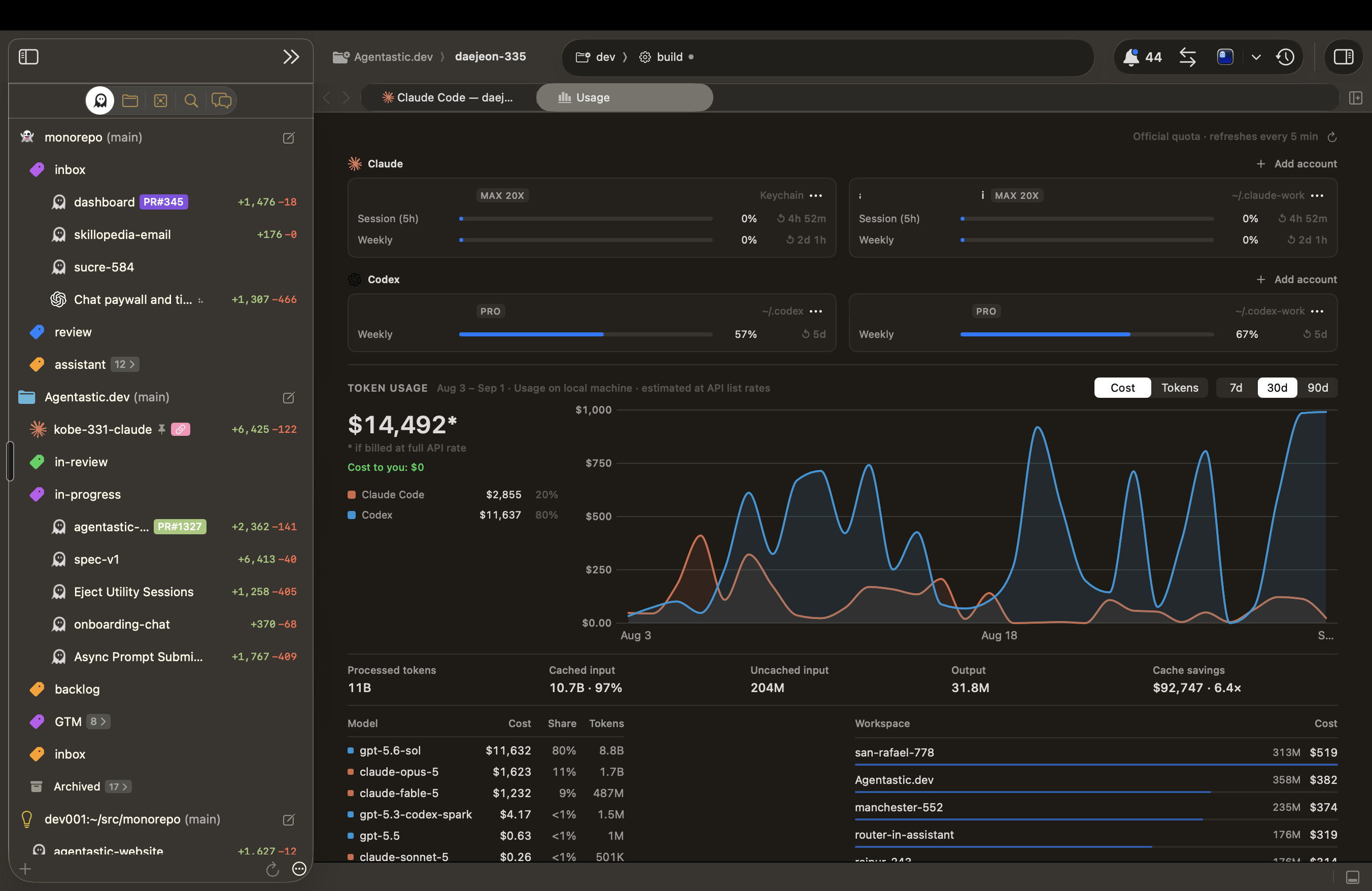
Usage — see what your agents actually cost — A new Usage panel (View → Usage, ⌥⌘U) reads your local Claude, Codex, and Grok history and turns it into subscription quota meters, a daily token chart, and per-model and per-workspace rollups priced at official list rates. Each CLI login directory is its own account, so work and personal profiles stay separate, and you can add one from the panel — sign-in happens through the provider's own flow, and Agentastic never handles your credentials.
-
Quick Open switches worktrees and agents — ⌘P now searches your agents and worktrees alongside files, matching folder names, branches, repositories, paths, and agent names, with worktree matches ranked above file matches. Choose one and the window switches to it. Discovery is cache-only, so typing never sets off Git or network work.
-
One accent for the whole workspace — The caret, submit buttons, sidebar tabs, inspector controls, editor tabs, popovers, terminal chat, diff actions, and the browser's agent cursor now all resolve from the active theme's insertion-point color instead of mixing unrelated system, badge, and status colors, so choosing a theme colors the entire window. Success, warning, and error stay semantic. Agentastic Dark's own accent moves to a calmer ember tone with roughly 4.8:1 contrast against the dark canvas.
Improvements#
- A + menu on every editor tab strip — The trailing + offers Quick Agent, New Terminal, New File, New Browser, and New Task, targeting the pane whose button you clicked. Cloud and Container worktrees also offer New Local Terminal.
- Remote paths read as SSH paths — Chat session headers and Copy Path now show
dev003:/Users/you/src/worktreeinstead of Agentastic's internal remote identity path, including for sessions saved by earlier versions. - Environment is named, and explains itself — Agent Home's mode control is now Environment, every choice carries a description and accessibility hint, and picking an unavailable Container or Cloud option opens the Settings page that enables it.
- A quieter Agent Home — General Settings now chooses the decorative Agent Home animation — None or Thinking Orb — and applies it to Quick Agent as well. Existing settings default to None.
- Sidebar rows that fit their width — Compact rows drop status badges and diff metadata as the sidebar narrows so the agent name always survives, a truncated name scrolls while you hover its row (and holds still under Reduce Motion), and holding Option reveals the underlying worktree directory name.
- Scheduled task history you can act on — Each past run now offers Open Agent and shows its shell output inline.
Bug Fixes#
- Scheduled agents no longer disappear into a dark wake — When macOS woke for maintenance with no display attached, an agent task created its worktree, failed to build a terminal, and was still recorded as launched — no output, nothing to resume. Agent runs now stay pending until a display and a real terminal are available, keep their original due time, and persist the terminal, worktree, provider, and session needed to resume. Shell tasks continue to run through dark wakes as before.
- Task memory kept nothing —
dev task memory.appendreturned success and bumped the revision while discarding every append onto the empty document the runner had just created, so persistent task memory was a no-op and each nightly run rediscovered what the last one had already filed. The first append is now kept. - Upgrading can no longer destroy session history — The detached-session layout migration moved legacy repository metadata to the Trash, and deleted it outright when the Trash was unavailable, as on a network volume or a managed home directory — taking every locally tracked commit, ref, and reflog with it. It now falls back to a backup alongside the original on the same volume, and aborts the migration rather than removing anything.
- Remote Chat types at full speed — Each keystroke in a remote chat rebuilt the conversation surface and renormalized historical edited-file paths with filesystem-aware URL APIs, which pulled synchronous
lstatwork onto the main thread for every/home/...path. Paths are now normalized lexically, and unchanged transcript rows are no longer rebuilt while you type. - Chat stops jumping when a window remounts — Switching windows, worktrees, or sessions no longer collapses and reinserts edited-file, commentary, and tool rows. Cards keep their geometry while Git statistics load and paint their previous numbers on the first frame.
- A code block at the top of a reply keeps its border — A completed response that begins with a fenced code block no longer clips its upper edge.
- Restored Codex chats resume inside their own session — A restored chat now resolves the detached session that owns it instead of falling back to whichever repository happened to be selected, which previously failed with a profile-changed warning whenever that repository was remote.
- New terminals in a detached session open in that session — Terminal tabs, terminal controls, and the Chat-to-Terminal handoff now resolve the repository or session that owns them rather than the previously active repository, and a local session is never misclassified as remote.
- Full-screen toolbar controls stop overlapping the sidebar — Revealing the menu bar in full screen moves AppKit's toolbar window over the navigator; the navigator now backs it opaquely while keeping the macOS 26 floating-card inset, corners, and border.
- Markdown undo clears the modified flag — Undoing back to a file's original content marks the document unmodified again, including when several keystrokes were coalesced into a single undo step.
- Apple container chats stream as they go — Reads from a container-backed process now return partial output as soon as bytes arrive instead of waiting for a full buffer or EOF, and survive interrupted reads.
Requirements#
- macOS 14.0 (Sonoma) or later
- Apple Silicon or Intel processor
Agentastic.dev v0.9.6#
Highlights#
- Scheduled Tasks, rebuilt around your repositories — Your automations now live in one central surface grouped by repository instead of a per-worktree editor tab, so everything you have scheduled stays visible no matter which worktree you are in. A new split editor writes the schedule as a plain sentence — “Every day at 4:00 AM” — beside the prompt, and lets you pick the agents, working directory, container image, tools, and plugins each run uses. Open it from the Tasks menu, the toolbar, or a repository's context menu, and start from a Recommended preset: Find critical bugs, Scan database for vulnerabilities, Generate docs, or Add test coverage.
- Tasks that remember what they already did — An agent task can now keep persistent memory documents —
MEMORIES.mdby default — stored outside the repository so an automation can never commit them by accident. A nightly bug hunter can record the pull request it opened and skip that bug on the next run instead of filing it again. Parallel runs append atomically rather than overwriting each other, anddev task memory.readanddev task memory.appendhand the agent the same documents. - Amp runs in Chat — Amp now has a structured Chat surface with assistant text, thinking, and nested tool calls, not just a terminal session. Amp's CLI has no ACP mode, so Agentastic downloads and pins the
amp-acpbridge itself on first use: no install step, no PATH changes, and it reuses the credentials you already have fromamp login. - A composer that never blocks — Sending a prompt from Create New Task no longer freezes the composer while a worktree, setup script, and terminal start up. Each submission takes a private snapshot and queues behind the one before it, so you can write and send the next task immediately while the first is still launching.
Improvements#
- Event triggers for scheduled tasks — Besides a schedule, a task can now carry GitHub, webhook, and plugin triggers. Deliveries arrive through local IPC with
dev task trigger.eventand are idempotent per trigger, so replaying the same delivery never queues a second run. Credentials stay in your account and plugin stores rather than on the task, and triggers that still need an external relay say so in the editor. - Live agent status in Create New Task — Task rows now follow the same terminal and worktree lifecycle that drives the sidebar, so a running agent shows its spinner instead of a stale launch phase.
- Launch interface moves to the Inspector — While Create New Task is open, the Inspector holds the Chat and Terminal choice for the batch you are about to launch, and names the selected agents that will fall back to Terminal because they don't support Chat. The active worktree's source control, server, browser, and session cards stay out of the way until you leave.
- ⌘B toggles the Navigator — Show or Hide Navigator moves from ⌘0 to ⌘B and Show or Hide Inspector from ⌃⌘I to ⌥⌘B, matching Codex. Both remain rebindable in Window → Keyboard Shortcuts.
- A New Terminal shortcut on repository rows — Hold Option over a repository's Create New Task button and it becomes New Terminal, opening at the repository root.
- A worktree label can start a task — Right-clicking a label now opens Create New Task with that repository and label already selected, instead of jumping straight to the worktree sheet. That sheet is still one item away, as New Workspace….
- Sub-agents read as sub-agents in Chat — Collaboration tool calls now say “Started sub-agent”, “Messaged sub-agent”, and “Waited for sub-agents”, and carry the provider's own icon instead of an anonymous tool badge.
- Amp modes match its CLI — The mode list now offers Low, Medium, and High alongside Amp's plugin modes — Claude Opus 5, GPT-5.6 Sol Pro, Grok 4.5, and Grok 4.6 — and drops the mode the CLI rejects.
- Clearer scheduled-run failures — An agent task whose required plugins are unavailable now fails with the missing plugin names instead of launching without them.
Bug Fixes#
- Idle workspaces stop rewriting themselves — Provider activity heartbeats no longer mark a workspace dirty, and a state write that produces an identical value no longer bumps the revision and atomically rewrites the entire workspace file. Large multi-repository workspaces do far less disk work while sitting still.
- Completed remote turns release their connection — Finishing a remote Codex turn now shuts down its app-server process instead of holding a daemon run and a 40 ms replay loop open indefinitely. The next turn cold-resumes the same thread.
- ACP agents can create new files — A write to a path that doesn't exist yet is no longer rejected. Containment is checked against the existing parent directory, symlinked destinations are refused, and
/varand/private/varspellings now resolve to the same place. - Scheduled Tasks upgrade cleanly from an older database — Upgrading with existing scheduled tasks no longer fails its database migration. The execution table's indexes are now created after the columns they reference have been added.
- Scheduled shell tasks no longer wait for a view — The scheduler starts with the app instead of only after a task-management surface has been constructed.
- Repository selection after a Just Chat session — Choosing a repository in Create New Task no longer leaves a saved detached-session target as the launch destination.
- Worktree deletion no longer races its own identity — Removing or archiving a worktree uses the identity captured with its snapshot rather than re-resolving a path that is disappearing, so the in-progress marker is always cleared.
- Sentry issue search by short ID — Looking up an issue by its short ID, such as
AGENTASTIC-DEV-160, now returns that issue. - Quick Open and the command palette lose their stray border — Both panels are now rounded, borderless windows with no leftover title-bar edge, and the empty panel is tall enough for its own search field.
Requirements#
- macOS 14.0 (Sonoma) or later
- Apple Silicon or Intel processor
Agentastic.dev v0.9.5#
Highlights#
- Just Chat Sessions — no repository required — Choose “Just Chat Sessions (No Repo)” in Create New Task to start an agent in its own app-managed local Git repository. Sessions appear in a dedicated sidebar section, receive automatic names, restore their chats and terminals after relaunch, and can be archived or moved to the Trash.
- Chat streams without the jumpiness — While you follow the latest reply, Chat now keeps the bottom anchored in the same layout pass that grows the transcript without pulling you back after you scroll away. Status and tool rows remain stable, completed Markdown is measured before it appears, and live tools stay below the prompt that started them.
- Create tasks from any repository — Every Git repository in the Agents sidebar now has a Create New Task button. It opens the composer with that repository and its displayed branch already selected, without switching away from the worktree you are using.
Improvements#
- A clearer Command Line Integration setup — One roomy sheet now explains the optional external
devcommand, shows installation progress and results, supports reinstall and removal, and documents permissions, PATH, backups, and verification withdev ping. Existing managed links migrate without shadowing the full desktop CLI. - Xcode-style navigator tabs and themed pull requests — The sidebar tab switcher is now a compact segmented control with your theme accent. Pull request headers and content can follow the active editor theme and appearance.
- Better local-only Git repositories — Review Diff falls back to the local main branch when there is no remote. Push, pull, fetch, and pull-request actions now explain how to add one instead of surfacing raw Git errors, while background refresh keeps going after transient failures.
- Clearer repository actions — Right-click a repository to choose New Task or New Workspace… alongside its terminal actions. Expanded repositories with no tasks now say “No Tasks Yet.” instead of showing an unexplained blank area.
- Tidier sidebar and Open In menus — Compact-row badges now sit beside the agent name while diff totals stay aligned to the trailing edge, and external-app icons use standard menu sizing.
- Safer container setup updates — Agentastic upgrades an older default container setup script only when you have not customized it, and writes delivered credential files atomically with private permissions.
Bug Fixes#
- Remote Chat recovery without lost history or forked threads — Reconnected chats recover against their original host and worktree, preserve runs owned by another Agentastic process, and cold-resume the exact Codex thread when a daemon run is gone. Sleep, disconnects, and relaunches no longer leave history behind or silently start a replacement conversation.
- Pull requests target the right base branch — Agent worktrees now remember the branch they forked from and use it for Create PR across local, remote, container, cloud, and restored Chat launches, including remote-only tracking branches.
- Repository-scoped task targeting — New Task keeps the repository and branch you chose through rapid repository switches and stale saved selections. It also works when another, non-Git folder is active.
- Automatic agent names for programmatic launches — Agents started through actions or the
devCLI once again receive generated display names, including launches attached to inactive contexts in the same window. - Invisible editor controls no longer steal clicks — The tab close button reliably appears on hover, and a disabled minimap no longer intercepts clicks along the editor's right edge.
- Editor content stays inside its viewport — Markdown, Kanban, empty-editor, gutter, minimap, and guide surfaces now clip and resize together. Stale terminal surfaces no longer cover file or Kanban tabs after switching.
- Complete trailing code blocks in Chat — A fenced code block at the end of a response now keeps its bottom padding and border instead of being clipped.
- Remote saves and cloud diffs clean up correctly — A remote save that cannot be requeued after a disconnect now fails promptly, and closing the last cloud diff releases its remote source-control manager.
Requirements#
- macOS 14.0 (Sonoma) or later
- Apple Silicon or Intel processor
Agentastic.dev v0.9.4#
Highlights#
- A compact agent sidebar — Single-line Compact tiles are now the default, with
repo-name (branch-name)headers, hover archive with ⌥-to-delete, and a denser sidebar chat. - Cloud Pull — For cloud containers there is now a pull button on the sidebar to pull changes back down locally.
- Create New Task — The Create New Task panel replaces Agent Home and lives in one central panel. New shortcut: Create New Task on ⌘N. New Agent is renamed to New Workspace and keeps ⇧⌘T, and New File moves to ⇧⌘N.
- Updated cloud container images — If you use our default image, it now supports Amp, Droid, fx, and more.
Improvements#
- Smarter chat resumes — Navigator and Utility Area sessions persist per worktree, including transcripts, resume identity, and unsent drafts.
- Grok agent updated — Grok 4.6 and 4.5, with better Chat support.
- Tasks run when you select them — Selecting a task now executes it instead of making you click Run afterward.
- A simpler default toolbar — Some of the less-used icons are hidden by default. You can still customize the toolbar.
- New workspace defaults — Worktree auto-naming is now on by default.
- Native PR links from terminals — When you click a pull request link in a terminal, and you have signed in to GitHub in Settings → Accounts, we open the native PR panel instead of opening the browser.
- YAML front matter in Markdown previews — Leading front matter is now rendered as YAML rather than plain text.
- A glass toolbar in Settings — With back and forward navigation between pages.
- Quieter collapsed tool groups — The duplicate row above a collapsed tool group is gone; the group header already expands it.
- Unpin an agent in one click — The pin badge on a pinned agent is now a button. Click it and the agent leaves the pinned group right away.
- Open a diff from the line counts — The added and deleted line totals on a sidebar row are now clickable and open the branch diff viewer for that agent.
- A working spinner in compact rows — Compact worktree rows now show the activity spinner while their agent is running.
Bug Fixes#
- Theme-matched diffs — The diff canvas, comparison chrome, and file names now follow your selected editor theme.
- Container and remote diffs without pulling — Remote and cloud worktree diffs read the live repository instead of the local mirror, and files opened from them read and save remotely.
- Attachment-persistence stack overflow — A workspace with many durable attachment owners no longer exhausts the worker stack while saving.
- macOS 14 toolbar crash — Fixed the exception raised when adaptive toolbar visibility removed an item from a toolbar shared across windows.
- PDF tabs spinning forever — PDFs go straight to Quick Look, and a failed open now offers Try Again and Close Tab instead of an endless spinner.
- Remote Chat turns after reconnect — Chat now routes through the replacement connection after a wake or network reconnect.
- Self-clearing disconnect notices — Repeated remote disconnect messages collapse into a single entry and clear as soon as contact returns.
- Task routing to the designated agent — Current Agent tasks now reach the designated terminal instead of falling back to a new Utility Area panel.
- PATH no longer shadows your Claude and Codex binaries — The terminal's prepended PATH no longer replaces the provider binary you selected.
- Sidebar selection tracks the active worktree — Selection follows the active worktree across mouse and keyboard navigation, and transient Git failures no longer downgrade a confirmed repository.
- Pull request review editor sizing — Description, comment, and reply editors stay within their intended heights.
- Full-screen toolbar seam — The navigator header and the main toolbar strip now share the same themed chrome in full screen, removing the mismatched band between them.
Requirements#
- macOS 14.0 (Sonoma) or later
- Apple Silicon or Intel processor
Agentastic.dev v0.9.3#
Highlights#
- Steer an agent while it works — Follow-ups no longer have to wait for the next Chat turn. While Codex or a steering-capable ACP agent is working, hold Option when pressing Return or clicking Send to deliver the message into the live turn. Send normally to queue it instead. If the turn finishes while delivery is in flight, Agentastic keeps the message in the visible queue rather than losing it.
- Remote terminals get their own fast lane — Live terminal input, resize events, and output now travel over a dedicated SSH/RPC channel, separate from file operations and workspace control traffic. Remote shells stay responsive while other requests are busy, reconnect with the workspace, and fall back cleanly when an older server supports only the shared channel.
Improvements#
- Zoom Chat and keep it that way — The existing Font Size commands now zoom Chat in editor tabs, the navigator, and the utility area. Chat shares Agent Home's persistent interface scale, so the setting follows you across tabs and relaunches.
- Plugin calls, named and branded — Chat now turns raw MCP tool identifiers into readable actions such as “Called Create Issue from Linear” and displays the owning plugin's icon. Both canonical MCP names and Codex's dotted tool names receive the same presentation.
- A quieter workspace Inspector — Empty Browser and Running Servers cards now stay hidden, and the duplicate Sources card is gone, leaving active agents, terminals, servers, and source-control actions easier to scan.
Bug Fixes#
- Restored chats keep the right profile — Reopened conversations now reproduce their saved model, thinking effort, permission policy, and complete plugin selection, then verify the agent executable and execution target before resuming. Changed settings can no longer silently move an existing conversation onto a different profile.
- Local agents reappear in cloud-backed repositories — Regular Agent Home now discovers agents on your Mac for local repositories even when their active worktree is cloud-backed. Quick Agent remains scoped to its cloud worktree, and genuinely remote repositories continue discovering agents on the remote host.
- Closed Home tabs stay closed — Returning to a saved worktree now respects its intentionally empty editor layout instead of reapplying the Default Workspace View and reopening Agent Home.
- Large pull-request descriptions stay responsive — Large Markdown descriptions no longer create a selection overlay for every text fragment and freeze the PR review layout. Titles, descriptions, and errors remain copyable through their context menus.
- Remaining app hangs — Moved orphan-process cleanup off the launch path, restored split visibility before the first window layout, cached terminal font fallbacks, and stopped agent command normalization from touching slow volumes. This removes stalls during startup, workspace restoration, terminal layout under memory pressure, and resume detection on unavailable filesystems.
Agentastic.dev v0.9.2#
Highlights#
- See your agent move through the browser — Browser automation is now visible as it happens. A live cursor glides to the target, identifies the agent and its current intent, ripples on clicks, and highlights the active address bar, so you can follow an agent's work without guessing which tab it is controlling. The overlay respects Reduce Motion and stays out of page content and screenshots.
- Markdown previews, rebuilt for reading — Markdown files now use a focused reading column with balanced SF Pro and Apple Monospace typography, improved spacing across headings, lists, quotes, and tables, underlined links, polished inline code, roomier code blocks, and clearer light and dark colors. Plain Text, Markdown, and Split modes are still one menu away, and both Markdown fonts remain customizable in Settings.
- Remote Chat keeps working when you disconnect — Agents in remote workspaces now continue their active turn on the server through an SSH drop, app quit, or sleeping laptop. Reconnect or relaunch and Agentastic rejoins the same run, replays the output you missed, and restores the live tab instead of leaving it stuck or restarting the provider.
Improvements#
- New agent: fx — fx joins Agent Home with Terminal and ACP Chat support, resume, auto-approve, a native icon, and recovery for interrupted turns.
- Faster paths through Agent Home — Cmd+Return submits and opens the first worktree created by the launch; Option+Return temporarily switches a compatible agent between Chat and Terminal; Cmd+Option+Return does both. The same modifiers work when clicking Send, and both shortcuts can be rebound.
- Choose how workspaces open — A new Default Workspace View setting under Settings → General lets you start with Agent Home, a Blank Terminal, or the Last State when opening a workspace or switching worktrees.
- A smarter agent picker — Recently launched agents rise to the top of Agent Home while pinned agents stay first. If no agent is ready, Agent Home now offers a direct path to add one in Settings.
- Large pastes become attachments — Pasting 10,000 or more lines into Agent Home or Chat now creates a private text attachment, keeping the composer responsive while preserving the exact text for the agent.
- OpenCode auto-approve — Agent mode can now run OpenCode unattended through its supported permission policy.
- Cleaner background tasks — Successful hidden result tasks close their temporary Terminal or Chat session automatically; failed tasks stay available for inspection.
- Clearer web-search activity — Web searches now use a globe icon in both structured Chat and terminal-backed Chat transcripts.
Bug Fixes#
- Worktree modes stay available — Agent Home now validates the selected repository itself and refreshes as soon as Git responds, so Worktree and Container modes no longer remain greyed out in valid repositories.
- Large PDFs open without freezing — PDF previews now load asynchronously through Quick Look and skip unnecessary text decoding, avoiding long main-thread stalls on large or complex files.
- App hangs and stalls — Fixed Sentry-reported stalls around workspace persistence, split-pane animation, deep project-tree restoration, file-icon rendering, browser IPC routing, terminal cleanup, and minimap rendering for extremely long lines.
- Remote Claude launches — Fixed remote Claude Chat launches failing when an older daemon resolved the
claudesymlink to a versioned executable name. - Hidden terminal hover UI — Link and image previews from a terminal hidden behind Agent Home, Chat, or another tab no longer appear over the visible surface.
- Agent settings wrap correctly — Long launch arguments and advanced commands now wrap to the current form width instead of keeping a stale, narrow text layout.
- Create Pull Request task settings — Every Create Pull Request entry point now uses the same configured prompt, model, and execution destination from Settings → Tasks.
- Cleaner installer window — Hidden DMG support files stay outside Finder's icon layout even when Show Hidden Files is enabled.
Requirements#
- macOS 14.0 (Sonoma) or later
- Apple Silicon or Intel processor
Agentastic.dev v0.9.1#
Improvements#
- Remote Chat attachments — Send image attachments to agents running in remote workspaces.
- New agent: YOLOP — YOLOP supports both Chat and Terminal mode.
- Richer jcode agent — Improved tool-call rendering makes jcode activity easier to follow.
- Agentastic in Chat — The Agentastic agent now supports Chat mode.
- Permissions take effect immediately — Changing Chat to Full access immediately approves follow-up permission requests instead of waiting for a new turn.
- A clearer usage readout — The Inspector now labels remaining agent usage more plainly.
- Better agent discovery — Chat resolves installed providers through their actual executable paths and preserves symlink-based command names.
Bug Fixes#
- Chats restore reliably — Fixed Claude editor chats and remote Chat sessions failing to recover after a restart or replay failure.
- Claude background work stays visible — Background agents now remain tracked in Chat instead of disappearing mid-session.
- Remote setup recovers cleanly — Fixed launcher installation and SSH setup failures leaving remote workspaces stuck.
- Terminal tasks keep their place — Fixed worktree naming tasks and task agents taking over an unrelated terminal resume.
- Chat layout holds together — Fixed code-block backgrounds overlapping, links breaking out of code chips, and large prompts freezing when expanded.
- Splits keep their remaining tab — Dragging one tab out of a split no longer leaves its sibling invisible.
Requirements#
- macOS 14.0 (Sonoma) or later
- Apple Silicon or Intel processor
Agentastic.dev v0.9.0#
Highlights#
-
Agentic Tasks — Every agent-powered action now lives in one place. Settings → Tasks is a grid of built-in tasks — create a PR, review a diff, commit, fix conflicts, fix CI, name a worktree, write a commit message — each with its own prompt, model, and destination, alongside any task you write yourself. Pick a Fast and a Thorough model once and every task inherits it, then choose where each runs: the worktree's primary agent, a new terminal, Chat, the utility terminal, or quietly in the background. Custom tasks are global, so they appear in every repository and worktree without being copied into each one, and tasks Agentastic can start on its own stay off until you flip their Auto switch.
-
A quieter Chat transcript — Tool calls collapse to one scannable line that expands on demand, and the files an agent actually edited gather into a single card with line counts, Undo, and Review. Every file reference is a link that opens at the cited line beside the conversation, and finished answers end with a quiet status line: elapsed time, token usage, and copy.
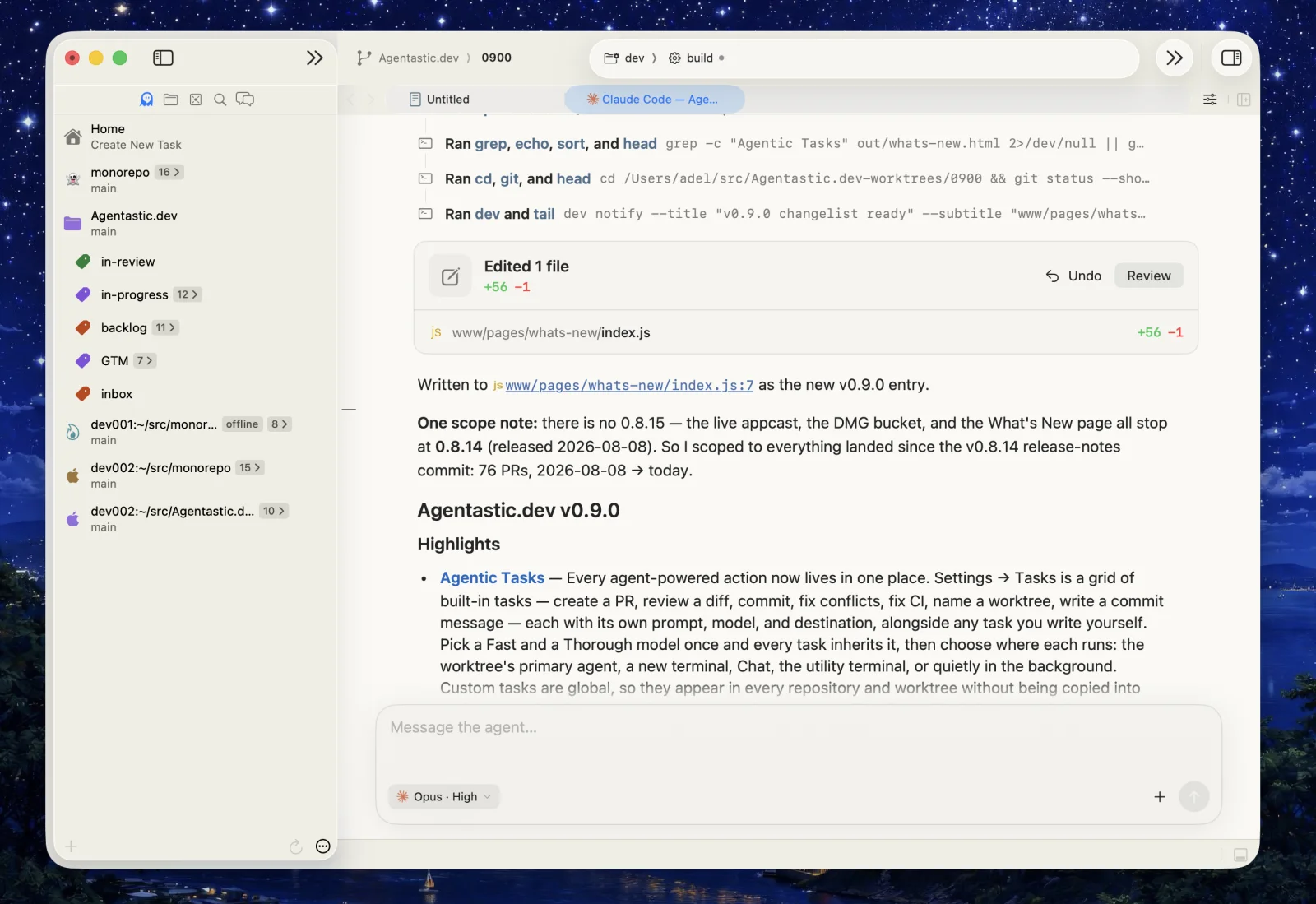
-
Approvals you can change mid-conversation — Chat gains Ask for approval, Approve for me, and Full access. Switch modes after a conversation has already started — the choice applies to the next turn instead of interrupting the one in flight, and it survives a restart.
Improvements#
- Split anything, from anywhere — Cmd+D and Shift+Cmd+D now split editors, chats, browsers, pull requests, and every terminal backend, with Split Up/Down/Left/Right in the tab context menu. Cmd+K opens Quick Agent, Shift+Cmd+K opens Agent Home.
- Quick Agent hands off its tab — The session you launch replaces the Quick Agent composer instead of opening beside it.
- Change the model mid-chat — The composer's model and thinking-effort picker is now editable in an open conversation, not just at launch.
- Quick Tasks on pull requests — The PR toolbar's sparkle button is now a labelled Quick Tasks menu, and its actions dispatch from the worktree you're in.
- jcode joins the catalog — Available in terminal panes and in Chat through its ACP adapter.
- Grok reasoning effort — Choose low, medium, or high before launch.
- Chats that survive — Open chats come back after a force quit, keep their session and model across restarts, and are no longer replaced by an exited terminal when you switch worktrees.
- Stacked image attachments — Multiple images collapse into one overlapping row that spreads on hover.
- Retract a queued message — Each queued message has an inline ✕.
- One tab order — Terminals, chats, browsers, pull requests, and diffs share a single left-to-right order, and new tabs open next to the selected one.
- Compact agent usage — The Inspector's usage bar moved onto the agent's name row, and disappears when there's nothing to show.
- Tidier sidebar — The redundant repo badge is gone, and the chain icon now marks only real multi-agent batches.
Bug Fixes#
- Chat freezes — Fixed the remaining hangs: selection overlays during streaming, the composer/transcript layout cycle, pasting or submitting an image, synchronous Markdown measurement, and clicking the transcript rail. Chat events are throttled to display cadence, streaming updates are incremental, and provider payloads are bounded.
- Empty transcripts — Fixed blank chats on first open, direct chats that didn't restore after a restart, and interrupted Codex turns coming back with only the original prompt.
- Codex startup failures — Fixed Chat launching a broken codex through a stale shim path, plugin-backed sessions timing out while rebuilding session history, and a crash when an agent exited mid-prompt.
- Terminal Chat stuck read-only — Terminal Chat now follows the terminal itself, so restored, remote, and container sessions stay writable.
- Remote agents not found — Remote Chat providers now resolve through the same shell PATH remote terminals use.
- Cloud provisioning hang — Fixed a chatty setup script deadlocking provisioning indefinitely.
- Agents jumping in the sidebar — Agents no longer re-order when their display name is computed, and Cmd+Option+Up/Down follows the order you see.
- Duplicated agents — Fixed a duplicated agent sharing its original's selection and model in Agent Home.
- Jump to line — Clicking a File.swift:303 link in Chat now lands on line 303, not the top of the file.
- Layout fixes — Clipped inline-code borders, file links overlapping code blocks, long PR descriptions running under the next card, letterboxed thumbnails, and empty cards for images that no longer exist.
- Crash on launch — Fixed a crash restoring workspaces that had chat tabs saved.
Requirements#
- macOS 14.0 (Sonoma) or later
- Apple Silicon or Intel processor
Agentastic.dev v0.8.14#
Highlights#
-
One Chat, everywhere — Agent Home, editor tabs, the sidebar, and utility panels now render conversations through one shared chat surface, so styling, tool calls, permission cards, and streaming behave identically wherever an agent runs. Chat-first agents are full workspace citizens too: they show up in the Inspector and the sidebar's agent deck, can be a worktree's primary agent, and launching one from a side panel keeps it in that panel instead of jumping to an editor tab.
-
Subscription usage at a glance — Turn on Show Subscription Usage in an agent's Configure sheet and the Inspector's Agents card shows how much of that subscription remains — Claude Code and Codex to start — as a compact quota bar with the 5-hour and weekly windows (
58% 5h · 41% wk). Spend-based accounts show dollar amounts instead, usage refreshes itself while visible, and stale data is dimmed and marked rather than presented as current.
Improvements#
- Chat follows your theme — The chat pane now paints your theme's editor background instead of a fixed system gray, so tinted themes no longer frame an off-color rectangle.
- The browser does too — Blank tabs, page loads, and the detached browser window take their background from the active theme rather than system materials.
Bug Fixes#
- Chat freezes — Fixed a hard freeze typesetting giant single-line tool output (minified JSON, base64 blobs), a scroll feedback loop that could lock up the app while transcript rows streamed in, and a freeze when Chat covered a WezTerm-backed terminal.
- Rows stuck on "Loading message…" — Fixed transcript rows that never swapped the loading placeholder for the agent's actual reply.
- Full-screen sidebar chrome — The floating sidebar keeps its top margin in full screen, the flat sidebar no longer flashes the wrong color entering it, and navigator and inspector dividers now run cleanly through the toolbar.
- Stall opening a project — Recent-project bookkeeping moved off the main thread, so opening a workspace no longer hangs the app.
Requirements#
- macOS 14.0 (Sonoma) or later
- Apple Silicon or Intel processor
Agentastic.dev v0.8.13#
Highlights#
-
Chat with 22 more agents — Agentastic now speaks Agent Client Protocol, so Droid, Goose, Cursor, OpenCode, GitHub Copilot, Cline, Kiro, Devin and a dozen more open as a readable transcript instead of a terminal — thinking, tool calls, and plans arriving as they happen, permission requests as approval cards you answer in place. With Claude Code and Codex on their native integrations, 24 of the catalog's 52 agents now run as Chat.
-
A rebuilt side-by-side diff — Side-by-side is now one continuous comparison across every changed file, with related lines paired so context stays level, each side wrapping on its own, and the exact edits inside a changed line marked on both halves. Connectors, file banners, and hunk markers keep your place through a long review.
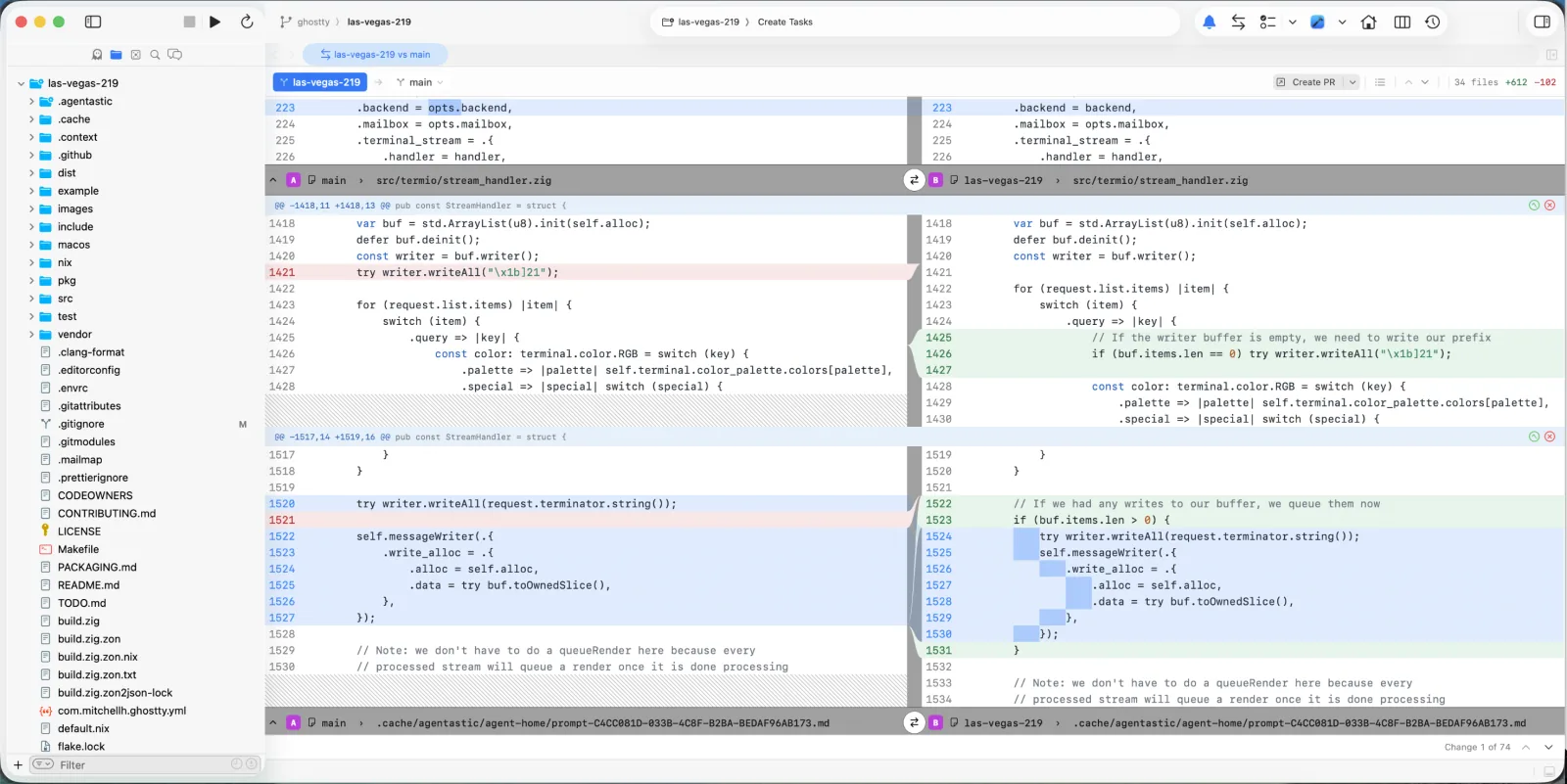
-
Clear an agent's attention from the terminal itself — Looking at a pane retires "the agent finished"; anything still waiting on you takes a real engagement — type, click, hover the ring's ✕, or answer in Chat. A worktree's context menu clears every terminal under it at once.
-
One visual language for agent activity — Spinners and progress bars give way to thinking orbs that tell you which kind of waiting you're in: connecting, thinking or streaming, or preparing a worktree or cloud container. Drawn natively for light and dark, and held still when Reduce Motion is on.
Improvements#
- Two more agents — Muse Code (Meta), with model and reasoning-effort pickers, and Prime Agent (Prime Intellect), which opens straight into Chat. The catalog is now 52.
- New theme: Highly Irrational — Cobalt-blue surfaces with blush-pink and gold accents, in matching dark and light variants. The bundled set is now 32.
- Queued messages are editable — Edit, reorder, send next, or delete a queued prompt before the agent sees it.
- Export a chat — Save a parsed transcript, or a redacted protocol log for filing a provider bug.
- Prompt attachments stay put — Images now live in one durable location agents can always read.
Bug Fixes#
- App freezes — Fixed hangs from toolbar rebuilds landing mid-layout, split view re-entering layout on every resize, and terminal cleanup walking the process tree on the main thread.
- Toolbar kept the old theme — Fixed the window toolbar staying in the previous color until you entered and left fullscreen.
- Wrapped agent names — Fixed the Agent Home agent picker opening too narrow and breaking names mid-word.
- Crash on custom extension values — Fixed a crash processing custom values in an extension's environment.
Requirements#
- macOS 14.0 (Sonoma) or later
- Apple Silicon or Intel processor
Agentastic.dev v0.8.12#
Highlights#
-
Launch any agent straight into Chat — Every agent now has a Terminal or Chat launch preference, so the ones you'd rather read as a conversation open that way from the first prompt instead of a terminal you immediately convert. Terminal stays the default, and switching a Chat to Terminal resumes that exact conversation in a real terminal. Chat is also somewhere you can answer from now: permission requests arrive as approval cards, and an agent's questions as tappable choices.
-
A browsable agent catalog in Settings — Settings → Agents is a grid of tiles instead of a crowded list, each showing at a glance whether an agent is installed, which version, and whether an update is waiting. Pin the ones you actually use and they lead both the grid and the Agent Home picker. CodeBuddy, Zero, and Warp Agent CLI bring the catalog to 50.
-
A durable attention inbox — Agents that need you no longer get lost. Notifications now survive relaunches, panes waiting on you are ringed by urgency, Shift+Cmd+U jumps to the next one, and clicking a notification lands on the exact terminal that raised it — local, container, or remote.
-
Code review, rebuilt — The pull request panel keeps its identity and actions in a sticky header and adapts from full width down to a narrow split, with a changed-file sidebar when there's room. Diff gutters are half as wide with line numbers colored by row, and the comment composer is compact, takes attachments, and can send straight to a live agent.
Improvements#
- Zen Mode is properly distraction-free — The toolbar, status bar, and a lone tab bar now hide too, and the navigator and inspector become edge-hover overlays. Your exact layout returns on exit.
- File previews on hover — Hover a
file:linein terminal output or a chat to see the code around it, syntax-highlighted, with a diff when the file has uncommitted changes. Toggle under Settings → Terminal → Links & Previews. - See the prompt behind any agent — The Inspector's Environment tile now shows the prompt you typed and opens the full launch prompt in a tab.
- Every agent in a worktree, one row — The sidebar icon tracks that worktree's current primary agent instead of going stale or generic, and the other running agents fan out beside it as a color-tinted deck. Up to three show collapsed, the rest on hover, and each card jumps to that exact session.
- 31 bundled themes, redrawn — Every variant got its own surface and status identity, familiar palettes were realigned with their references (VS Code Modern, Cursor, Primer, Alucard), and High Contrast was rebuilt for 6:1 contrast throughout. Nothing was removed or renamed.
- Cleaner agent launches — The injected launch command no longer flashes above the agent's own UI.
- Auto-copy selected text — A new opt-in toggle under Settings → Terminal, working across all four terminal backends.
- The primary agent appears instantly — Side chats seed from the worktree's saved primary agent instead of waiting on an executable scan, and remote workspaces detect on the remote host rather than your Mac's PATH.
- Easier agent picking — Long agent lists scroll instead of stretching offscreen, and clicking a name or icon selects it.
- Opus 5 in the Claude model picker — Saved Opus selections carry over automatically.
Bug Fixes#
- Crash on launch — Fixed a crash hitting any workspace whose saved layout contained an agent terminal.
- Chats that got stuck — Fixed several dead ends: tabs latching after hydration gave up, input quarantined with no way to release it, terminals whose agent had exited refusing Chat, duplicated queued turns, and phantom "working" spinners. Failed handoffs now offer real recovery actions.
- Scrolling a live transcript — Fixed scrolling up during streaming pulling you back to the bottom.
- Chat responsiveness — Startup probes, hook persistence, and transcript reads moved off the main thread; streaming and transcript updates are now incremental.
- Remote terminal freeze — Fixed a feedback loop that froze the app while reviewing a remote terminal.
- Microscopic terminal text — Fixed terminal font size drifting away from your setting; Cmd-Ctrl-0 resets it to 13 points.
- Faint text and cursors in WezTerm — Fixed dim text rendering at full brightness and block cursors covering the character underneath.
- Terminal ↔ Chat handoffs — Input quarantine now lifts only once the previous writer has exited, and remote turns recover from lost responses and slow peers instead of hanging.
- Queued chat messages — Fixed a queued prompt appearing above the response still streaming.
- Claude detection in the Inspector — Fixed manually started Claude sessions staying invisible.
- Clipped agent configuration panel — Fixed the Configure sheet cutting off its version line, Executable Source popup, and example paths.
Requirements#
- macOS 14.0 (Sonoma) or later
- Apple Silicon or Intel processor
Agentastic.dev v0.8.11#
Highlights#
-
Structured Agent Chat — Agent Chat is now backed by durable, provider-owned sessions with a real structured transcript, instead of scraping the terminal's pixels. Conversations are rebuilt from your agent's own logs — clean Markdown, selectable text, syntax-highlighted code, and grouped tool calls that survive restarts, multiple windows, and remote or cloud runs — and now stream in smoothly as the agent works. You can attach or paste images and files straight into the composer, and move any live session between the raw terminal and Chat with Cmd+I — even a plain
claudeyou started yourself — without losing history or interrupting the agent. -
Seven new agents — Agentastic now ships 47 built-in agent definitions. This release adds Poolside, MiMo Code, Qoder CLI, OpenClaude, Ante, Oh My Pi, and OpenClaw — each with branded light/dark icons, verified install and launch commands, and, where the CLI supports them, model and thinking selectors right in the Agent Home prompt. Installs now confirm the executable is actually detectable before reporting success, so you won't see a false "Installed" state.
Improvements#
- Keyboard shortcuts for agent chat — Drive your chats from the keyboard: Cmd+L to focus the chat, Cmd+Shift+N for a new conversation, and Cmd+Ctrl+Up/Down to cycle between them, with Cmd+. (or Esc while streaming) to stop a turn. You can also switch straight to any of your first nine agents with Cmd+Option+1 through 9, and Go Back / Go Forward now use the standard Cmd+Ctrl+Left/Right.
- Choose where links and pull requests open — Links and file paths in the terminal now respect modifier keys: click to open beside your work in a split, hold Option for a full tab, or hold Cmd to hand off to your default app or browser. Pull requests opened from the Agents sidebar follow the same rule, landing in a split next to your editor.
- Primary agent per worktree — Each worktree now has a designated primary agent — the one that receives code-review, Design Mode, and pull-request feedback. The first agent you start is chosen automatically; star any terminal (or use "Set as Primary Agent" from its menu) to change it, and the choice is remembered across relaunches so routing no longer shifts as you click between terminals.
- Dark by default — Fresh installs now launch in the dark appearance instead of following your macOS setting. Your explicit Light, Dark, or System choice is always respected once you set one.
- Repository Settings — The old "Workspace Settings" is now "Repository Settings" everywhere, since these settings are per-repository. You can open them directly by right-clicking a repository in the Agents sidebar, and they'll target that repository even when another one is active.
- Search your agents in Settings — The Agents settings page gained a search box: filter the built-in and custom lists by product name (Claude Code) or by what you'd type in a shell (claude), matching across name, id, CLI, and detection commands. The settings window also drops an extra bar behind its title for a cleaner, more native look.
- Rename agents on remote workspaces — The
dev agent renamecommand now works from Agentastic Remote SSH terminals too. As before, it changes the display name only — never the branch, worktree, or process. - Monday.com item picker — The Monday.com picker now searches server-side and stores real item IDs, so large boards return matches instantly and the links you attach resolve to the right item.
Bug Fixes#
- Responsiveness in large workspaces — Stopped the Agents sidebar re-rendering the entire list every minute while an agent ran, stopped each navigator row re-decoding your full Linear/Sentry issue map on every redraw, and moved indexing, filtering, shell integration, and process-tree work off the UI thread. Terminals now open faster and no longer wait on bookkeeping, local terminals run your shell directly instead of through an extra bridge process, and background cleanup no longer scans the whole process table every minute or leaves Git helper daemons running after you quit — a broad smoothness win in big repositories with many worktrees. App shutdown is also cleaner and no longer disturbs other running Agentastic instances.
- Agent survives worktree switches — Fixed opening or activating one worktree sometimes killing the agent still running in another; an agent's lease is now a registration rather than a lock that could terminate a live session.
- Reliable Terminal ↔ Chat handoffs — Made moving a session between the terminal and Chat fail-safe and recoverable: fewer spurious "the terminal agent is no longer available" errors, correct handling when an agent is still on a login or onboarding screen, and no dropped or duplicated messages when ownership passes between windows. The chat composer no longer occasionally erases what you've typed, and long transcripts no longer freeze the app while auto-scrolling.
- Empty panes after agent teams — Fixed empty leftover panes piling up as Claude Code agent-team teammates finished their work.
- Built-in Agentastic agent — Fixed the bundled Agentastic agent launching in a headless mode that couldn't edit files or ask for permission (and made the Connections "Run" button appear to hang); it now opens the interactive CLI like every other agent.
- Design Mode & agent detection — Fixed Design Mode prompts dead-ending with "the agent that opened this browser is no longer available" when a dev-server tab had no agent of its own, fixed the sidebar occasionally showing an exited agent's icon instead of the running one, and made hand-typed agents (typing
claudeyourself) detect reliably instead of staying invisible. - Inspector agent cards — The Agents card now lists only the agents actually running in a worktree — no more advertising six code-review agents that aren't running — each with its real icon, and no longer flags every Claude session as a review or reshuffles rows when you click them.
- Terminal image previews — Fixed repeated
[Image #1]/[Image #2]labels across conversation turns resolving to the wrong image; each pasted image now stays tied to its original file, before and after you press Enter. - App hangs on launch — Fixed a stall when opening Agent Home, plugin settings, or the Connections panel caused by credential reads waiting on the macOS Keychain; these now happen off the main thread.
- Undo crash — Fixed a crash when choosing Edit → Undo after the prompt card or a chat composer had been dismissed.
- Security & reliability hardening — Fixed ten issues from a repository-wide audit, including bounding local IPC requests and connections, closing a Git remote-name option-injection vector, making process cleanup match exact environments so it can never kill an unrelated process, restricting plugin install/remove to the plugin folder, and handling Unicode paths safely in Open Quickly.
- Sidebar scrolling — Fixed agent rows showing through underneath the titlebar, tab bar, and sidebar controls while scrolling on macOS 26.
- Editor activation — Fixed clicking inside an editor's content not always activating that pane.
- Agents sidebar icon — Fixed the Agents tab icon rendering nearly invisible on a selected row.
- Tab drag-out filename — Fixed dragging an editor tab out of Agentastic producing a payload named "CodeEdit Tab"; it's now "Agentastic Dev Tab".
Requirements#
- macOS 14.0 (Sonoma) or later
- Apple Silicon or Intel processor
Agentastic.dev v0.8.10#
Highlights#
-
Agent Chat panels — Run your agents as chats, right beside your code. Open the new Agent Chat panel in the navigator with Cmd+5 — or use the matching chat in the Utility Area — and start as many parallel agent conversations in the current worktree as you like, each with its own provider, model, thinking level, and run mode. Flip any chat between a clean transcript and the raw terminal without interrupting it, and drag a conversation into the editor to give it a full tab — the live session moves with it, nothing restarts. You can even start or continue these chats from the command line with
dev agent task. -
Start fresh from origin — New worktrees can now start from the exact latest commit on your remote, not from a base branch you may not have pulled in days. Turn on Start from origin in the base picker — or set it as your default under Settings → Workspaces — and every new agent forks from
origin/mainas it stands right now. A bonus: because each worktree remembers the precise commit it started from, its diff and sidebar stats show only the agent's own work — never the pile of upstream changes you happened to be behind on.
Improvements#
- Markdown preview — Markdown files got a proper preview. Press Shift+Cmd+V to cycle a
.mdfile through source, rendered preview, and a side-by-side split, and a subtle prompt points the way the first time. The rendered view was redesigned too — a calmer, centered reading column with the system font for prose, crisp fixed-pitch code blocks, and a copy button on hover. - Rename your agents — Give any agent a friendlier name: right-click its row in the Agents sidebar and choose Rename. It's display-only — your branch, worktree, and running process keep their real names — and you can rename from the command line too with
dev agent rename. - Merge-conflict handling in the pull request panel — When a pull request can't merge cleanly, the panel now says so with a clear red Merge Conflict state and lists the conflicting files, for both local and remote repositories. Add to Chat turns the conflict into a ready-to-run prompt for a live agent, or stages it in Quick Agent for you to review first.
- Agentastic account — Settings → Accounts now lets you sign in to (or create) an Agentastic account, shared across Agentastic.dev, Agentastic.com, and the Agentastic settings app. Sign in once on your Mac and Agentastic picks it up automatically.
- Live Preview & browser controls — Share Live Preview is now built into the app — open a secure public link to your local dev server with one click, nothing to install. The browser toolbar also gained an options menu for Hard Reload, Clear Cookies, Clear Cache, and Clear Browsing History.
- Terminal links and previews are now optional — Clicking URLs and file paths to open them, and hovering image paths for a preview, now have on/off switches under Settings → Terminal → Links & Previews. Both stay on by default; turn links off and clicks pass straight through to mouse-aware terminal apps.
- Sort agents by creation date — The Agents sidebar has a new Sort by Creation Date mode: a stable timeline that buckets and orders worktrees by when they were created and never reshuffles while agents run. The old chronological mode is now clearly named Sort by Recent Activity.
- Adaptive toolbar and sidebar — The title-bar toolbar now stays aligned with your sidebars as you drag them, folding actions into tidy overflow menus when space runs short and restoring them when it returns. Sidebar rows keep agent names visible longer as you narrow the sidebar, and dragging the divider fully left hides it again.
- Faster in large workspaces — We tuned ten frequently used paths — file indexing, navigator snapshots, Git decorations, terminal output, search, semantic tokens, and crash-recovery snapshots among them — so large repositories open, navigate, search, and stream terminal output more smoothly with less main-thread work.
- Claude Code's fullscreen renderer — Agentastic no longer overrides Claude Code's renderer, so its
tui: fullscreensetting is honored in Agentastic terminals just like anywhere else.
Bug Fixes#
- Remote terminals — Fixed a remote terminal that could freeze forever — no echo, no error — after the workspace server lost track of its session; Agentastic now respawns the shell in place and replays your input.
- Terminal scaling — Fixed terminal text rendering at the wrong scale after you drag a window to a display with a different resolution.
- Editor stability — Fixed a crash when pressing Backspace right after an emoji or other multi-byte character.
- Sidebar performance — Fixed the agent sidebar (and the rest of the app) briefly slowing down while an agent streamed a lot of terminal output.
- Remote pull requests — Fixed the base-branch and pull-request picker (and Create Pull Request) failing with "No git remote is configured" on remote (SSH) workspaces.
- Remote agent launches — Fixed remote and cloud agent launches occasionally dropping the first character of the command, and losing a staged prompt when a launch was retried.
- Terminal image previews — Fixed hovering a bare image filename like
7.pnginlsoutput not showing a preview; relative image paths now resolve against the terminal's working directory.
Requirements#
- macOS 14.0 (Sonoma) or later
- Apple Silicon or Intel processor
Agentastic.dev v0.8.9#
Highlights#
-
Design Mode — Turn what you see in the built-in browser directly into an agent task. Click the cursor button in the toolbar to enable it, hover to resolve React components down to their exact source file, line, and column, then click one to open a small composer right there in the browser — pre-loaded with that element's tag, selector, and source location. Describe the change and submit; it's dispatched straight to your agent. Hold Option while clicking to just copy the reference instead.
-
Quick Agent — A faster way to launch an agent when you already know where you're working. Click the Quick Agent tile on an empty editor pane — or just create a new worktree — and a small floating panel appears with a single prompt field. Type your task and press Enter to launch, or expand into the full Agent Home when you need repository, branch, or mode controls.
-
Create worktrees from pull requests — The branch picker in Agent Home and the New Worktree dialog now lists your repository's open pull requests alongside branches, searchable by title, author, or branch name. Pick one and the new worktree checks out directly to that PR's branch, ready to review or continue the work.
-
Worktree switcher — Press Ctrl+Tab for a macOS App Switcher-style panel: hold Ctrl and tap Tab to cycle through your worktrees, then release to switch. Each row shows what's going on — notified, waiting on you, agent active, or recently visited — and you can search by name or navigate with the arrow keys. Choose how the list is ordered under Settings → Worktrees.
Improvements#
- Nested repository discovery — Open a parent folder that contains several git repositories and Agentastic now detects them and offers to add them, so you don't have to add each one by hand.
- Terminal image previews — Hover a recognized image path printed in the terminal — or an agent's
[image]attachment tag — for an inline preview; click to expand and pin it in place. - Keyboard shortcut reference panels — Press Cmd+/ for a compact shortcut cheat sheet, or open the full reference from Window → Keyboard Shortcuts.
- Feedback screenshots — The feedback form now accepts image attachments — drag them in, browse for them, or paste with Cmd+V — so you can show us what you mean instead of describing it.
- Sidebar refinements — Repository and label rows in the sidebar show their icon at rest and swap to a disclosure chevron on hover; a collapsed section shows a badge with how many rows are hidden inside, click it to expand. The editor tab strip's background now matches the sidebar for a more continuous look.
Bug Fixes#
- Stability — Fixed a rare crash caused by a data race in command-palette registration.
- Session saving — Fixed a potential app hang caused by session-state writes racing on a background queue.
- Git clone — Fixed cloning from a URL copied straight out of your browser's address bar (like a
/tree/mainlink) — Agentastic now strips the web-only parts, names the folder after the repository, and uses your connected GitHub account automatically for private repos. - Remote file mentions — Fixed
@file mentions in Agent Home not finding files in remote (SSH) repositories. - Remote inspector — Fixed the Inspector's Sources card showing an internal file path instead of the familiar
host:pathform for remote worktrees. - PR status badges — Fixed pull-request review and CI status badges in the sidebar not updating for worktrees you weren't actively viewing.
- Terminal rendering — Fixed terminals sometimes showing blank or stale content after your Mac wakes, a display change, or a window resize.
- Terminal input — Fixed Backspace deleting an already-typed character when finishing a Chinese, Japanese, or Korean input composition.
- Sidebar selection — Fixed the main repository row in the sidebar not showing as selected after clicking it.
- Issue badges — Fixed Linear and Sentry issue badges sometimes being lost after crash recovery.
- Browser automation — Fixed the
focus_tabcommand opening a separate standalone window instead of focusing the tab in your worktree.
Requirements#
- macOS 14.0 (Sonoma) or later
- Apple Silicon or Intel processor
Agentastic.dev v0.8.8#
Highlights#
-
Quick Start — New to Agentastic? A new Quick Start button on the welcome screen clones a starter project and walks you through your very first agent task — building a playable Snake game — from start to finish. A friendly, non-blocking guide floats in the corner and takes you from sending the task, to watching the agent work in the integrated terminal, to reviewing the diff and playing the finished game in the built-in browser. (You'll need an agent CLI such as Claude installed to run the task.)
-
Model & thinking selectors — Choose exactly which model and how much reasoning effort an agent uses, right from the Agent Home prompt. A new selector on each Claude Code and Codex agent lets you pick the model — Opus, Sonnet, Haiku, or Fable for Claude Code; the GPT-5 family for Codex — and dial thinking effort from Low up to Max. Leave it on Default to let the CLI decide. Your choice is remembered per agent and applies to local, worktree, and cloud runs alike.
-
Dev server detection — Start a dev server in any terminal —
npm run dev, Vite, Next.js, Flask, and more — and Agentastic spots it automatically, listing it under Running Servers in the inspector, favicon and all. Click to open it in the built-in browser or the browser of your choice. For remote SSH workspaces it's seamless: Agentastic sets up the port forward for you and opens the tunneled URL locally, so a server running on your remote machine is one click away.
Improvements#
- Customizable repository icons — Give each repository its own icon so they're easy to tell apart in the Agents sidebar. Right-click a repository or worktree, choose Change Icon…, and pick an SF Symbol, an emoji, or a favicon pulled straight from the repo's own logo files. Your choice is remembered when you reopen the workspace.
- Open Interpreter — Added Open Interpreter to the coding agents you can launch from Agent Home.
- New Yukinord theme — A new bundled theme in matching dark and light variants — a deeper, icier take on Nord.
- Copy Prompt — Agent rows now have a Copy Prompt action that restores your full original draft — text, attachments, file mentions, skills, and linked issues — when you paste it back into the composer.
- Calmer terminals — Terminals now have comfortable breathing room around their content instead of text running flush to the edges.
- Calmer chat — The agent chat timeline was retuned with a more readable type scale and quieter styling for a less noisy look.
- Shell preferences everywhere — Remote and container terminals now honor your configured shell (bash, zsh, fish, or nu), matching local terminals.
Bug Fixes#
- Session snapshots — Fixed periodic session snapshots hanging the app while saving in the background.
- Workspace settings — Fixed a hang when saving workspace settings.
- Sentry previews — Fixed a hang when previewing large Sentry issues in Agent Home.
- Git clone — Fixed cloning a repository into an existing directory you chose to overwrite.
- Remote diffs — Fixed opening files from a remote diff.
- Remote terminal links — File and URL links clicked in a remote terminal now open in the worktree that owns the terminal.
- Cursor — Corrected Cursor's auto-approve launch flags for unattended runs.
- Home — Clicking Home in the sidebar now reliably opens Agent Home.
- Panel separators — Fixed doubled divider lines between the navigator, editor, and inspector panels.
- Worktree menu — Fixed oversized agent icons in the worktree menu.
- Sidebar contrast — Improved contrast for sidebar icons in light mode.
- Linear images — Fixed issue images not rendering in Agent Home attachment previews.
Requirements#
- macOS 14.0 (Sonoma) or later
- Apple Silicon or Intel processor
Agentastic.dev v0.8.7#
Highlights#
-
Plugins — Connect a tool once in Agentastic and it's automatically wired into every coding agent you launch — Claude Code and Codex, across local, worktree, chat, container, and cloud runs — so you never hand-edit
~/.claude.jsonor a Codex config again. A plugin can deliver MCP servers (tools the agent can call), skills, and a prompt-attachable issue picker, all sharing one Keychain-backed connection. Twelve providers are built in — GitHub, GitLab, Linear, Jira, Sentry, Asana, Monday, Trello, Plane, Plain, Featurebase, and Forgejo — and you can install more from a GitHub repo or an.mcp.jsonfile. Manage everything from the new Settings → Plugins page. -
Native GitHub Pull Requests — Open a pull request as a tab and review it without leaving the editor. Read and edit the description, browse the conversation, reply to review comments inline, watch CI checks, and merge with your choice of merge, squash, or rebase — or mark a draft ready for review — right from the panel. You can also send any comment thread straight into an agent chat to act on the feedback.
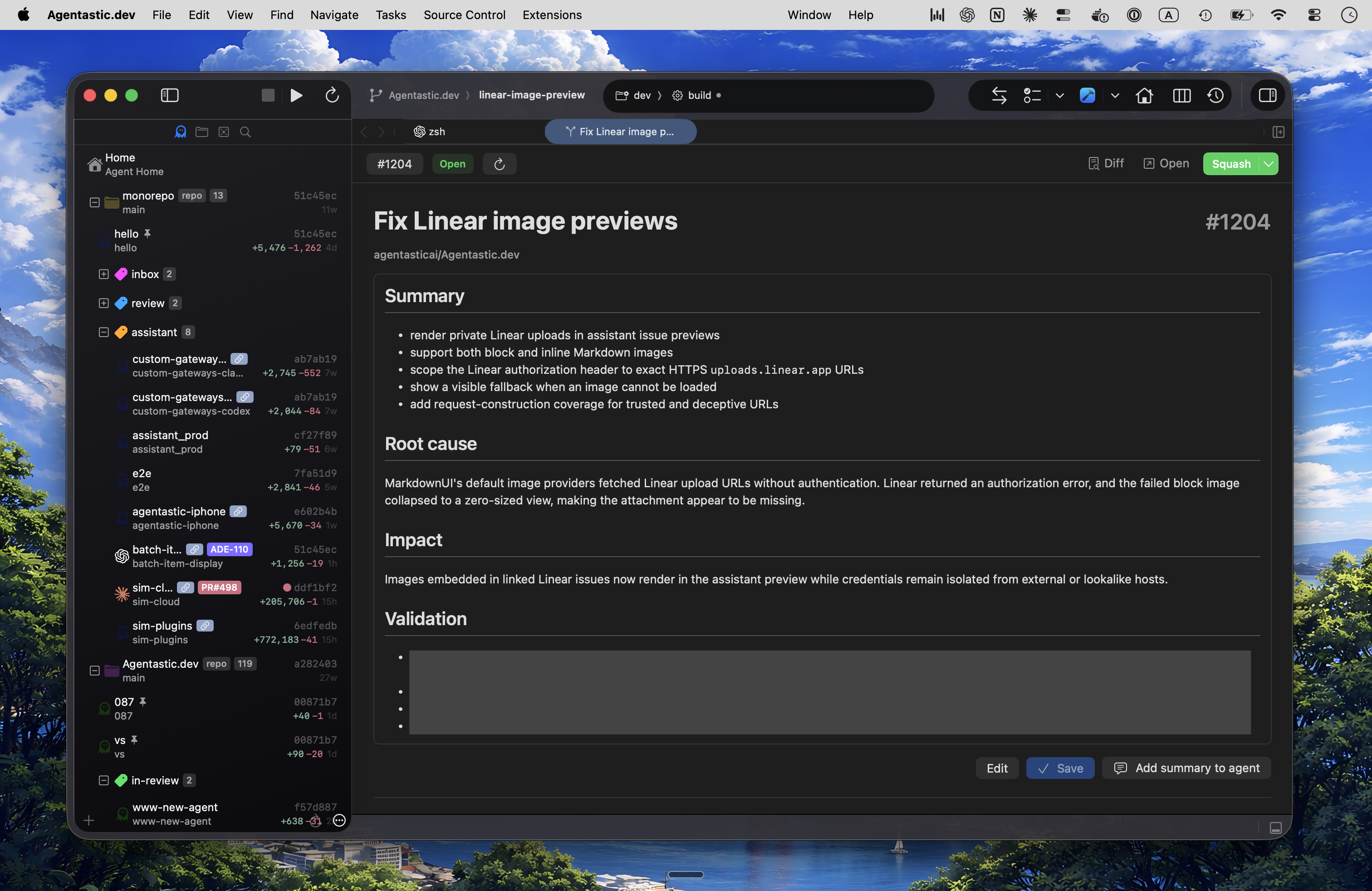
Improvements#
- More coding agents — Added support for Antigravity, Jules, and Freebuff, and corrected the launch flags across nineteen existing agents — including how Codex enters unattended auto-approve runs — after verifying each against its real CLI.
- Open In & Code Review toolbar menus — The toolbar's Open In and Code Review buttons are now split menus: click for the default action, or hold to pick a specific external app or review tool.
- Refreshed bundled themes — Every bundled theme was retuned for stronger contrast, more faithful canonical palettes, and a more distinct identity, so syntax stays legible and each theme looks like itself.
- Agent terminals stay with their worktree — An agent's terminal is now owned by the worktree that launched it, so switching worktrees no longer mixes up or loses the terminal tied to each agent.
Bug Fixes#
- Performance — Eliminated a batch of main-thread stalls and freezes: Ghostty terminals no longer hitch the UI, terminal-to-chat timeline building moved off the layout pass, and integration Keychain reads and crash-recovery encoding no longer block the main thread. Also fixed WezTerm reads getting stuck behind a parse-queue backlog, a hang when shell integration was installed at launch, and a hang when confirming quit.
- Terminal — Ghostty terminals now refresh correctly after the Mac wakes from sleep, and remote terminal replay renders properly on reconnect.
- Source Control — Fixed git account sign-in not refreshing after you authenticate, the pull-request badge not updating after you create a PR, and the toolbar breadcrumb for remote repositories.
- Browser — Fixed agent browser automation issues: a stale system
devCLI, agent browser tabs that stayed invisible, and an editor crash in debug builds. - Interface — Fixed the inspector panel opening at the wrong default width and the Welcome window ignoring the bottom safe area.
Requirements#
- macOS 14.0 (Sonoma) or later
- Apple Silicon or Intel processor
Agentastic.dev v0.8.6#
Highlights#
-
Attachment previews in Agent Home — Everything you pin to a prompt — images, files, skills, and linked Linear or Sentry issues — now shows an inline preview when you hover its chip, so you can double-check exactly what you're handing the agent without opening another picker. Images show a thumbnail, files show their text, skills render their Markdown in a scrollable reading area, and linked issues show the ticket or error details. The chips now sit in one tidy row, so attaching a few no longer pushes the agent and mode controls around.
Improvements#
- Richer Sentry issue context — When you attach a Sentry issue to a run, Agentastic now hands the agent the full issue details and its latest event — level, status, tags, release and user context, and the exception entries — formatted as Markdown, instead of just the title and a link. Agents without Sentry tools of their own can now dig into the real error straight from the prompt.
- Clearer glass panels — The navigator, inspector, and utility panels now render as a proper frosted-glass material with a theme-aware tint and crisp edges, so they stay readable over bright wallpapers instead of washing out to transparent gray. Inactive toolbar icons also get stronger contrast.
Bug Fixes#
- Terminal & Chat — Fixed Terminal-to-Chat showing only the last screen — or nothing at all — for Claude Code sessions after a recent Claude Code update switched to a new fullscreen renderer; full conversations fold into chat again. Also fixed a brief app hang when saving a chat transcript to disk.
- Terminal — Fixed URLs and file paths not opening on a plain click in Ghostty terminals when you clicked without first moving the pointer.
- Remote — Fixed open file tabs disappearing from remote (SSH) workspaces after switching worktrees or reconnecting; your tabs, and any unsaved edits, now survive the switch.
- Source Control — Fixed an app hang caused by pull-request status refreshes repeatedly pulling the full PR list of a large repository; status is now looked up per branch.
Requirements#
- macOS 14.0 (Sonoma) or later
- Apple Silicon or Intel processor
Agentastic.dev v0.8.5#
Highlights#
- Skills — Give your agents reusable, install-once capabilities instead of re-explaining how to do something in every prompt. Type
/in the Agent Home prompt (or open the + menu's Attach skill…) to search your installed skills and the Skillopedia catalog, then attach one with a click — Agentastic installs it into that agent's native skills folder and notes the selection in the prompt. Manage your library from the new Settings → Skills page: install from a GitHub repo or Skillopedia, update to the latest version, or open a skill'sSKILL.mdfor editing. Works across Claude Code, Codex, Droid, and Amp, with five skills bundled in to get started right away.
Bug Fixes#
- Remote — A focused round of reliability fixes: remote SSH sessions no longer get stuck on "Connecting…"/"Reconnecting…", including when the daemon accepts a connection but stops responding or when file-watcher contention on the server stalled the reconnect handshake; switching worktrees stays responsive instead of blocking on git status refreshes; a busy workspace no longer floods every other connected client with its terminal and file-watch events; and code review now works correctly against remote repos instead of failing. Also fixed a whole-app freeze that could happen when switching away from a reconnecting remote terminal.
- Stability — Fixed two crashes that could quit the app unexpectedly while deleting a worktree — one from a SwiftUI update-ordering fault during workspace teardown, another from a SIGPIPE signal when an active terminal's socket closed mid-write.
- Agent Home — Fixed an oversized Sentry icon that could blow up the height of the + attachment menu.
Requirements#
- macOS 14.0 (Sonoma) or later
- Apple Silicon or Intel processor
Agentastic.dev v0.8.4#
Highlights#
-
Sentry issue tracking — Turn a production error straight into an agent run. Connect your Sentry account, then pick an unresolved issue from the + menu in Agent Home — Agentastic hands the agent the issue's title and a direct link as context, so it starts with the real problem instead of a prompt you have to write yourself. Add your auth token under Settings → Accounts, and the linked issue follows the worktree into the sidebar and Kanban board. Sentry joins Linear as a built-in issue tracker.
-
Resume agents you start yourself — Until now, the terminal's Resume action only knew about agents launched from Agent Home. Agentastic now recognizes when you run an agent by hand —
claude,codex,gemini, and a dozen others, includingnpx/bunxone-liners — and remembers the exact command. Resume re-runs your session with the right continue flag, the Inspector surfaces the same shortcut, and activity indicators treat it as a live agent session — so starting an agent straight from the prompt is now a first-class path.
Improvements#
- Sorted Project Navigator — Files and folders in the Project Navigator are now ordered alphabetically within their groups. With "folders on top" enabled, folders and files are each sorted A→Z instead of appearing in an arbitrary order.
Bug Fixes#
- Cloud — Fixed cloud agent terminals being lost after restarting the app: the agent's VM stayed alive, but its terminal could come back empty or as a brand-new session (three separate defects). Also fixed Vercel cloud agents failing to upload your worktree when launched from a remote (SSH) workspace.
- Remote — Fixed the +/- line-count stats disappearing from remote worktrees in the sidebar after the connection resumed or the app relaunched.
- Terminal & Chat — Fixed Codex tool calls not being parsed correctly in the Terminal-to-Chat view, so Codex sessions now fold their work into tidy cards like Claude Code.
- Stability & Security — A focused round of fixes addressed 10 issues across the app, including the app getting stuck half-quit after cancelling a quit with unsaved changes (which had silently disabled new terminals, language servers, and shell commands), Replace All using stale options after toggling Text/Regex or case sensitivity, a command-palette crash on certain queries, a UI freeze from scheduled-task expressions that can never match, a language-server highlighting race, shell-injection hardening in Git configuration handling, and correct handling of Unicode file paths.
Requirements#
- macOS 14.0 (Sonoma) or later
- Apple Silicon or Intel processor
Agentastic.dev v0.8.3#
Highlights#
-
Terminal-to-Chat — Flip any live Codex or Claude Code terminal into a clean chat view and back, without interrupting the agent. Agentastic reads the very same session your terminal shows and renders it as a conversation — your prompts as bubbles, tool calls collapsed into tidy "work" cards, finished turns folded away, and interactive menus as clickable choice buttons. Toggle Terminal | Chat from the new terminal options menu or the Inspector.
-
Two new agents: Grok Build & Devin — Added Grok Build (xAI) and Devin (Cognition) as built-in coding agents, bringing the total to 34 built-in agents. This release also reworks how prompts are handed to terminal agents — keystrokes are now timed to the moment the agent is actually ready instead of a fixed delay — so your first prompt lands reliably instead of occasionally getting dropped.
Improvements#
- Terminal options menu — Terminal tabs gain an options menu (matching the editor's) to resume an agent session (e.g.
claude --resume), switch Terminal/Chat, rename the tab, copy the working directory or full scrollback, and reveal local terminals in Finder. Available from the tab toolbar and right-click. - Reorder repositories — Drag repository headers in the agent sidebar to arrange a multi-repo workspace however you like; the order is remembered across launches.
- Reorganized Settings — Font controls (editor, Markdown, terminal) now live on a dedicated Appearance (Font) page, and container options move to their own Containers page, for a cleaner, more discoverable sidebar.
- Pasted images in remote & container terminals — Pasting an image into a remote (SSH) or container terminal now uploads it to the target and inserts a path the agent can actually read, instead of a local path that didn't exist there.
- Easier tab dragging — You can now drop a tab anywhere on a destination split's tab bar, not just directly onto another tab.
- Unified glass chrome — The editor, utility area, navigator, and inspector now share one consistent glass surface for a more cohesive look.
Bug Fixes#
- Remote — Fixed remote SSH workspaces getting stuck on "Connecting" during large diff refreshes, terminals not accepting input after the Mac wakes from sleep, a runaway-CPU spin on flaky hosts, Git LFS worktree creation, and missing line-count stats on remote worktrees.
- Editor & Sidebar — Fixed agent terminals disappearing from a worktree after switching away and back, clicking a repository header not switching to it, and uneven Settings sidebar margins on macOS 26.
- Source Control — Fixed pull-request status pointing at the wrong project for nested GitLab/self-hosted remotes (
group/subgroup/project). - Containers — Fixed the first chunk of Docker terminal output occasionally being dropped, which could break terminal reattach.
Requirements#
- macOS 14.0 (Sonoma) or later
- Apple Silicon or Intel processor
Agentastic.dev v0.8.2#
Highlights#
-
A rebuilt diff viewer — Reviewing what your agents changed is something you do constantly, so it should never make you wait. The diff viewer has been rebuilt from the ground up for speed: large diffs open and scroll smoothly without freezing the app, syntax highlighting works on much bigger files, and even enormous diffs stay responsive behind a "Show remaining lines" expander.
-
Agents in Apple Containers — Run agents in fully isolated local containers using Apple's native
containerruntime — no Docker Desktop required. It's lightweight and built into recent macOS, giving each agent a clean, disposable sandbox without installing anything extra. Choose your runtime under Settings → Worktrees, and container sessions reconnect automatically after an app restart. -
Vercel Sandbox cloud backend — Launch cloud agents on Vercel Sandbox, alongside Modal and Fly.io. Your agents keep running in the cloud after you close your Mac and stay reachable from any of your machines. Add your token under Settings → Cloud and your worktree syncs up, runs, and syncs back just like the other cloud providers.
-
SSH port forwarding — Keep dev-server tunnels open right from the app, so you can preview a web app or service running on a remote machine in your local browser. A new Tunnels tab in the remote sessions dialog forwards a local port to a remote one and can auto-start whenever the workspace reconnects, with one-click open and copy for the forwarded URL — no more running
ssh -Lby hand. -
Greptile code review — Added Greptile as a built-in code review agent alongside CodeRabbit, so you can catch issues before you push without leaving the editor. Run a full review of your branch diff — severity-rated findings, suggested fixes, and a PR summary — right in a terminal pane from the Code Review menu, ⇧⌘R, or Settings → Code Review.
Improvements#
- The chronological agent sidebar no longer reshuffles while you run many agents at once — rows reorder at most once every few minutes, while a
dev notifystill floats a worktree to the top. - Drag files from the navigator onto a local terminal to paste their paths — resolved relative to the terminal's working directory and shell-escaped only when needed.
- Drop image files onto the Agent Home prompt to attach them as images instead of pasting a file path.
- Repository indexing can now be cancelled, with a clearer
repo > worktreelabel and a Cancel button in both the activity badge and the detail popover. - Remote worktrees now show live diff stats and pull-request status in the sidebar.
- A new Dev Menu tab opens from View → Show Dev Menu (⇧⌘L) without replacing your current tab.
- Polished the Settings window with a wider layout, a System / Light / Dark thumbnail appearance picker, and branded icons for Modal, Fly.io, and Vercel on the Cloud page.
- More reliable remote SSH connections — a faster heartbeat reconnects dropped sessions, and connections recover automatically after sleep or a network change.
- Git commands now use your terminal's PATH, so tools like
git-lfsare found when you launch Agentastic from Finder or the Dock. - The utility terminal now fills the panel edge to edge when only one terminal is open, with the new-terminal button moved into the bottom toolbar.
- Agentastic now offers to install the external
devCLI on launch when it doesn't find an Agentastic-installed copy in a supported location.
Bug Fixes#
- Agent Home — Fixed prompt-field scroll jitter, last-line clipping, text running past the right margin, and awkwardly wrapping field labels.
- Browser — Fixed a ~19-second hang when opening a browser tab and a render freeze when switching to a worktree that has one, plus leaked web views and several background-session and inspector-refresh glitches.
- Editor — Fixed blank jump-bar breadcrumbs and the editor's Wrap Lines toggle.
- Terminal — Fixed terminal file links not resolving, Ghostty not inheriting the correct environment, missing kanban terminal previews, and an unintended auto-approve when resuming a terminal.
- Remote — Fixed a reconnect storm that kept dropping remote SSH workspaces, terminals ignoring typed input after a reconnect, and terminal sizing after reattaching.
- Sidebar & Themes — Fixed an unreadable white-on-white agent selection in light themes, and sidebar alignment in full screen.
- App Hangs — Fixed a 2-second hang on launch caused by a LaunchServices lookup on the main thread.
- Stability & Security — A large bug-hunt pass fixed more than 60 issues across the app — including security hardening in Git operations, crashes, and data-loss edge cases — alongside cleanup of leaked git helper processes.
devCLI & Worktrees — Many smaller fixes to branch and version display, grouped listing on older Bash, ambiguous base refs, file-URL handling, and clearer error reporting.
Requirements#
- macOS 14.0 (Sonoma) or later
- Apple Silicon or Intel processor
Agentastic.dev v0.8.1#
Highlights#
-
Quick actions on the empty editor — Start faster from a blank pane. The empty editor now shows one-click cards to open Agent Home, spin up a new terminal, create a file, open a browser, or browse your project files.
-
Group agents by time — The agent sidebar adds a new chronological view that buckets your worktrees by recency — Today, Last 7 Days, Last 30 Days — alongside Pinned, Backlog, and Archived, so your most recent work is always on top.
-
Redesigned Add Remote — A cleaner, faster host picker for connecting over SSH that now surfaces more of your machines by expanding Include directives in your SSH config.
-
Inspector Panel — The inspector now surfaces useful info and shortcuts for the current agent. Create a PR or make a commit directly from the panel.
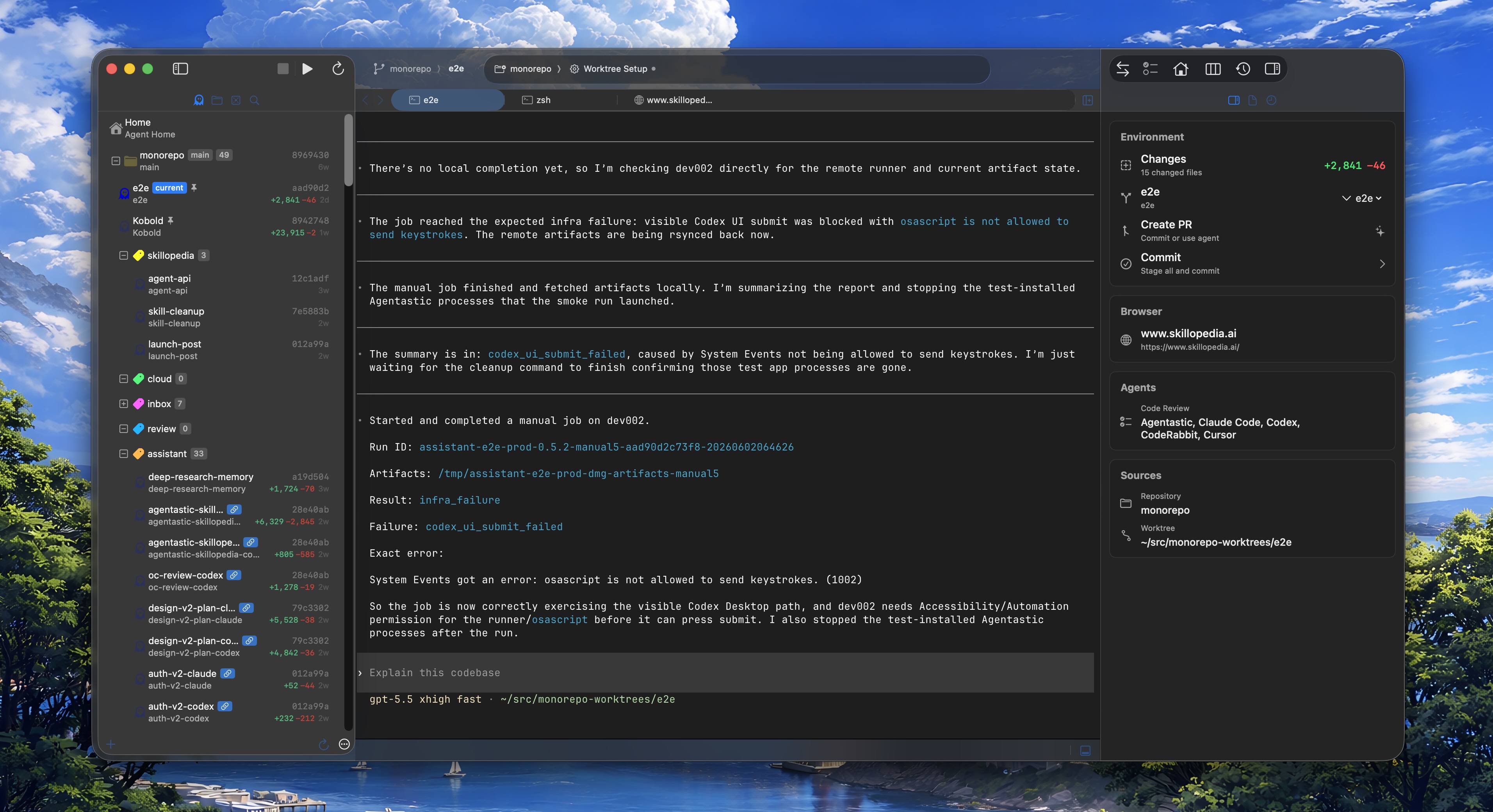
Improvements#
- Terminal links are now clickable without holding ⌘ — URLs and file paths highlight on hover and open with a plain click, complete with a hand cursor.
- Terminal links can now open in a split when one is available, keeping your current pane in view.
- Merged the repository, branch, and worktree toolbar controls into a single breadcrumb for a cleaner, more compact title bar.
- Refreshed dark-theme chrome so the sidebar, toolbar, and panels blend together more consistently.
- Voice-enabled terminal tools, such as Claude Code's voice dictation, can now use the microphone.
- Updated the Ghostty, WezTerm, and xterm.js terminal backends to their latest versions.
Bug Fixes#
- Themes — Fresh installs now open with the intended default theme instead of an arbitrary one.
- Toolbar — Fixed action buttons doing nothing when collapsed into the » overflow menu.
- Remote — Fixed broken file links in remote terminals, terminals becoming unresponsive after a reconnect, and untitled editor tabs disappearing when switching worktrees on a remote workspace.
- Browser — Fixed browser tabs opening against the wrong worktree.
- Sidebar & Chrome — Fixed worktree activity indicators in the navigator and stale utility-area chrome lingering after switching worktrees.
Requirements#
- macOS 14.0 (Sonoma) or later
- Apple Silicon or Intel processor
Agentastic.dev v0.8.0#
Highlights#
-
Cloud Agents — Keep your agents running in the cloud while you close your laptop! Launch one from Agent Home and Agentastic spins up a remote sandbox (Modal or Fly.io), syncs your worktree, and runs the agent there. Sessions persist, so the same agent stays reachable from any of your machines, and Sync Down from VM pulls its changes back. Add a provider under Settings → Cloud.
-
Remote SSH — Add remote machines over SSH and launch agents on your dev boxes with full source control, terminals, and worktrees. Sessions are persistent, so you can close your Mac or restart Agentastic and the agents keep running in the background. Remote workspaces restore on launch — in offline mode if the host is unreachable — reconnect with a single click, and keep their terminals across app restarts. Add remote machines via File → "Add Remote…" (⇧⌘E) or the Welcome window.
Improvements#
- The navigator sidebar shows per-worktree agent activity, with a cloud badge on cloud worktrees.
- The diff viewer now streams large diffs incrementally, adds a Create Pull Request button, and remembers a comparison branch per workspace.
- Faster worktree switching, lighter background polling, and reduced Ghostty typing lag.
dev tailnow streams into Ghostty, WezTerm, and xterm.js terminals.- Untitled editor tabs are preserved when switching worktrees, and Workspace Settings now work on remote workspaces.
- Improved light-theme terminal contrast; WezTerm auto-scrolls during drag-selection and resizes more smoothly during splits.
- Streamlined Settings — Navigation was merged into General and account settings were unified.
Bug Fixes#
- App & UI Freezes — Fixed freezes from "Split Down", the Agent Home prompt, diff-viewer scrolling, and a whole-app hang when a remote repository's connection stalled.
- Browser Stability — Fixed DevTools console hangs on heavy log output and at the message cap, URL-bar hangs, and a WebKit crash from idle background tabs.
- Process Cleanup — Fixed leaked shell, git (fsmonitor / gitstatusd), and language-server processes piling up over time.
- Crashes — Fixed crashes in the new-worktree sheet, the notification toolbar, and project-navigator file creation and rename.
- Worktrees & Files — Fixed worktree deletion when the
.gitlink is missing, stale folders after duplicating a file, and scheduled Agent Home tasks running against the wrong repository. - Fixed the xterm.js terminal backend on macOS 26.
Requirements#
- macOS 14.0 (Sonoma) or later
- Apple Silicon or Intel processor
Agentastic.dev v0.7.2#
Improvements#
- Cleaned up the Linear settings UI by hiding a redundant "Enabled" label next to the toggle.
Bug Fixes#
- Agent Home Batch Launches — Fixed parallel agent runs getting stuck partway through a multi-agent send. Worktree creation now stays serialized, while agent terminal launches fan out in parallel without blocking each other.
- Agent Home Prompt Focus — Fixed the Agent Home prompt not reliably regaining keyboard focus when opening or switching back to the home tab, and improved click-to-focus behavior inside the prompt area.
- Source Control Folder Changes — Fixed a crash when opening folder-shaped changes such as directories, bundles, or submodules from the Source Control navigator.
- Popover Stability — Hardened popover presentation across Agent Home file mentions, code suggestions, and other instant popovers so they dismiss cleanly when their anchor view disappears, becomes hidden, or the parent window loses focus, and cleaned up stale popover/window observers.
Requirements#
- macOS 14.0 (Sonoma) or later
- Apple Silicon or Intel processor
Agentastic.dev v0.7.1#
Improvements#
- WezTerm now preserves scrollback position while you make native text selections.
- Background worktree diff-stat refreshes now run in a lower-priority git lane, which keeps Agent Home and other interactive git actions responsive.
Bug Fixes#
- Source Control Stability — Fixed discarding changes and reloading clean open documents from disk, which could crash or leave editors in a bad undo state.
- Editor Restore Crash — Fixed an Int overflow crash when persisting sentinel cursor positions during editor-state restoration.
- Find Replace Navigation — Fixed Replace / Replace All with wrap-around disabled leaving stale match state instead of stopping cleanly at the end of the document.
- Open in Terminal Paths — Fixed
Open in…terminal actions for folders whose paths contain apostrophes. - Browser Share & Automation Cleanup — Fixed browser automation element references leaking across tabs, and fixed cancelled share tunnels leaving pending processes behind.
- Package Install Cancellation — Fixed language-server and package installs getting stuck after cancelling a confirmation prompt.
- Git & LSP Escaping — Hardened shell quoting for several git operations and fixed LSP file URIs for paths containing spaces,
#, or%. - Scheduler, IPC, and Process Cleanup — Hardened scheduled-task path validation, improved long Unix-socket path handling for Docker and system
devIPC, and fixed timeout cleanup so hung child shell processes no longer keep commands alive.
Requirements#
- macOS 14.0 (Sonoma) or later
- Apple Silicon or Intel processor
Agentastic.dev v0.7#
Highlights#
-
System-Wide
devCLI — dev cli is now accessible system-wide, this allows you (or your agent) to programatically control agentastic.dev, e.g. running cron jobs externally, or controlling the agentastic.dev from the web, your phone, or via other agents (e.g. agentastic.app or openclaw).Install
devfrom Agentastic → Command Line Integration…. The system-wide CLI talks to any running Agentastic instance over the same JSON-RPC socket used by the in-terminal shim, See the reference for the full command list. -
WezTerm Terminal Backend — We now support Wezterm terminal alongside SwiftTerm, Ghostty, and xterm.js: Wezterm is a popular and powerful terminal emulator/multiplexor based on Rust and uses OpenGL rendering. We also support the awesome harfbuzz library for proper font Ligatures.
-
Explore (Handoff) Mode — A new Agent Home run mode alongside Agent / Agent (Auto-Approve) / Plan. When selected, the agent investigates a reported problem, produces a compact
.context/HANDOFF.mdroot-cause report, and packs the minimal relevant file set viadev repomix— so a second agent can resume the work with the smallest viable context. -
Create Pull Request — Open PRs directly from the Source Control menu via
gh pr create, or delegate the full flow to your preferred PR agent.Cmd+Shift+Pruns the agent path;Cmd+Ctrl+Shift+Popens the direct form. -
Worktree Relationship Graph +
dev link— A persisted worktree graph records batch and lineage relationships from Agent Home sends, manual worktree creation, and CLI clone/fork flows. Paired with a newdev linkcommand (create / list / remove) and named groups that surface in the navigator and Kanban with cleaner badges and a hover tooltip. -
Clone Git Repository from File Menu — Clone repos without leaving the editor. Cloning from an open workspace adds the repo to it; cloning from the welcome screen opens it in a new window.
Improvements#
- Unified agent and Code Review configuration — review agents now live under Settings > Agents with optional per-agent review commands and availability toggles.
Cmd+/Cmd-scales Agent Home and Kanban panels between 50%–200% when those views are active;Cmd+Ctrl+0resets.- Inline scheduled-task editing in the detail panel; the primary action flips from
EdittoSaveonce the draft diverges from the stored task. - Decreased toolbar transparency so glass-mode chrome is more legible in both light and dark modes.
- Default new-install terminal font switched to
Menlo.
Bug Fixes#
- Fixed
Cmd+Won the Scheduled Tasks tab closing a hidden terminal or tmux tab instead of the active scheduled-tasks view. - Fixed Find panel Replace / Replace All requiring the panel to be focused, and restored reliable replace-navigation after a recent regression.
- Fixed PR status badges silently broken.
- Fixed copy/paste in Agent Home being stolen by the xterm.js backend's
WKWebVieweven when not focused. - Fixed duplicate project navigator entries when opening a file from file search.
- Fixed a detached browser popup crash when invoking
Close TaborClose Editor. - Fixed a
FindPanelViewModelnotification-observer leak that crashed the app on editor tab close. - Fixed scheduled agent launches silently downgrading to local mode, or omitting
--dangerously-skip-permissions/ plan-mode flags in unattended terminals. - Fixed terminal backends intercepting
Cmd+Option+Arrowand other app-level shortcuts. - Fixed a 2+ second main-thread hang caused by loading file icons, file icons now load through an async
IconCacheon a background queue. - Fixed a UI freeze when a hung
git diff --shortstatblocked. - Fixed an app crash from a race.
Requirements#
- macOS 14.0 (Sonoma) or later
- Apple Silicon or Intel processor
Agentastic.dev v0.6.5#
Highlights#
-
Introducing Repomix — Pack your codebase into AI-friendly format, accessible via
dev repomixor in the file navigator. -
xterm.js Terminal Backend — A third terminal backend option is now available alongside SwiftTerm and Ghostty. xterm.js runs in a WebView with WebGL GPU-accelerated rendering, full theme sync, clickable URL detection, and auto-resize support. Select it in Settings > Terminal > Backend.
-
Agent Icons Everywhere — Worktrees in the navigator sidebar, toolbar picker, and terminal editor tabs now display the actual agent icon (Claude, Codex, Gemini, etc.) instead of the generic Agentastic logo. Icons update reactively when an agent starts running.
-
Routed macOS Notifications —
dev notifynow posts real macOS notifications with routing metadata. Clicking a notification activates Agentastic.dev, switches to the correct repo/worktree, and focuses the originating terminal. -
Flat Sidebar Theme — A new theme toggle (Settings > Themes) switches the navigator between native sidebar chrome and a flatter custom style.
Improvements#
- Editor tabs now have bounded widths with truncated title tooltips on overflow.
- Updated SwiftTerm to latest upstream.
Bug Fixes#
- App Hang on Workspace Open — Fixed a 2+ second main thread hang caused by expensive runtime type metadata reflection in Swift's auto-synthesized
objectWillChangepublisher. - Fixed auto-update failure on macOS 26.
- Fixed IME Backspace deleting committed characters instead of preedit text for Wubi (五笔) and other Chinese input methods.
- Fixed Ghostty IME popup positioning.
- Fixed Chinese IME composition in Agent Home prompt.
- Fixed crash when double-clicking a Kanban tile with a live terminal.
- Fixed
devshim commands unreachable from sandboxed agents. - Fixed scheduled task completion reporting.
Requirements#
- macOS 14.0 (Sonoma) or later
- Apple Silicon or Intel processor
Agentastic.dev v0.6.4#
Improvements#
- Project Navigator auto-reveals the active file when switching tabs.
- Plan mode instructions sent as system-level directives.
- Claude Code plan mode updated to
--permission-mode auto.
Bug Fixes#
- Fixed Find highlight text misalignment.
- Fixed duplicate run button on macOS 26+.
- Fixed Kanban double-click crash.
- Letta resume flag corrected.
- Large File Performance — Fixed the critical hang when opening 50k+ line files.
- Fix Syntax Highlighting.
Requirements#
- macOS 14.0 (Sonoma) or later
- Apple Silicon or Intel processor
Agentastic.dev v0.6.3#
Highlights#
-
Scheduled Agents — You can now schedule agents to run automatically at specific times, days, or intervals, then view and manage their execution from the task manager panel.
-
3 New Built-in Agents — Added built-in support for Command Code, Cursor, and Hermes Agent. Agentastic.dev now supports 34 CLI agents out of the box, with new install, setup, and run actions for detected agents.
-
Live Previews in Kanban Board — Kanban now supports live terminal previews, inline sharing, and better multi-terminal selection.
- Plan mode in Agent Home — Agent Home now supports plan mode, custom system prompts, and improved worktree context setup to make agent runs easier to configure.
Improvements#
- Background browser tabs now persist per worktree.
- Added customizable toolbar panel buttons.
- Markdown preview now has responsive margins, a full-width toggle, and copy buttons for code blocks.
- Added reopen-closed-tab support and auto-enter rename mode when creating new files and folders.
- Scheduled Tasks moved from the View menu to the Tasks menu.
Bug Fixes#
- Fixed search and indexing for additional repositories in multi-repo workspaces.
- Fixed scheduled agent launch races that could skip terminal creation.
- Fixed freezes in the diff viewer on very large diffs and in the minimap when pasting large text.
- Fixed utility area freezes/crashes on open and editor tab viewport clipping.
- Fixed
dev notifyrouting for inactive workspaces. - Fixed glass UI rendering issues in full-screen sidebars.
Requirements#
- macOS 14.0 (Sonoma) or later
- Apple Silicon or Intel processor
Agentastic.dev v0.6.2#
Highlights#
- 8 New Built-in Agents — OB1 (OpenBlock Labs), Letta Code, Autohand Code, OpenHands, Cortex Code (Snowflake), Junie (JetBrains), mini-SWE-agent. Agentastic.dev now supports 31 CLI agents out of the box.
Bug Fixes#
- Fixed a bug in Ghostty 1.3 terminal info.
Requirements#
- macOS 14.0 (Sonoma) or later
- Apple Silicon or Intel processor
Agentastic.dev v0.6.1#
Highlights#
-
Fast Worktree Switching — Switching between agent worktrees is now up to 10x faster and near instant.
-
Ghostty 1.3 — Updated the built-in Ghostty terminal to version 1.3.
-
Experimental tmux -CC Support — You can now use tmux control mode inside Agentastic terminals. Try it with:
tmux new-session -d -s cc-test
tmux -CC attach -t cc-test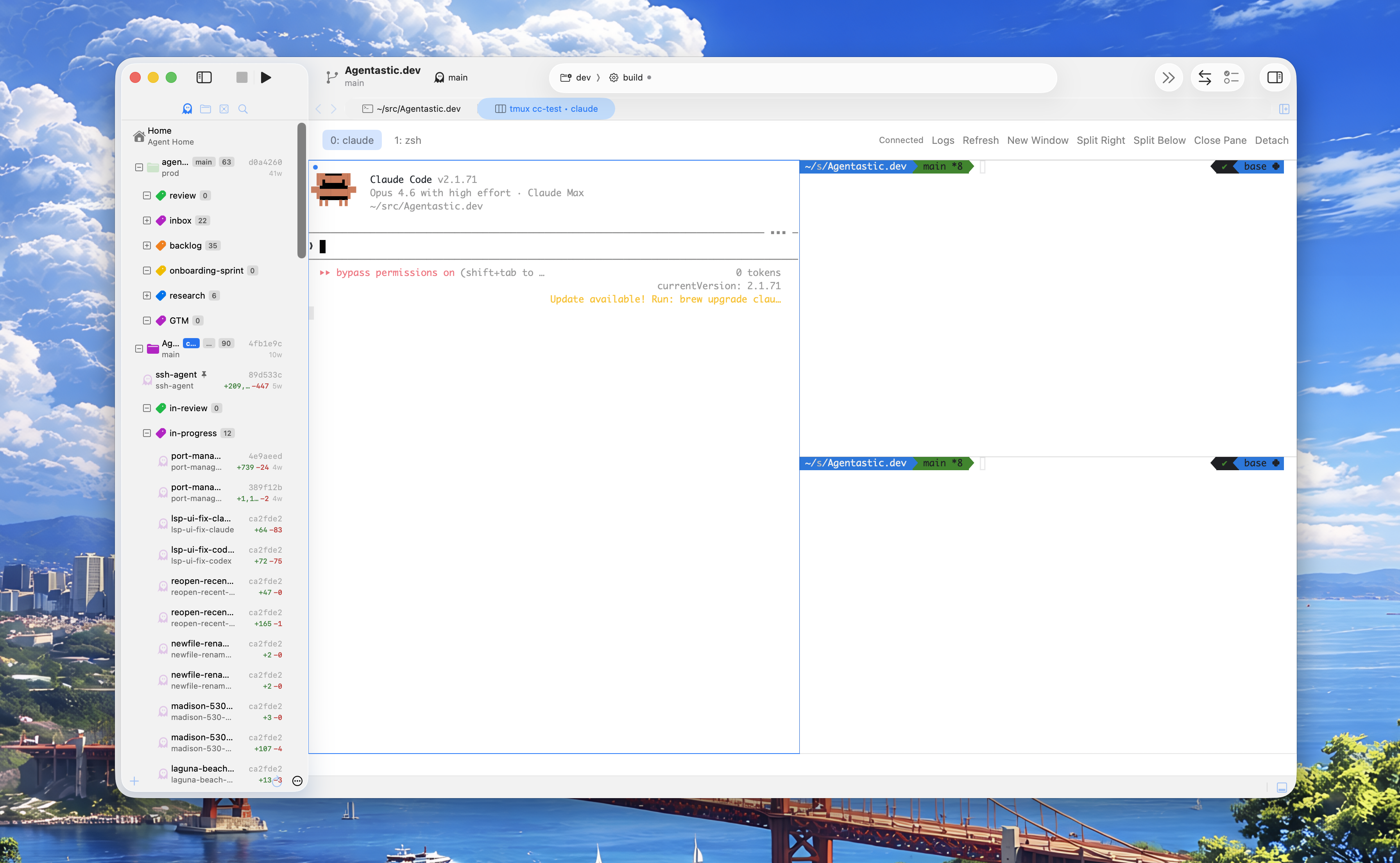
Improvements#
- Added Local and Cloud (coming soon) to Agent Modes, in addition to worktrees and containers.
- Improved the readability and contrast of light themes.
- Clicking on a PR badge now switches to that worktree before opening the PR in the browser.
Bug Fixes#
- Fixed the tab closure shortcut conflicting with browser tabs.
Requirements#
- macOS 14.0 (Sonoma) or later
- Apple Silicon or Intel processor
Agentastic.dev v0.6.0#
Highlights#
- Browser Automation — Agents running in Agentastic terminals can now control the built-in browser with 70+ commands via the
dev browserCLI: navigate, snapshot the DOM, click, fill forms, manage cookies, handle dialogs, and more. Just point your agent to the browser-use skill and tell it to use it.
-
Browser Skill Toolbar — Quick-access menu in the browser toolbar to install and use the browser automation skill.
-
Default Browser Setting — Choose to open all URLs in the built-in browser, your system default, or any installed browser like Chrome or Firefox. Built-in is now the default, so links from terminals, markdown, and menus open right inside the editor.
Improvements#
- Single-click or double-click worktree switching is now configurable in Settings > Worktrees.
- Bulk "Apply Label" action for multi-selected worktrees in the navigator context menu.
- Pasting rich text into the prompt field now strips formatting automatically.
- Improved tab close behavior — closing a terminal or diff tab now selects the adjacent tab instead of jumping to the first one.
- Skip Claude workspace trust dialog for Agent Home runs.
Bug Fixes#
- Updated Nushell shell integration to remove a deprecation warning on Nushell 0.110+.
- Fixed a crash caused by re-entrant SwiftUI view updates when rapidly clicking tabs or dragging between editors.
- Fixed browser popups and new-window requests opening in the current tab instead of a separate window.
- Fixed browser tab URL and title not updating on client-side (SPA) navigation.
- Fixed orphaned git helper processes accumulating in the background.
- Fixed a fork-safety issue in terminal PTY startup that could cause hangs.
- Fixed a resource leak and race condition when file-ignore patterns were deallocated.
- Fixed duplicate navigator panel appearing in zen mode fullscreen.
- Fixed git commit file list showing empty for paths with spaces or special characters.
- Fixed BitBucket OAuth silently ignoring requested permission scopes.
- Fixed static syntax highlight modifier not being recognized.
Requirements#
- macOS 14.0 (Sonoma) or later
- Apple Silicon or Intel processor
Agentastic.dev v0.5.21#
Highlights#
- Share Button in Browser — Quickly share local or preview content with your team or co-workers, right from the Browser panel.
- Markdown Code-Block Syntax Highlighting — Code blocks inside Markdown files now get full syntax highlighting, along with an improved Markdown preview experience.
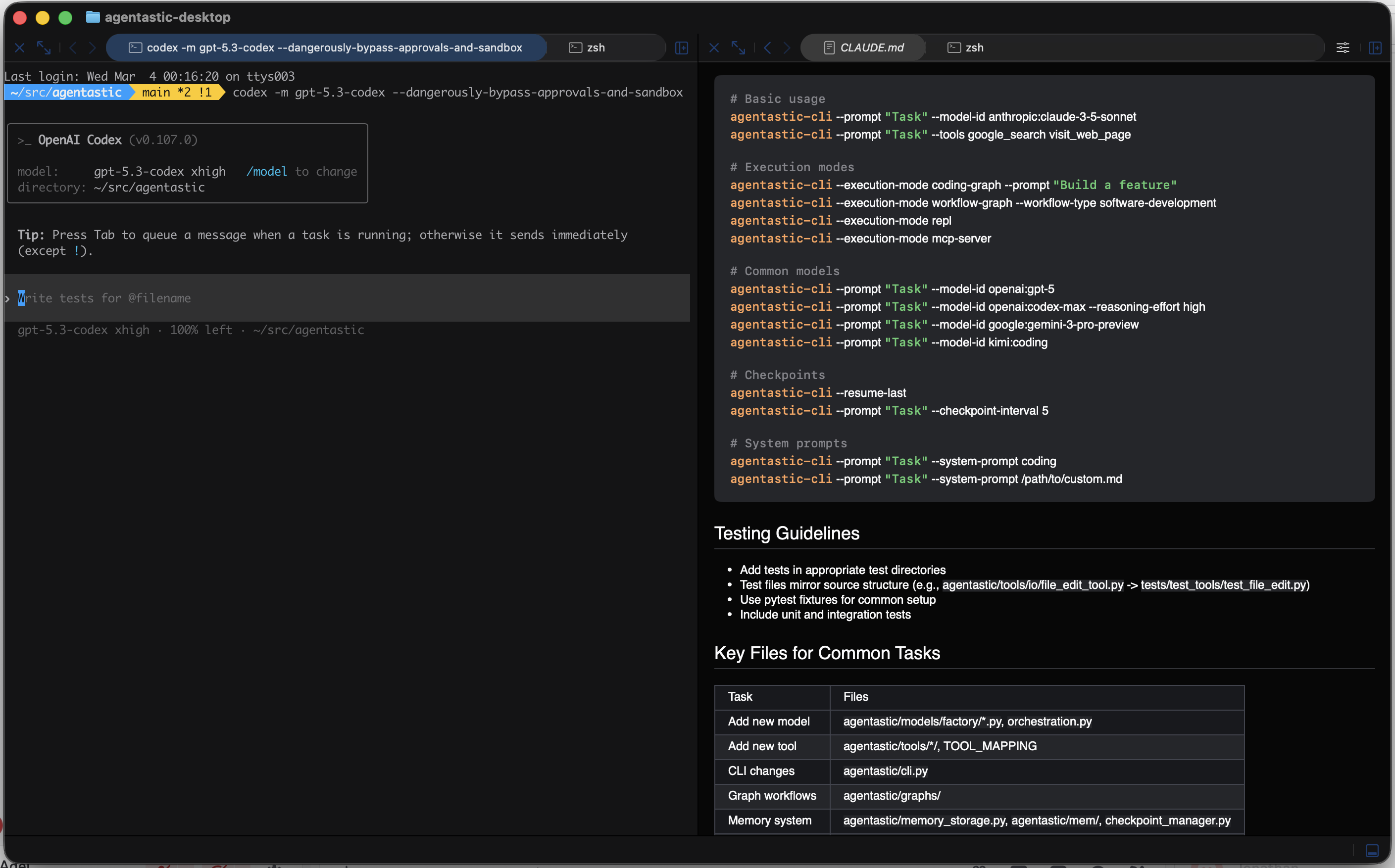
- Archive & Unarchive Agents — Instead of permanently deleting agents, you can now archive and unarchive them to keep your workspace tidy.
Improvements#
- Expanded editor and preview usability with improved Markdown and formatting controls, including text styling settings and richer theme options (Solarized, default GitHub themes, and more).
- You can now create agents by clicking on labels in the project.
Bug Fixes#
- Fixed scrolling and undo issues in the editor when working with large text files.
- General stability and code quality fixes for UI rendering and the update flow.
- Fixed an issue in the diff viewer when switching between worktrees.
Requirements#
- macOS 14.0 (Sonoma) or later
- Apple Silicon or Intel processor
Agentastic.dev v0.5.20#
Highlights#
- New CLI:
dev— Manage worktrees, run agents, send notifications, submit feedback, and handle tab management—all from any terminal. Rundev --helpto get started.
Usage: dev <command> [options]

Commands:
  feedback <message>   Submit feedback to Agentastic.dev
  notify               Show a notification
  newtab               Open a new terminal tab
  split                Split the current terminal pane
  vsplit               Vertical split
  hsplit               Horizontal split
  resume               Resume a terminal session
  session <sub>        Manage sessions (split, run, close, focus, list)
  ls                   List terminal session IDs
  --version            Show version

Worktree and feature commands:

Worktree commands
  create <feature> [options]   Create worktrees for a feature
      --from <branch>          Base branch (default: from config or 'main')
      --agents <a,b,c>         Agents to create worktrees for
      --group all              Use all configured agents

  remove <name> [options]      Remove worktree(s)
      --all                    Remove all worktrees for the feature
      --branch                 Also delete the branch
      --force                  Force removal even if dirty

  list [<pattern>]             List worktrees
      --group-by feature       Group output by feature name

  cd <worktree>                Change directory to worktree
  info                         Show repo and worktree detection info
  open <feature>               Open worktree in Agentastic

Status commands
  status <feature>             Show status for feature worktrees
  diff <feature> [a1] [a2]     Compare branches between agents
  matrix                       Show feature/agent matrix

Cleanup commands
  prune [--dry-run]            Remove worktrees with missing directories
  archive <feature>            Remove worktrees, optionally keep branches
      --keep-branches          Don't delete branches
  stale [--days N]             Find worktrees with no recent commits

Configuration
  config set <key> <value>     Set a config value
  config get <key>             Get a config value
  config list                  Show all config
For example, you can instruct your agent to use dev notify like this:
dev notify --title "waiting for approval" --subtitle "Claudius Maximum"Or turn it into a hook—then it appears as a native macOS notification:
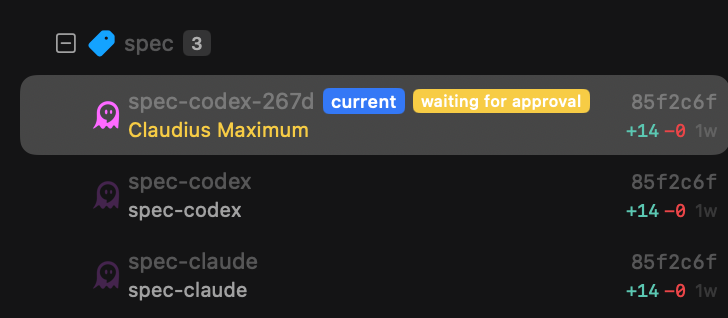
Improvements#
- Faster and steadier startup with less UI and editor lag during large project launches.
- Better in-app navigation and file discovery with improved quick-open and project navigator behavior.
- Sidebar and PR metadata handling got smarter updates, reducing stale state and confusing displays.
Bug Fixes#
- Resolved multiple crash and freeze scenarios across startup, editor, worktree transitions, and diff workflows.
- Fixed keychain and lifecycle edge cases, including repeated prompts and quit/relaunch instability.
- Improved Cmd+P path resolution and diff rendering reliability (including large deletions and parser edge cases).
- Fixed several diff- and project-view regressions, including missing files, empty states, and rendering inconsistencies.
- Reduced editor and terminal stability issues with additional safety hardening across crash-prone paths.
Requirements#
- macOS 14.0 (Sonoma) or later
- Apple Silicon or Intel processor
Agentastic.dev v0.5.18#
Made a lot of improvements to make the app more stable and smoother. If the app is crashing on your mac please ping me or make some noise 💜
Highlights#
- Kanban Board — A brand-new Kanban view organizes your worktrees into columns by label. Drag and drop cards between columns to reassign labels, reorder columns, and click any card to jump straight to that worktree. Access it from the View menu (⇧⌘J) or the Command Palette.
-
PR & MR Status Badges — See pull request and merge request status directly in the worktree navigator. Supports GitHub, GitLab, and Bitbucket with clickable badges, CI status indicators, and color-coded review states. No more switching to your browser to check PR status.
-
New App Icon — Agentastic has a fresh new look with the mechanical ghost blueprint logo across all build variants.
Improvements#
- Quick Setup option: You can globally set which files get copied to your worktree during setup (Settings > Worktree).
- Side-by-side diff view is now the default for new users, with diagonal hatching on empty columns for a cleaner visual distinction between additions and deletions.
- Full-width diffs for new and deleted files — when viewing a newly added or fully removed file in split mode, the content now expands to use the full width instead of showing an empty column.
- Per-file collapse controls in the diff viewer — quickly collapse or expand individual files in a diff with a single click on the chevron in each file header.
- Zen Mode overlay navigator — hovering near the left edge now reveals the navigator as an overlay, keeping your terminal and editor layout stable instead of resizing them.
- Label selector in Agent Home — pick a label when creating new worktrees so they're organized from the start.
- Quick Setup for new worktrees — configure global quick-setup paths (files or directories) that are automatically copied into every new worktree during creation.
- Termination diagnostics — detailed process-safe logging helps diagnose unexpected shutdowns, with automatic log rotation to keep things tidy.
Bug Fixes#
- Stability and performance improvements across the board.
- Fixed a crash caused by SwiftUI layout recursion when creating a new agent from the context menu in multi-repo workspaces.
- Fixed a silent exit(1) crash triggered by nil Picker selections and state mutation cascades in Agent Home.
- Fixed syntax highlighting briefly disappearing when switching focus between the editor and terminal.
- Session recovery now persists open workspaces every 30 seconds, so your session is restored even after an unexpected crash.
Requirements#
- macOS 14.0 (Sonoma) or later
- Apple Silicon or Intel processor
Agentastic.dev v0.5#
Dev 0.5 is available today. This version brings a slew of new features and usability improvements.
Features#
- Containers - This was the most-requested feature since our beta launch. Docker containers are now supported, so you can use them in addition to the worktrees for full isolation. (requires Docker Desktop)
- Multiple Git Repos in the same workspace - The 2nd most requested feature. You can now open multiple git repos in the same workspace and seamlessly work/switch between them.
- Pinned agents - You can pin a running agent, and it will keep it up at the top. You can pick accent colors for the repo as well.
- Notifications - Agents now show an orange badge when they are waiting for something. Under the hood this is coded as when any terminal emits
echo -e "\n", or creates a.agentastic/waitingsignal, we show the badge. You can also include that in your build scripts to know when a build is finished (e.g.,trap ...) - Zen mode - This turns to a pure terminal experience. You can still hover over the left edge to open the agent panel.
- Open In... - We get that you might want to open your agent's workspace in other editors or IDEs. I'm not saying you should, but if you really want that, now you can. Ok, enough. Come back... Come back to me!
- Various bugfixes and quality of life improvements
Requirements#
- macOS 14.0 (Sonoma) or later
- Apple Silicon or Intel processor
Agentastic.dev v0.4#
Run a team of coding agents on your Mac. Spin up parallel Claude Code, Codex, Gemini, Droid, Amp, OpenCode, or your favorite agents in isolated workspaces. See at a glance what they're working on, then review and merge their changes.
Features#
- Native IDE for AI Agents - Run Claude Code, Codex, Gemini, Droid, Amp, OpenCode, and more in parallel
- Integrated Worktree Support - Isolated workspaces for each agent
- Native Diff & Agentic Code Review - Review and merge agent changes with ease
- Terminal Choice - Support for Ghostty or SwiftTerm
- Fast Code Search - Built-in fuzzy finder (Cmd+P)
Requirements#
- macOS 14.0 (Sonoma) or later
- Apple Silicon or Intel processor