How to Build an AI Software Factory
An AI software factory is a repeatable line that takes work from an issue to a merged pull request with coding agents doing most of the production. You don't build one by buying a platform or by opening ten terminals. You build it one station at a time, starting with work that's boring enough to verify automatically.
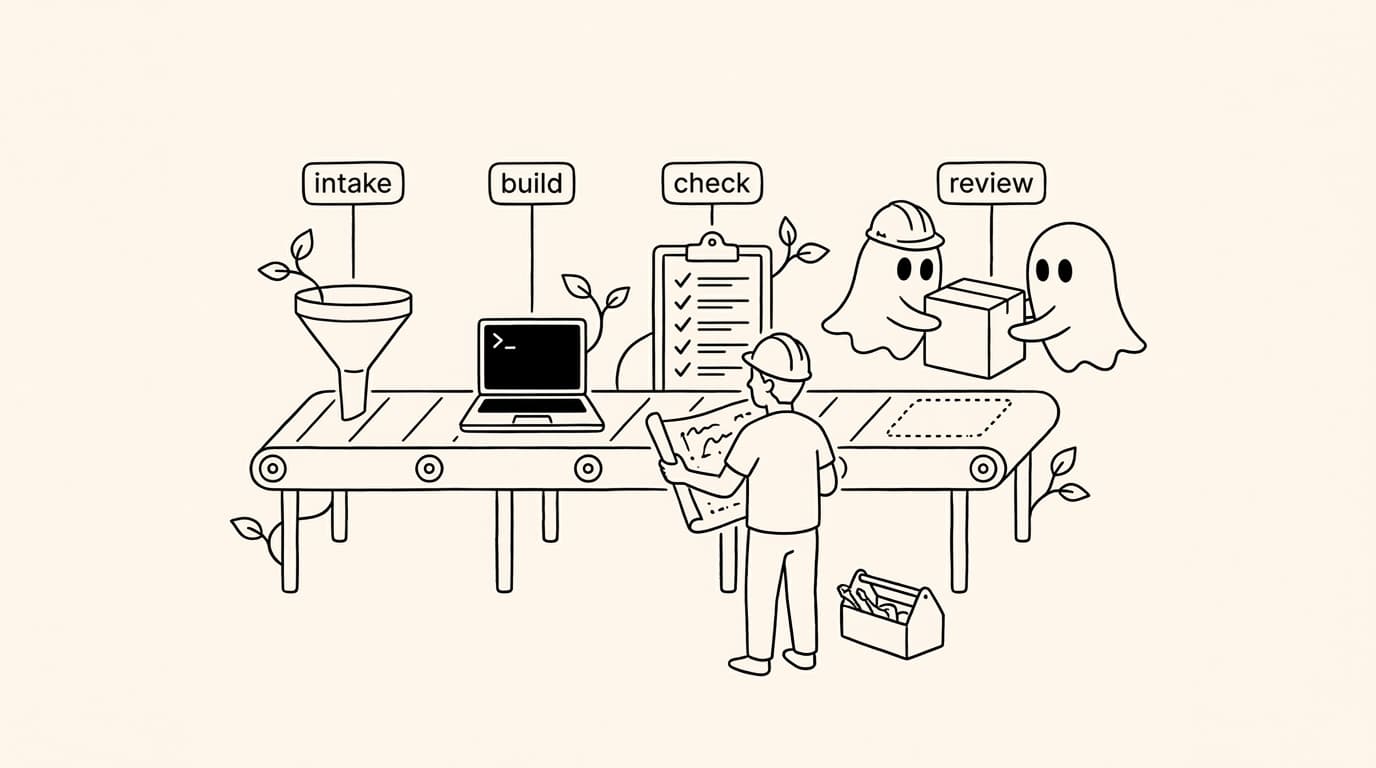
This guide builds a small factory on a Mac with Claude Code and Codex. Every step works with the agents' own tools; where Agentastic saves work, we say what it does and link the docs. If you're still deciding whether to build or buy, read the best AI software factory tools first.
The line you are building#
| Station | Job | What you'll use |
|---|---|---|
| Intake | Turn signals into tasks | Linear, GitHub Issues, Sentry, Slack, or a schedule |
| Plan | Turn a task into an executable prompt with a finish line | A task template, plan mode, /goal |
| Build | Do the work in isolation, sometimes twice | Claude Code and Codex in separate worktrees |
| Check | Prove it works before a person looks | Tests, lint, type checks, a review agent |
| Review | A person decides what ships | Small pull requests, diff review |
| Ship | Merge, deploy, watch | CI, staged rollout, monitoring |
| Learn | Make the next run better | Instructions, checks, and memory updates |
Step 1: Pick one boring category of work#
Factories start narrow. Choose work that is frequent, low-risk, and easy to verify:
- Dependency and SDK updates
- Flaky or failing tests
- Lint, type, and deprecation warnings
- Small Sentry errors with a clear stack trace
- Documentation that drifted from the code
Skip anything where "done" needs judgment you can't write down yet. You'll add it once the line is reliable.
Step 2: Make the repository agent-ready#
Agents fail most often on things a new hire would ask about on day one. Write those answers down where every agent reads them:
- Instructions. Put the build, test, and lint commands at the top of
AGENTS.md(Codex reads it; Claude Code readsCLAUDE.md, which can import it), followed by conventions and the directories nobody may touch. - Fast checks. Split a fast test suite the agent runs on every change from the slow one CI runs.
- A setup script. Every new worktree should be ready to build without help. In Agentastic, put it in
.agentastic/setup.sh:
#!/bin/bash
set -euo pipefail

# Runs in every new worktree Agentastic creates.
npm ci
if [ -f "$AGENTASTIC_MAIN_REPO_PATH/.env" ]; then
  cp "$AGENTASTIC_MAIN_REPO_PATH/.env" "$AGENTASTIC_WORKTREE_PATH/.env"
fi
echo "Ready: $AGENTASTIC_BRANCH"
Ports and databases need more care when several worktrees run at once; agent worktree setup covers both. This step is harness engineering, and it pays off more than any model upgrade.
Step 3: Isolate every task#
One task, one workspace. A git worktree per task keeps edits, untracked files, and build output from colliding, and it makes every result a reviewable branch. Escalate when the task needs it:
- Container for tasks that need their own services, system packages, or network rules (containers).
- Remote machine for big builds or a Linux box (remote machines).
- Cloud VM on your own Modal, Fly.io, or Vercel Sandbox account for runs that must continue after you close the laptop (cloud agents).
Agentastic creates the worktree, runs your setup script, and starts the agent in one step, from the app or a script:
dev agent create --agent claude --name bump-stripe-sdk --from main \
  --prompt "Upgrade the Stripe SDK to the latest major version. Done when npm test and npm run lint pass."
Step 4: Build in parallel, sometimes twice#
Two patterns earn their cost:
- Split. One feature becomes independent tasks, each in its own worktree. Keep tasks that touch the same files apart, or run them in sequence.
- Fan out. Give the same task to Claude Code and Codex in separate worktrees and keep the better diff. It costs twice the tokens and usually less than twice the review, because you compare two answers instead of fixing one.
Give each agent an end state it can check. Both Claude Code and Codex have a /goal command that keeps working until a condition holds; see Claude Code /goal vs Codex /goal.
Step 5: Put machine checks before human eyes#
Review is the bottleneck of every factory, so nothing should reach a person that a machine could have rejected:
- The agent runs the fast tests, linter, and type checker before it calls the task done.
- CI runs the full suite on the pull request.
- A second agent reviews the diff against your conventions. Agentastic can run review passes with Claude, Codex, CodeRabbit, or Greptile, alone or together, on any diff.
- For UI changes, the agent proves the change runs: a screenshot, a recording, or a passing end-to-end test.
Step 6: Keep human review small and fast#
People decide what ships. Make that cheap: small pull requests, one concern each, a summary that says what changed and how it was verified, and review that can happen from anywhere. Agentastic's Kanban board shows every worktree with diff stats and PR status, and the iPhone Companion lets you review diffs and merge pull requests from your phone.
If finished diffs pile up waiting for you, stop adding agents. More throughput at the build station only lengthens the queue at review.
Step 7: Automate intake#
Once the line works when you start it by hand, let work arrive on its own:
- Issues. Connect Linear and Sentry and turn an issue into an agent run, with the Sentry event attached. Use labels to mark what the factory may pick up.
- Chat. Start agent tasks from Slack.
- Schedules. A scheduled agent runs on a cadence with memory that survives between runs, so a nightly bug hunt doesn't report the same findings every morning. Presets include finding critical bugs, adding test coverage, and generating docs.
Step 8: Add a manager for longer goals#
Some work spans days: a migration, a coverage target, a backlog of small fixes. A Manager Agent takes a charter, starts and steers worker agents through the dev CLI, records what happened in a git-backed wiki, and reports on a dashboard and through notifications. This is where the factory becomes a set of loops rather than a set of runs; loop engineering covers how to design them so they stop when they should.
Step 9: Measure the line#
Track a few numbers per category of work, weekly:
- Merged changes and the share that needed no human edits
- Cycle time from intake to merge
- Review time per pull request
- Cost per merged change, not per run. Agentastic's Usage & Cost view reads Claude Code and Codex usage from logs already on your disk.
When a number gets worse, look for the station that changed. When it gets better, widen the category of work the factory accepts.
Common mistakes#
- Automating intake first. If the line doesn't work when you start it by hand, automatic intake just makes a longer queue of broken runs.
- Letting the builder grade itself. The checker must be something other than the agent that wrote the code.
- One giant task. Agents do best with tasks a person could review in ten minutes.
- No memory. Recurring agents without notes repeat yesterday's work.
- No budget. Every unattended run needs a limit on turns, tokens, or time.
Factories that remove people from review entirely exist. Read what a dark software factory is before you dim the lights.
Sources#
- Agentastic docs: setup scripts, cloud agents, scheduled agents, Manager Agents, code review, issue tracking
- Claude Code: run agents in parallel, /goal, scheduled tasks
- Codex: follow a goal
- OpenAI, Harness engineering; Uber, Running a Software Factory Efficiently at Uber Scale
Frequently asked questions#
How do I build an AI software factory?#
Pick one repetitive category of work, make your repository agent-ready with instructions and a setup script, give every task an isolated worktree, put machine checks and a review agent before human review, then automate intake and scheduling. Measure cost and cycle time per merged change before you scale up.
Can I build an AI software factory with Claude Code?#
Yes. Claude Code covers the build station well, with worktrees, subagents, /loop, /goal, hooks, and cloud routines. A factory also needs intake, isolation for several agents at once, review, and measurement, which is where a workspace such as Agentastic or a CI pipeline comes in.
What tools do I need for an AI software factory?#
At minimum: one or more coding agents such as Claude Code or Codex, git worktrees or containers for isolation, a fast test suite, a review step, and a place where work arrives, such as Linear, GitHub Issues, or Sentry. Scheduling, a manager agent, and cost tracking come next.
How long does it take to set up an AI software factory?#
A first working line for one category of work, such as dependency updates or flaky tests, takes a day or two. Making it reliable takes longer, because each failure you see becomes a new instruction, check, or setup step.
Should I buy an AI software factory platform or build my own?#
Buy if you want one vendor to run intake, compute, and review, and you are comfortable tying them to that vendor's agent. Build if you want to swap agents as better ones ship. Our comparison of AI software factory tools covers both routes.
What should an AI software factory automate first?#
Work that is frequent, low-risk, and easy to verify: dependency bumps, lint and type fixes, flaky tests, small Sentry errors with a stack trace, and documentation drift. Leave architecture changes and anything without a good test for later.