Run Claude Code Over SSH: Connect, Survive Disconnects, and Merge the Work
A tested path from a fresh Linux server to a merged branch, including what breaks when your laptop sleeps.
Contents
- The short version
- Pick where Claude Code should run
- 1. Prepare the server and your SSH config
- 2. Install Claude Code and sign in without a browser
- 3. Start Claude Code inside tmux
- 4. Recover after a disconnect, sleep, or reboot
- 5. Give every task its own worktree and branch
- 6. Review and merge the agent's work
- 7. Get told when the agent needs you
- Security checklist for a Claude Code VPS
- Troubleshooting
- How Agentastic runs Claude Code on remote machines
- Frequently asked questions
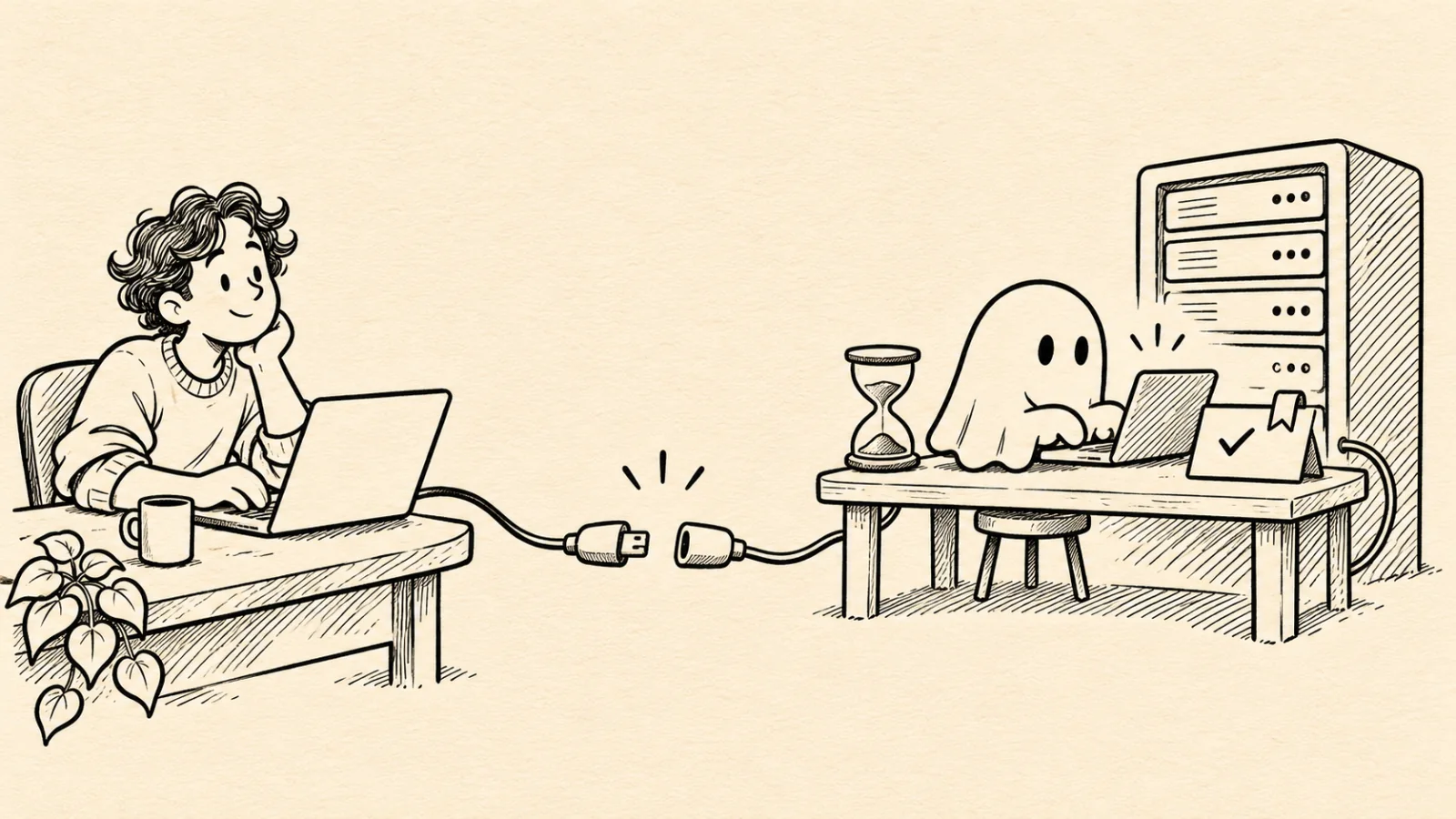
To run Claude Code over SSH, install it on the server, sign in once by opening the login URL it prints in your laptop's browser, and always start it inside tmux. When the connection drops, ssh -t devbox tmux new -A -s agent puts you back in the same running session. Give each task its own git worktree and branch on the server, then fetch that branch to review and merge it like any other.
We tested this path on November 14, 2026, from a Mac to a disposable Ubuntu 24.04 ARM64 server running in a container, with OpenSSH 9.6, tmux 3.4, git 2.43, and Claude Code 2.1.325, and we cut the connection on purpose to see what survives. The firewall commands are the one step we took from Ubuntu's documentation without running them, because a container has no firewall of its own. Agentastic publishes this guide. The last section shows how Agentastic's remote machines handle the same steps; everything before it works with a plain terminal.
The short version#
- Add the server to
~/.ssh/configwith keepalives, then connect withssh devbox. - Install with
curl -fsSL https://claude.ai/install.sh | bashand put~/.local/binon yourPATH. - Run
claudeonce and sign in: copy the login URL it prints, open it on your laptop, and paste the code back. - Start every session inside tmux:
tmux new -A -s agent. - Give each task a worktree and branch:
git worktree add -b agent/fix-typo ~/worktrees/app-fix-typo. - After a drop, run
ssh -t devbox tmux new -A -s agenton your laptop to return to the session. - Have Claude commit on its branch, then fetch the branch, review the diff, and merge it.
Pick where Claude Code should run#
"Claude Code on a remote server" can mean several setups. They differ in what keeps running when your laptop disconnects:
| Setup | Where Claude Code runs | After your connection drops | Good fit | Watch out for |
|---|---|---|---|---|
| Claude Code over SSH (this guide) | On your server | Keeps running inside tmux or screen | Any server, any terminal, full control | You handle sign-in, sessions, and review yourself |
| Claude desktop app SSH sessions | On your server; the app installs it there | Can keep running while the app is disconnected | Claude-only work in a GUI | Uses about 1 GB on the host; a subscription sign-in may expire minutes after the app disconnects, which stops the task |
| Remote Control | Wherever you started the session | On a remote machine, only if started inside tmux or screen | Steering a session from a phone or browser | Needs a Claude subscription; API keys can't start it |
| Cloud sessions | Anthropic-managed VMs, or your organization's self-hosted environment | Keeps running | Work that should finish while every device is off | Pro, Max, Ultra, Team, or eligible Enterprise seats; not your own server |
| Agentastic remote machines | On your server, in a persistent Agentastic daemon | Keeps running; no tmux needed | Several agents and hosts reviewed from one Mac | Mac app only; you still install and sign in to Claude Code on the host |
The rest of this guide is the first row, done properly. If you want no server at all, compare cloud and local agents first.
1. Prepare the server and your SSH config#
Anthropic's setup guide lists 4 GB of RAM or more, an x64 or ARM64 processor, and Ubuntu 20.04+, Debian 10+, Alpine 3.19+, or macOS 13+. Treat that as the floor. The agent also runs your compiler, test suite, and dev server on the same box, so size the server for your project, not for Claude Code.
Create an ordinary user for the agent. Skip sudo unless the work truly needs it: an agent that cannot become root cannot damage the rest of the machine. On a fresh Ubuntu or Debian VPS, as root:
apt update && apt install -y tmux git curl ufw
useradd -m -s /bin/bash dev
mkdir -p /home/dev/.ssh
cp ~/.ssh/authorized_keys /home/dev/.ssh/   # the key your provider installed for root
chown -R dev:dev /home/dev/.ssh && chmod 700 /home/dev/.ssh && chmod 600 /home/dev/.ssh/authorized_keys
ufw allow OpenSSH && ufw enable
The last line turns on Ubuntu's firewall with only SSH open. If ufw enable warns that it may disrupt SSH connections, answer y: the rule before it already allows SSH. Before you log out as root, check ssh dev@203.0.113.10 from a second terminal. Keep the firewall that way: reach dev servers through an SSH tunnel instead of opening ports (see the security checklist below).
Then give the server a short name on your laptop. Add this to ~/.ssh/config:
Host devbox
  HostName 203.0.113.10
  User dev
  IdentityFile ~/.ssh/id_ed25519
  IdentitiesOnly yes
  ServerAliveInterval 30
  ServerAliveCountMax 3
The two ServerAlive lines matter more than they look. Without them, a connection that dies while your laptop sleeps can leave a frozen terminal for a long time. With them, ssh checks the link every 30 seconds and gives up after three missed replies, so a dead connection closes in about 90 seconds (ssh_config explains the arithmetic). Test it with ssh devbox.
2. Install Claude Code and sign in without a browser#
On the server, as the dev user:
curl -fsSL https://claude.ai/install.sh | bashOn our fresh user account, the installer put the launcher at ~/.local/bin/claude and warned that ~/.local/bin was not on the PATH. It printed the fix, which you can run as is:
echo 'export PATH="$HOME/.local/bin:$PATH"' >> ~/.bashrc && source ~/.bashrc
claude --version
Now run claude in your project. After a theme picker, it asks how to log in:
- Claude account with subscription (Individual, Team, or Enterprise)
- Anthropic Console account (API usage billing)
- 3rd-party platform (Amazon Bedrock, Microsoft Foundry, or Google Vertex AI)
The server has no browser, so Claude Code prints the login URL under "Browser didn't open? Use the url below to sign in (c to copy)". Copy the URL, open it on your laptop, sign in, and paste the code you get into the Paste code here if prompted field. That is Anthropic's documented authentication flow; we checked each prompt on the test server but stopped before entering a code, because the server was disposable.
Where the login ends up, and how long it lasts:
- Storage. On Linux the login is saved in
~/.claude/.credentials.jsonwith mode0600. On a macOS server, if the Keychain is locked in your SSH session, Claude Code writes the same file instead. - Expiry. Claude Code refreshes its login on its own and warns three days before it expires. If it expires and can't be refreshed, every request fails with
Login expired · Please run /login, so an unattended session simply stops making progress. Check theLoginrow in/statusbefore you leave a long task. - Unattended servers.
claude setup-token, run on any machine with a browser, prints a one-year OAuth token without saving it. Set it asCLAUDE_CODE_OAUTH_TOKENon the server. It needs a Pro, Max, Ultra, Team, or Enterprise plan, and it cannot start Remote Control sessions. A Console API key is the other option and bills at API rates.
Your personal setup stays on your laptop. User-level settings in ~/.claude/settings.json, instructions in ~/.claude/CLAUDE.md, and user-scoped MCP servers in ~/.claude.json are per machine (settings, memory, MCP). Commit the project versions (CLAUDE.md, .claude/settings.json, and .mcp.json) so they arrive with the clone, and recreate only the personal pieces on the server.
Running Codex on the same server? The CLI has its own headless sign-in. OpenAI's authentication guide documents codex login --device-auth (in beta; turn on device code login in your ChatGPT security settings first) and, as a fallback, forwarding the login callback with ssh -L 1455:localhost:1455 devbox before running codex login. The ChatGPT desktop app can also open projects on an SSH host directly; Codex app vs CLI compares the two.
3. Start Claude Code inside tmux#
A process you start in a plain SSH session belongs to that session. tmux runs a server on the remote machine that owns your shells, so the work keeps going when your laptop goes away.
ssh devbox
tmux new -A -s agent    # attach to the "agent" session, or create it
cd ~/app && claude
Press Ctrl-b, then d, to detach on purpose. To come back, from your laptop:
ssh -t devbox tmux new -A -s agentThe -A flag tells tmux to attach when the session already exists and create it otherwise (tmux manual), so this one command works after a clean detach, a dropped connection, or a reboot.
What we saw when we cut the connection. We started one counter loop in a plain SSH session and another inside tmux, then killed the laptop's ssh client with kill -9 to simulate a laptop that vanished mid-session. The plain process died with the connection; its log stopped at 6. The tmux session showed as detached and kept counting. After ssh -t devbox tmux new -A -s agent, we were attached again and the loop was still running.
Anthropic's terminal guide recommends four lines in ~/.tmux.conf on the server. They let notifications reach your terminal and let tmux tell Shift+Enter apart from Enter:
set -g allow-passthrough on
set -g focus-events on
set -s extended-keys on
set -as terminal-features 'xterm*:extkeys'
Reload with tmux source-file ~/.tmux.conf. For several tasks, open one tmux window per task: tmux new-window -n fix-typo -c ~/worktrees/app-fix-typo, then press Ctrl-b w to pick between them.
4. Recover after a disconnect, sleep, or reboot#
| What happened | What is left on the server | How to get back |
|---|---|---|
| Wi-Fi dropped or the laptop slept | tmux and Claude Code are still running | ssh -t devbox tmux new -A -s agent |
| The terminal froze | Same; with the keepalives above, ssh closes the dead connection in about 90 seconds | Reconnect with the same command, or press Enter, then ~. to close it at once |
| Claude was started outside tmux | The process ended with the connection | Reconnect, cd to the project, and run claude -c to load the latest conversation in that directory |
| The server rebooted | No running processes, but files and conversation history on disk | Start tmux again, then claude -c, or claude -r to pick a session |
| The sign-in expired | The session is open, but requests fail with Login expired | Run /login, or move the server to a long-lived token |
| Claude asked for permission while you were away | The session is paused at the prompt | Reattach and answer, then set up notifications so it doesn't wait for hours |
Two details make recovery predictable. First, claude -c loads the most recent conversation in the current directory, and claude -r opens a picker (CLI reference); naming a session at start with claude -n fix-typo makes the picker easy to read. Second, uncommitted edits are just files in the worktree. They survive disconnects and reboots, but they do not travel with git fetch, so check git status in the worktree before you assume the work is lost or done.
5. Give every task its own worktree and branch#
Two agents in one checkout overwrite each other's files and fight over one branch. A git worktree gives each task its own directory on its own branch, sharing the repository's history:
cd ~/app
git worktree add -b agent/fix-typo ~/worktrees/app-fix-typo
tmux new-window -n fix-typo -c ~/worktrees/app-fix-typo
claude -n fix-typo
End your prompt with an instruction such as "when the tests pass, commit on this branch." In our run, the commit came back cleanly while a scratch file the agent had left, NOTES.tmp, stayed untracked in the worktree and never reached the laptop. That is the behavior you want, as long as you know to look for it. Our git worktree cheat sheet covers the commands for listing, moving, and pruning worktrees.
6. Review and merge the agent's work#
You don't need GitHub to review the agent's branch; the server is already a git remote you can reach over SSH.
To look on the server:
git -C ~/app log --oneline main..agent/fix-typo
git -C ~/app diff main...agent/fix-typo
To review and merge on your laptop, add the server as a remote of your existing checkout:
git remote add devbox devbox:app      # once; "app" is relative to the server's home
git fetch devbox agent/fix-typo
git diff main...devbox/agent/fix-typo
git merge --ff-only devbox/agent/fix-typo
We ran this from a fresh git clone devbox:app, which works the same way, and the fast-forward merge applied the agent's commit to main. If you prefer pull requests, push the branch from the server and open one there. That needs GitHub credentials on the server, so give it the narrowest one that works, such as a deploy key for that one repository.
Then clean up on the server:
git -C ~/app worktree remove ~/worktrees/app-fix-typo
git -C ~/app branch -D agent/fix-typo   # -D because the server's own main may not have the merge yet
7. Get told when the agent needs you#
Over SSH, a notification has to travel inside the terminal stream. Hooks that call osascript or notify-send run on the server, where there is no desktop to show them. A hook that returns a terminalSequence works instead: Claude Code prints the escape sequence, SSH carries it to your laptop, and your terminal turns it into a desktop notification. Inside tmux, the sequence only gets through with allow-passthrough on. In our test, zero alerts reached the outer terminal with passthrough off, and every alert did with it on.
Our Claude Code notifications guide has the tested hook script, an event-by-event matrix, and phone options. If you skip hooks and run without tmux, set preferredNotifChannel on the server to your laptop's terminal (for example "ghostty") so Claude Code's built-in alerts know what to send.
Security checklist for a Claude Code VPS#
- Run agents as an ordinary user without
sudo, so a bad command stays inside one home directory. - Use key-only SSH and a firewall that allows only SSH. Once your key works, turn off password logins with
PasswordAuthentication no. On Ubuntu, put it in/etc/ssh/sshd_config.d/00-no-passwords.confand restart ssh:sshd_configkeeps the first value it reads, and that directory is read first. - Keep dev servers on localhost. Forward them instead:
ssh -L 3000:localhost:3000 devbox, then openhttp://localhost:3000on your laptop. - Scope Git credentials to the repositories the agent needs, such as a deploy key for one repository or a fine-grained token.
- Keep tokens out of the repository. Store
CLAUDE_CODE_OAUTH_TOKENor API keys in a file only your user can read. - Decide what runs without asking. Claude Code's permission settings control which commands need approval; an unattended server is where those rules matter most.
Troubleshooting#
| Symptom | Likely cause | Fix |
|---|---|---|
claude: command not found right after installing | ~/.local/bin is not on the PATH | Add the export PATH line above to ~/.bashrc and open a new shell |
| The login URL never opens | The server has no browser | Copy the printed URL, open it on your laptop, and paste the code back |
Permission denied (publickey) with the right key | The account's password is locked (! in /etc/shadow) and sshd runs with UsePAM no, which blocks key logins too; we hit this on a minimal image | sudo usermod -p '*' dev unlocks the account without enabling password login |
| The session is gone after reconnecting | Claude Code was started outside tmux | Start with tmux new -A -s agent every time; resume with claude -c |
| The terminal hangs after the laptop wakes | The old TCP connection is dead | Keepalives close it in about 90 seconds; Enter, then ~., closes it immediately |
Host key verification failed after rebuilding the server | The server has a new host key | Run ssh-keygen -R 203.0.113.10, reconnect, and check the new fingerprint |
Login expired · Please run /login in the morning | The saved login expired | Run /login; use claude setup-token or an API key for unattended work |
| No notifications inside tmux | Passthrough is off | Add set -g allow-passthrough on and reload tmux |
How Agentastic runs Claude Code on remote machines#
Agentastic is a Mac app for running many coding agents side by side. Its remote machines replace the tmux and Git plumbing above, while Claude Code itself still runs on your server with its own sign-in. Here is what changes, as of the version we checked on November 14, 2026:
| Manual step in this guide | With an Agentastic remote machine |
|---|---|
| SSH config and keepalives | Uses your system ssh and ~/.ssh/config, including Include files, with 30-second keepalives. Passwords, key passphrases, and two-factor codes are asked for in the app, once per host. A first-time host key is saved; a changed one is refused. |
| tmux | A small server, copied to ~/.agentastic on the host, keeps terminals and agents running after the connection drops or the Mac app quits. |
| Reattaching | Reconnects automatically after a drop, with retries spaced up to 10 seconds apart, and replays the terminal output you missed. An unreachable host opens in offline mode with a one-click reconnect. |
| Worktrees | Each agent works in its own worktree on the host. |
| Review and merge | Diffs, commits, pushes, code review, merges, pull requests, and merge conflicts all act on the remote checkout. |
| Notifications | Claude Code's state on the host (running, waiting for input, or finished) shows up in the Mac's notification inbox and on the iPhone app, and dev notify works from the host's shell. |
| Port forwarding | Tunnels in the remote sessions dialog forward a dev server to your Mac and can restart on reconnect. |
To set it up:
- Install Claude Code on the server and sign in once, as in steps 1 and 2. Agentastic finds
claudethrough thePATHof your login shell on the host, which is one more reason to apply thePATHfix. - In Agentastic, choose File → Add Repository… (Shift-Command-O). The machine menu lists recent hosts and every host in
~/.ssh/config; Connect to Host… takesuser@hostfor anything else. Pick the repository folder on the server. - Start Claude Code from Agent Home with Command-N. The agent gets its own worktree and branch on the host.
- Close the lid if you like. The agent keeps working on the server, and the workspace reconnects when the Mac wakes.
- When the agent finishes, review the diff, run a review agent against it, and merge, all without leaving the window.
The limits are real. The app runs on macOS 14 or later, and the host must be Linux or macOS on x86_64 or ARM64. A host that won't let the background server run falls back to a mode where terminals don't survive a disconnect. Agentastic does not install or sign in to Claude Code for you, and an expired login on the host still stops the agent. While your Mac sleeps, agents on the host keep working, but approvals wait until the Mac, or the iPhone app through it, reconnects. If you want work to continue with no machine of yours awake at all, cloud agents run the same CLIs on VMs in your own cloud account.
For more on what survives a restart, read agent session persistence and resume. To try the remote workflow, download Agentastic for macOS.
Frequently asked questions#
Can you run Claude Code over SSH?#
Yes. Install Claude Code on the server with Anthropic's installer, start it in your SSH session, and sign in by opening the login URL it prints in your laptop's browser. Run it inside tmux so it keeps working when the connection drops.
How do I sign in to Claude Code on a server without a browser?#
Run claude, pick a login method, and open the URL it prints in your laptop's browser, then paste the code back if asked. For unattended servers, claude setup-token prints a one-year token for CLAUDE_CODE_OAUTH_TOKEN, or you can use a Claude Console API key.
Does Claude Code keep running if my SSH connection drops?#
Only inside tmux or screen. In our test, a process started in a plain SSH session ended with the connection, while the same work inside tmux kept running and came back with ssh -t devbox tmux new -A -s agent.
What size VPS does Claude Code need?#
Anthropic lists 4 GB of RAM or more on x64 or ARM64, with Ubuntu 20.04+, Debian 10+, Alpine 3.19+, or macOS 13+. Size up for your own builds and tests, because the agent runs your toolchain on the same machine.
How do I get notified when Claude Code on a server needs me?#
Use Stop and Notification hooks that return a terminalSequence. The escape sequence travels back through SSH to your local terminal, and through tmux when allow-passthrough is on. Hooks that call osascript or notify-send run on the server, so you never see them.
How is Agentastic different from tmux for remote Claude Code?#
Agentastic deploys a small server to the host that keeps terminals and agents running after a disconnect, reconnects on its own, and shows diffs, reviews, merges, and notifications for the remote checkout in its Mac app. You still install and sign in to Claude Code on the host.