How tmux -CC Works (and How Agentastic Renders It)
tmux has a quiet feature called control mode. You opt into it by passing -CC on the command line, and from that moment on tmux stops drawing the screen. It speaks a protocol instead — a line-based stream of notifications on stdout, accepting commands on stdin. Anything that wants to host tmux as a managed subprocess can read that protocol and draw the panes itself.
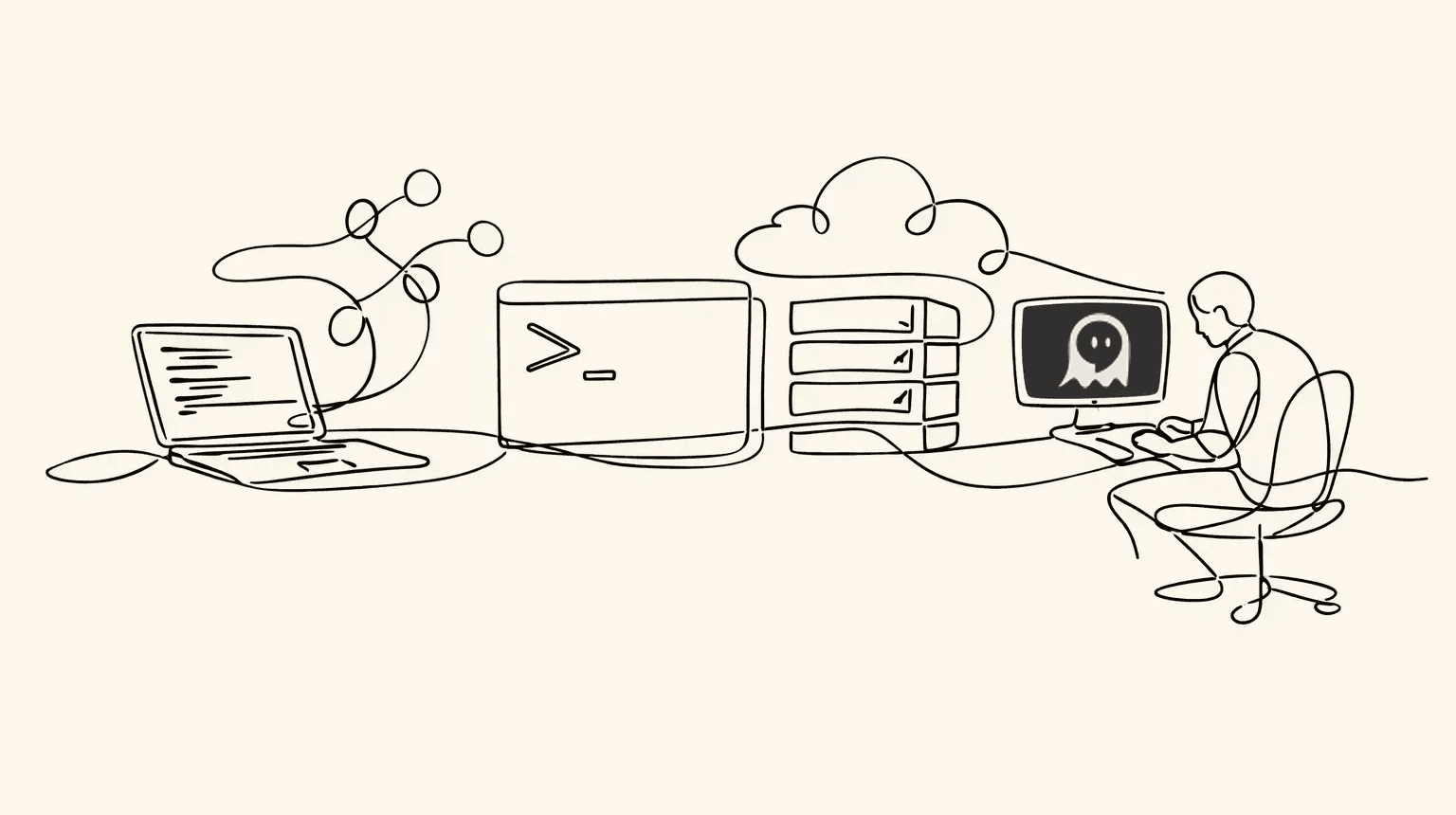
This is how iTerm2's tmux integration works. It's also how Agentastic.dev integrates tmux.
The protocol#
When you launch tmux -CC, tmux opens with a DCS (Device Control String) envelope. The opening sequence is ESC P 1000 p and the closing sequence is ESC \. Everything in between is the control stream. Inside that envelope, tmux emits lines that fall into a few categories.
Notifications start with %. The common ones are %output (bytes a pane has written), %layout-change (a window's split tree changed), %window-pane-changed (focus moved), %window-add and %window-close (lifecycle), %session-changed, and %exit. Each notification carries a small, well-defined argument list.
Command responses come back as %begin … %end-bracketed blocks. You write a tmux command on stdin (new-window, split-window -h, kill-pane -t %3), and tmux replies with the result lines wrapped in a %begin <timestamp> <number> 1 / %end <timestamp> <number> 1 pair.
Pane output is the bytes a pane has written, wrapped in %output %<paneID> <bytes>. The bytes are raw — they can contain anything a terminal program emits, including partial ANSI sequences. A control-mode client has to feed them into a real terminal renderer for anything useful to appear.
The model is small but expressive. Once you can parse the envelope, drain the notification stream, and round-trip a command/response, you have enough to build a multiplexer UI on top.
How Agentastic renders it#
Agentastic.dev acts as a native control-mode client. When a tmux -CC session is running, Agentastic reads the protocol stream end to end:
- The DCS envelope is unwrapped so the rest of the pipeline sees a clean line-based stream of notifications.
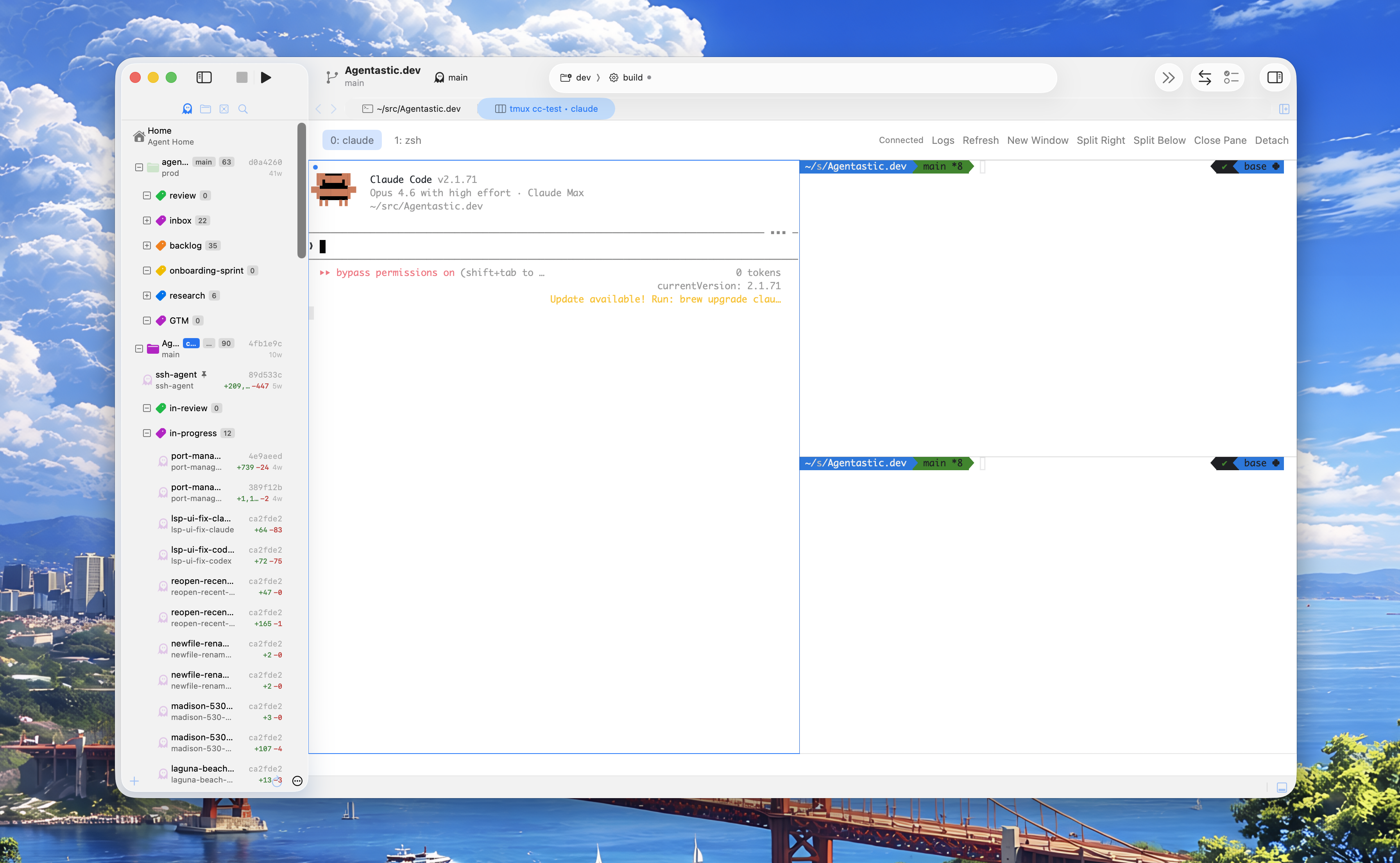
- Pane output is fed byte-for-byte into a real terminal renderer, ANSI sequences and all. Each pane gets its own scrollback, mouse selection, copy/paste, and link detection.
- Layout strings are translated into a native split view. When tmux sends a
%layout-changenotification, Agentastic re-projects the window's layout tree onto a native split. Horizontal and vertical splits, size ratios, and pane focus all show up the same way they do for non-tmux terminals in the app. - Lifecycle notifications drive the UI. The session opens as one editor tab, each tmux window gets a button along its top, closed panes disappear, focus changes move the cursor highlight, and
%exitcleanly tears the session down.
Input flows the other direction. Keystrokes you type into a tmux pane in Agentastic are hex-encoded and shipped back to tmux as send-keys -H commands, so what you type is what the underlying program receives — including arbitrary bytes that would otherwise be a nightmare to escape. One consequence: tmux's prefix key goes to the program too, so you drive the session with the tab's controls rather than Ctrl-b shortcuts.
The thin shim#
There's one small concession to ergonomics. Agentastic ships a tiny tmux shim on the terminal's PATH. Its only job is to spot -CC (and -CC attach) invocations and route them to the native session instead of letting tmux draw to the pty. Plain tmux calls — anything without -CC — pass straight through to the real binary, untouched.
Three things fall out of this:
- Detach is non-destructive. Agentastic is a control-mode client, not tmux itself. Close the window or quit the app and the session keeps running.
- Sessions are portable. A session you started in a plain terminal is the same session Agentastic can attach to with
-CClater. There's no Agentastic-specific tmux state. - The CLI still works. You can use real tmux from the command line whenever you want, including from inside an Agentastic pane that's already hosting a native tmux session.
Trying it#
Open a terminal in Agentastic and run:
tmux -CC new -s workThe session lifts into its own editor tab with one pane. Use the tab's Split Right and Split Below buttons, New Window, and Close Pane, and watch the layout update in place; each change is a tmux command, and the new layout comes back from tmux rather than from a local guess. Refresh re-reads windows and panes from the server, and Logs shows the raw control-mode event stream if a session misbehaves.
Click Detach and the session lives on. Attach again later from anywhere with:
tmux -CC attach -t workPut -CC before attach. It is a flag for tmux itself, so tmux attach -t work -CC fails with an unknown-flag error.
Why this matters for coding agents#
Long-running agent CLIs are a natural fit for tmux. Start Claude Code, Codex, or any other agent in a tmux session on a remote machine over SSH or inside a container, attach with -CC, and the panes render natively in Agentastic. If the app quits, the agent keeps running, on a remote host even while your laptop sleeps, and reattaching brings back the same windows and panes. Agentastic's own remote workspaces already keep agents running on the host, so tmux is optional there; it earns its place when you want your existing sessions and layouts.
If you are still choosing where to run your agents' terminals, our comparison of the best terminal for Claude Code covers tmux alongside the alternatives, and the terminal docs list every tmux control.
That's the whole feature. tmux does what tmux does. We just render it natively.
Frequently asked questions#
What is tmux -CC?#
tmux -CC starts tmux in control mode. Instead of drawing the screen, tmux sends a line-based stream of notifications and accepts commands, all wrapped in a DCS escape sequence, and a client such as iTerm2 or Agentastic reads that stream and draws the panes itself.
Does Agentastic support tmux?#
Yes. Plain tmux runs unchanged in Agentastic's terminal. Run tmux -CC, or tmux -CC attach, and Agentastic lifts the session into its own editor tab, where each tmux pane is a native terminal view laid out the way tmux reports.
How do I split panes in a tmux -CC session in Agentastic?#
Use the tab's Split Right and Split Below buttons, along with New Window and Close Pane. Keystrokes in a pane go straight to the program running there, so tmux prefix shortcuts such as Ctrl-b % don't drive a control-mode session.
How do I reattach to a tmux session in control mode?#
Run tmux -CC attach -t followed by the session name. The -CC flag has to come before the attach command; tmux attach -t work -CC fails with an unknown-flag error.
Does closing Agentastic kill my tmux session?#
No. Agentastic is a control-mode client, not tmux itself, so detaching or quitting the app leaves the session running on its host, and reattaching restores the same windows and panes.
Can I run Claude Code inside tmux in Agentastic?#
Yes. Start Claude Code or any other agent CLI inside a tmux session, locally, over SSH on a remote machine, or in a container, and attach with tmux -CC. The agent keeps running if the app quits, and you can reattach later.